Free tool

Email QR code generator

Scan it and a new email opens with the address, the subject and the message already written. Free, with no sign-up and no watermark.

1What should it open?

Fill in the details to start
PNG size

Free, no sign-up, no watermark. Made in your browser.

2Make it yours

Shape

Dots

Eyes

Colors

Dots
Eyes
Background

Frame

Logo

PNG, JPG, WebP or SVG up to 5 MB. It stays in your browser, and the code switches to its strongest error correction.

More looks in the KuikCode editor
How it works

What an email QR code holds

An email QR code holds a mailto: link: the address, and if you add them, a subject and a message. There's no website in it, so the scan goes straight to the phone's mail app.

The phone opens a new email with everything filled in. Nothing is sent until the person taps Send, so they can read it, change it and add their own words first.

Everything you type goes into the pattern. A subject and one line of message keep the dots comfortable. A whole paragraph makes a dense code that has to be printed bigger.

What's in the code

mailto:orders@example.com?subject=Catering%20order&body=Hi%2C%20I'd%20like%20catering%20for%2012%20people%20on

What the phone opens

New messageSend
Toorders@example.com
SubjectCatering order

Hi, I'd like catering for 12 people on

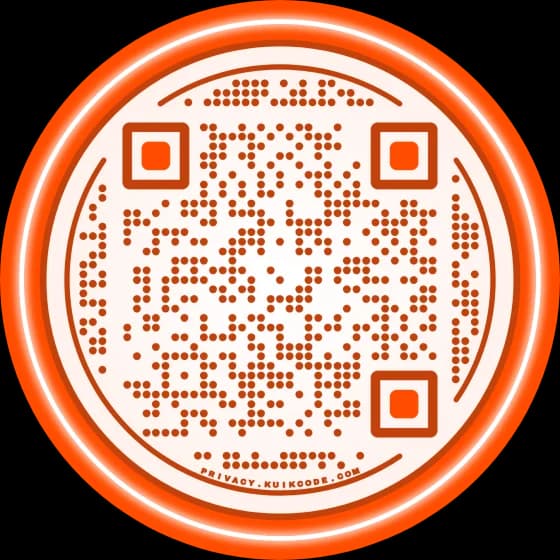
This code opens this exact draft. Scan it with your phone camera to try it.
Step by step

How to make an email QR code

Three steps, all in your browser.

  1. 1
    Type the address

    Email is already picked. Type the address the emails should go to in Send to.

  2. 2
    Add a subject and a message

    Both are optional. A subject like Question from the shop window tells you where each email came from. Keep the message to the first line and let people write the rest.

  3. 3
    Design, download and test

    Pick the colors, add your logo or a frame with words like EMAIL US, then download a PNG or an SVG. Scan the printed proof with two phones before you print the rest.

When it has to change

A free email code, or a KuikCode you can change

Both open the same new email. A KuikCode keeps a short link in the pattern instead of the address, so you can change where the email goes after printing and see every scan.

Free, made above

Email QR code

  • Opens a new email with the address, subject and message filled in
  • No account, nothing to renew, works without internet to open the draft
  • The address, subject and message can't change after printing
  • No count of how many people scanned

Dynamic, 14-day free trial

KuikCode email

  • Pick Call, Email or Text in the KuikCode editor, then Email: the same address, subject and message
  • Change any of them after printing, the print stays
  • Every scan counted, with the time, city and device
  • Designed like any other KuikCode: shapes, frames, stickers and your logo
  • The phone opens the browser for a moment on the way to the mail app
FAQ

Questions about email QR codes

01How do I make a QR code for an email address?+

Use the generator at the top of this page: Email is already picked, so type the address in Send to, add a subject and a message if you want, design the code and download it as a PNG or an SVG. Scanning it opens a new email with those fields filled in.

02Does scanning the code send the email?+

No. The phone opens a draft and waits. The person sees the address and the message, can change them, and taps Send themselves.

03Is this email QR code generator free?+

Yes. Email codes made here are free to download as PNG or SVG, with no sign-up, no watermark and no limit on how many you make. They're static: the address is part of the code and the code keeps working for good.

04Can I change the email address after printing?+

Not on a free email code, because the address is stored in the pattern. A KuikCode email can change: in the KuikCode editor, pick Call, Email or Text, then Email, and edit the address, subject or message any time. Every printed code follows.

05Why does my code get busier when I add a message?+

Every character of the address, subject and message goes into the code, so more words mean more and smaller dots. Keep the message to a line, and print a long one bigger. The QR code size guide has the numbers.

06Can I see how many people scanned my email QR code?+

Not with a free email code, because nothing sits between the scan and the phone's mail app. A KuikCode email counts every scan with its time, city and device.

07What if the person who scans doesn't use their phone's mail app?+

Phones open the default mail app, and people who read email somewhere else may get a setup screen. If every message matters, point a KuikCode at a KuikPage with a short form instead: people write right on the page, and each message lands in your dashboard. Forms are on Core and up.

08Can I make a QR code that opens a text message instead?+

Yes. Pick SMS in the same generator, type the number with its country code and the message, and download. For one you can change later, pick Call, Email or Text in the KuikCode editor, then Text. The email and SMS QR codes guide walks through both.

14-day free trial

Your next printed code, ready in minutes.

Design it, point it anywhere, change it after printing and watch the scans come in. Try every feature free for 14 days, no credit card.

No credit card Change links anytime Live scan proof
Scan from Miami now

Start your 14-day free trial

Every feature, no credit card. Plans from $5 a month after.

Start free trial