

QR codes for restaurants and menus
Put your menu behind a designed QR code, change dishes and prices without reprinting, and see when guests scan. Built for restaurants, cafes and bars.
What restaurants use KuikCode for
Table and counter menus
One code on every table tent opens the current menu, whether it is a PDF or a mobile page with photos.
Menus that change by the hour
Send the same code to breakfast in the morning and dinner at night with time based rules.
Menus in more than one language
Serve the Spanish or English menu from one code, based on the guest's phone language.
Reviews and loyalty
Point a code on the receipt or the door at your review page, a signup form or this week's offer.
Swap the menu, keep the table tents
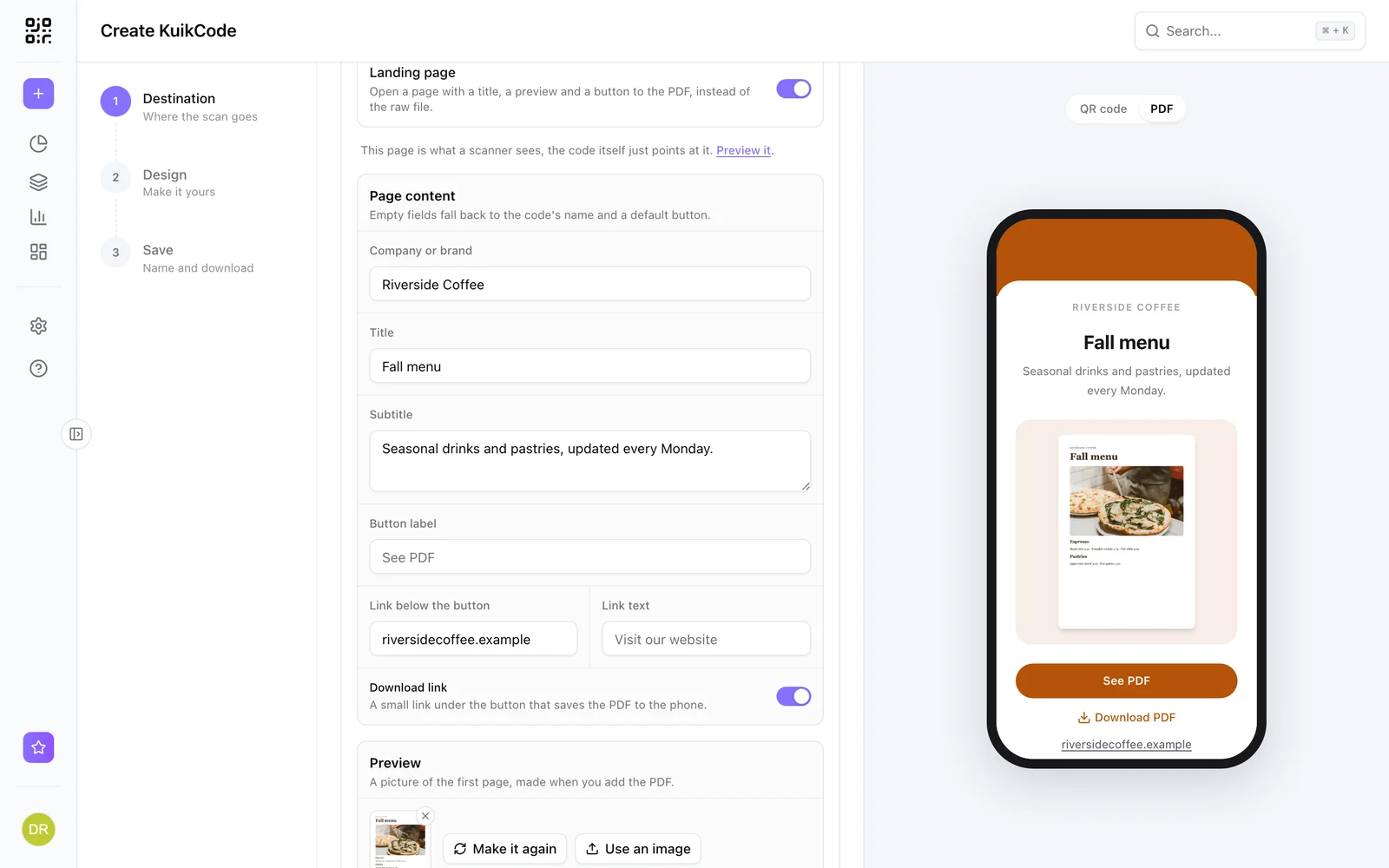
Upload your menu as a PDF and the code opens a short branded page with a preview, a See PDF button and a download link. When prices change, upload the new file behind the same printed code.
- A preview of the first page is made from your PDF automatically
- Your logo, colors and a link to ordering or reservations
- Works on every plan
A menu page that looks like your restaurant
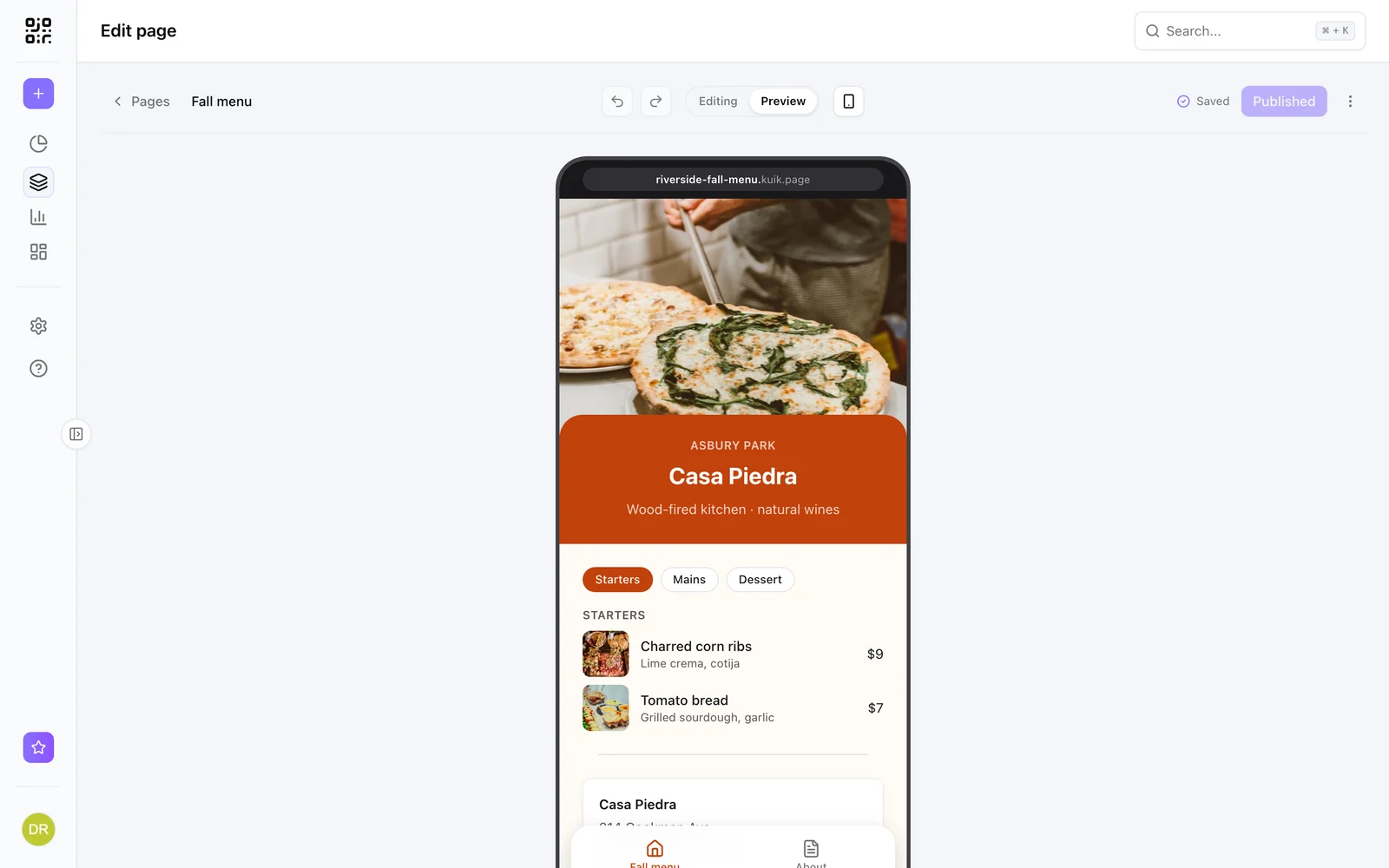
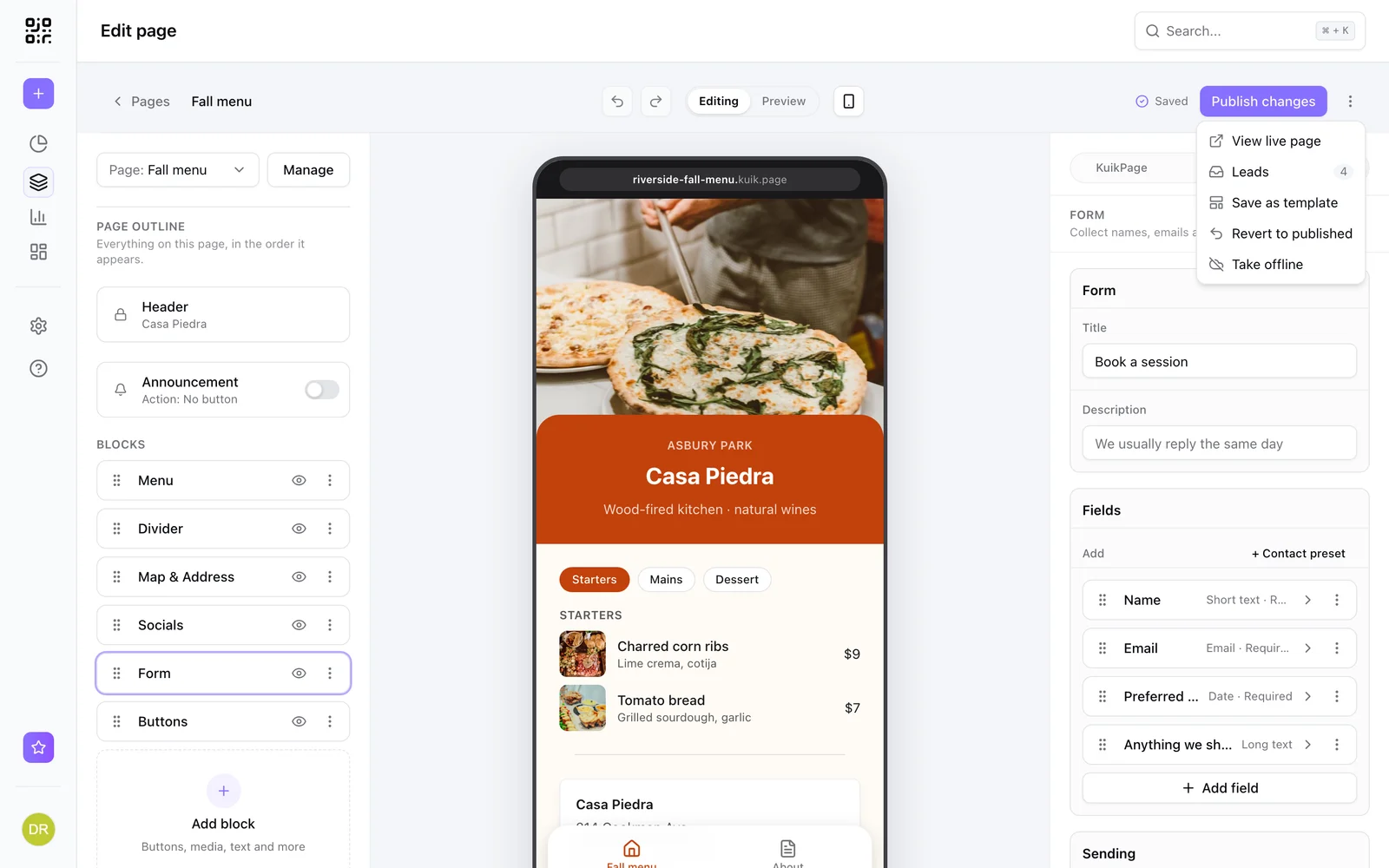
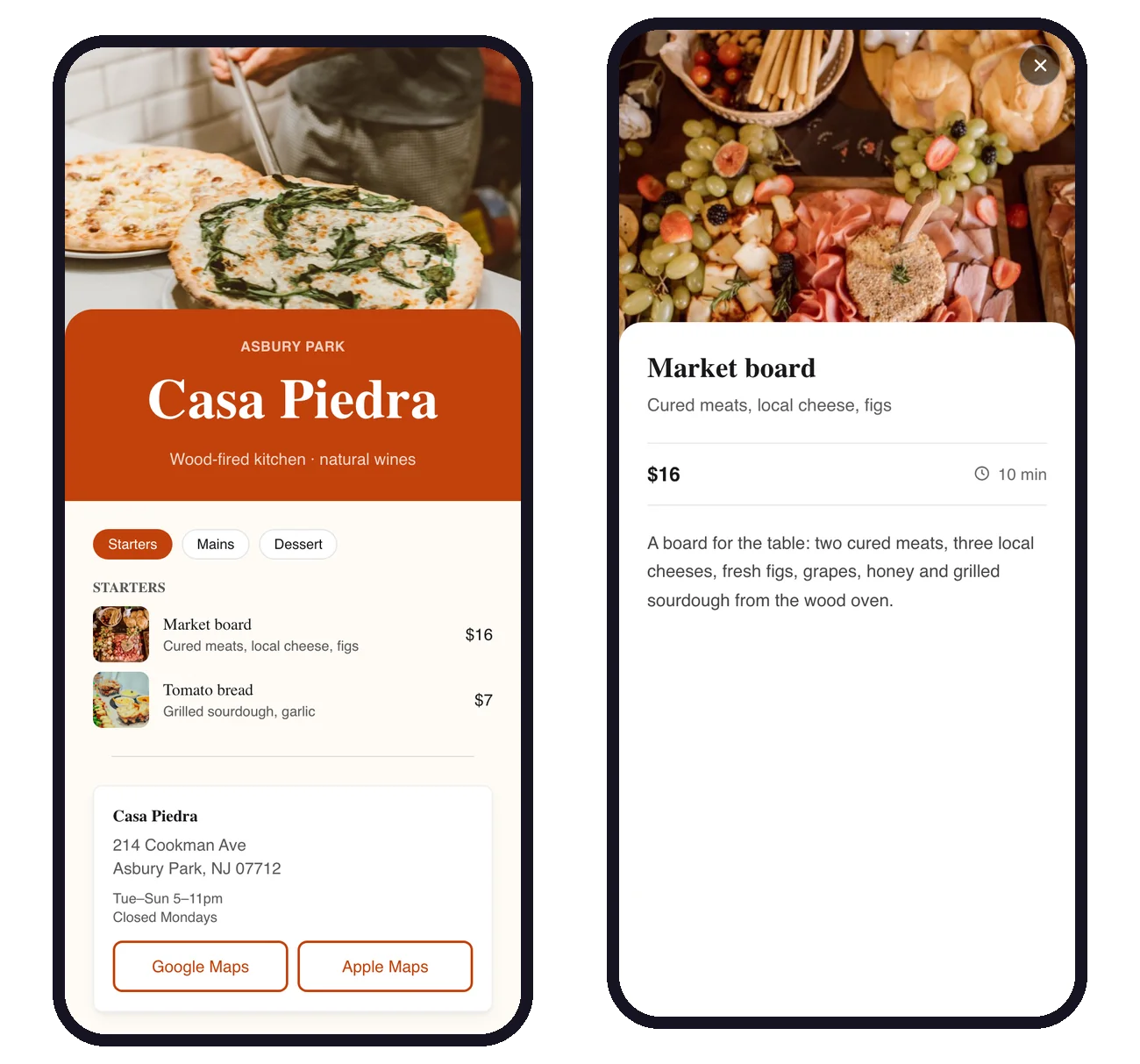
Start from the Restaurant Menu template and edit sections, dishes, prices and photos. Add your address with directions and opening hours, plus a booking form on PRO, all on one page that loads fast on a phone.
- Sections with tabs like Starters, Mains and Dessert
- Map, social links and, on PRO, a booking form
- Publish changes in seconds
The right menu at the right time
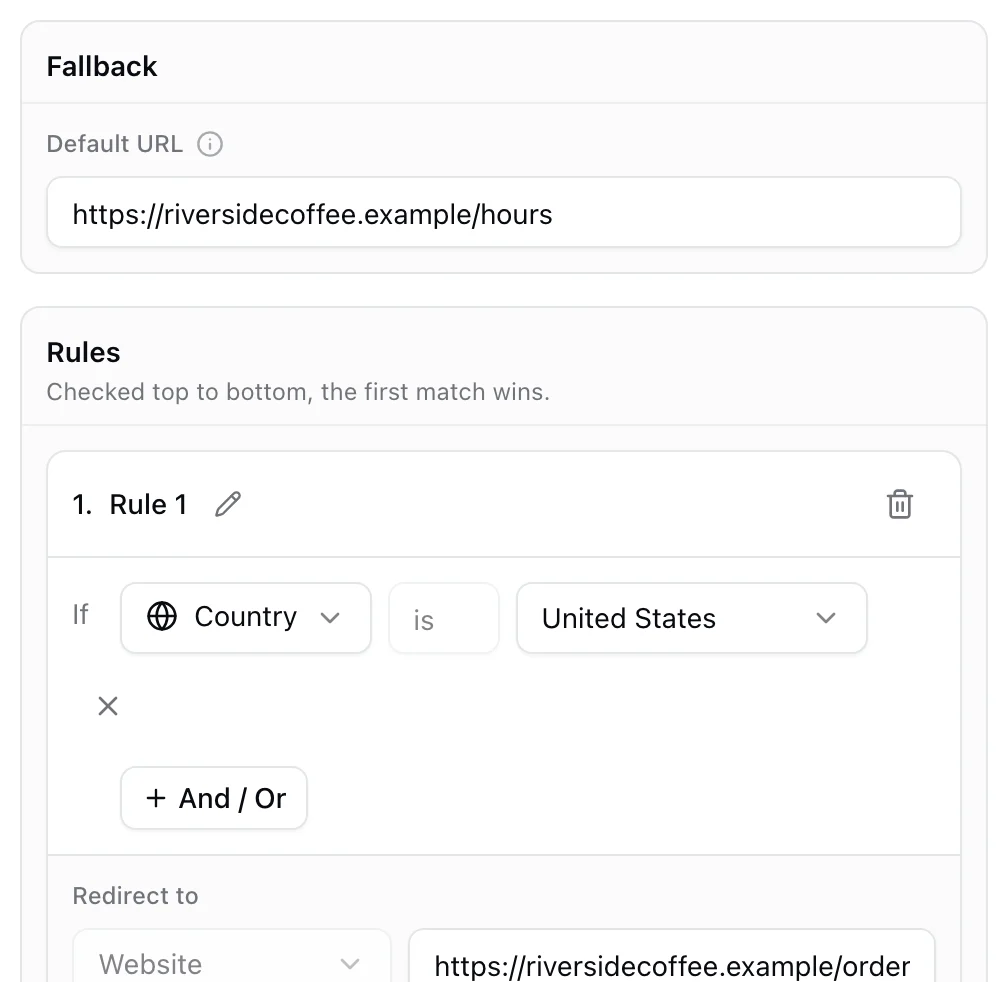
Rules send each scan to the right place. Show the lunch menu until 4 PM and the dinner menu after, or the brunch page on weekends. Rules read as plain sentences, so anyone on the team can check them.
- Rules by time of day, weekday, date, device, country or language
- A fallback destination for everything else
- Available on the PRO plan
Learn more
How to make a digital restaurant menu with a QR code
Build a mobile menu page with sections, dish photos and prices, put it behind one QR code on every table, and update it in seconds without reprinting.
September 25, 2026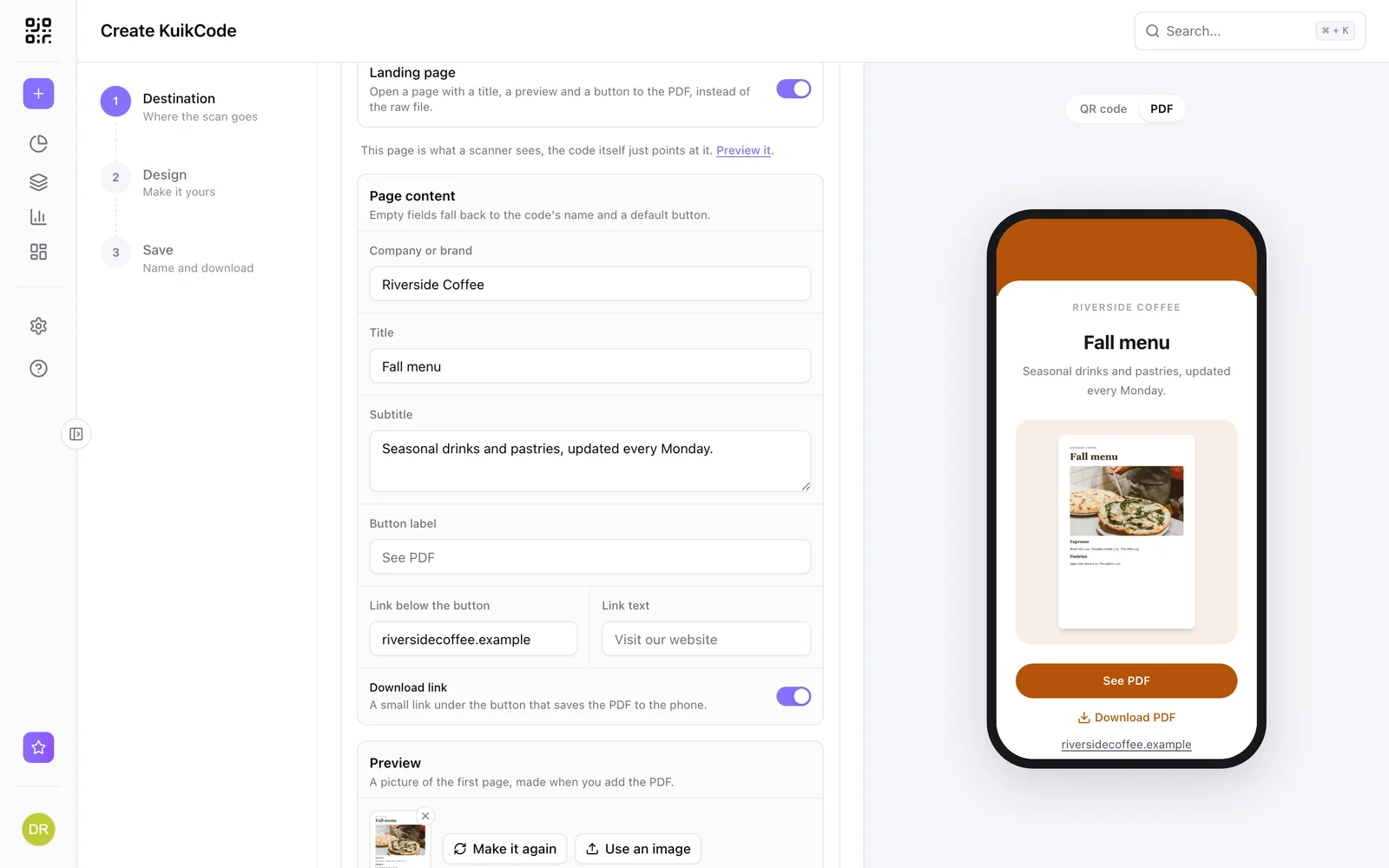
How to make a QR code for a PDF menu or brochure
Put your menu, brochure or catalog behind a QR code that opens a clean mobile page, and swap the PDF anytime without reprinting.
September 23, 2026
How to track QR code scans (and what the numbers mean)
Dynamic QR codes record every scan. Learn which numbers matter, how to read total and unique scans, and how to connect scans to your web analytics.
September 23, 2026Frequently asked questions
01Can I change my menu without reprinting the QR codes?+
Yes. KuikCodes are dynamic, so you can upload a new PDF or edit your menu page and every printed code opens the new version within about a minute.
02Should my menu be a PDF or a mobile page?+
A PDF is the fastest way to start if you already have a designed menu. A mobile page with sections and photos is easier to read on a phone and easier to update dish by dish.
03Can guests order or book from the menu?+
Your menu page can link to your ordering or booking service. On the PRO plan it can also include a booking form that sends requests to your inbox.
04Can I see when guests scan the menu?+
Yes. Scan analytics show scans by hour, day, location and device, so you can see which tables and times are busiest.

Start with the QR codes you will never need to reprint.
Join the beta for branded design, editable destinations, hosted sites, bulk CSV creation, and live scan analytics.
Request beta access
One email when your workspace is ready. No spam.