

KuikLinks: a URL shortener that tracks every click
Shorten links on kuik.sh or your own domain, see every click, add UTM tags and Smart Rules, and keep them beside your QR codes. Every destination is checked.
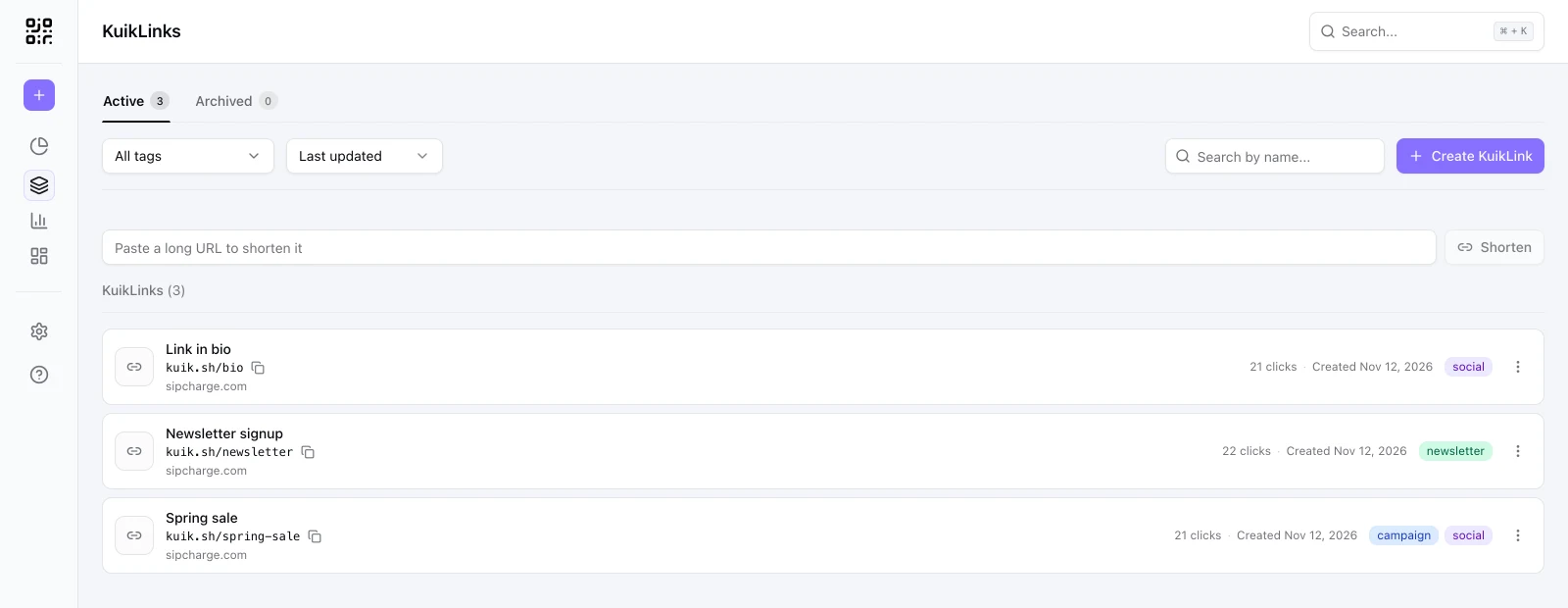
Where a short link does the job
Social posts and bios
A short link for each post or profile, so you can see which one brought the clicks.
Campaigns
One link per channel with its own UTM, and one view that compares them.
Email and newsletters
Links that stay short in plain text and tell you what readers opened.
Print with a backup
The same link as text under a QR code, for people who would rather type it.
Shorten a link in one step
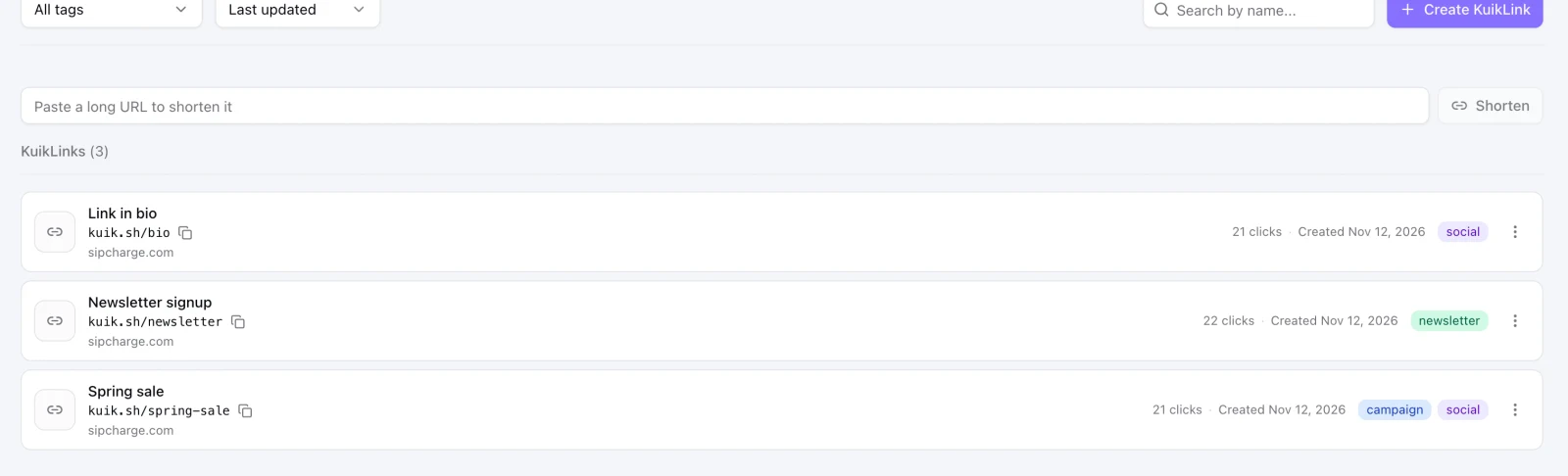
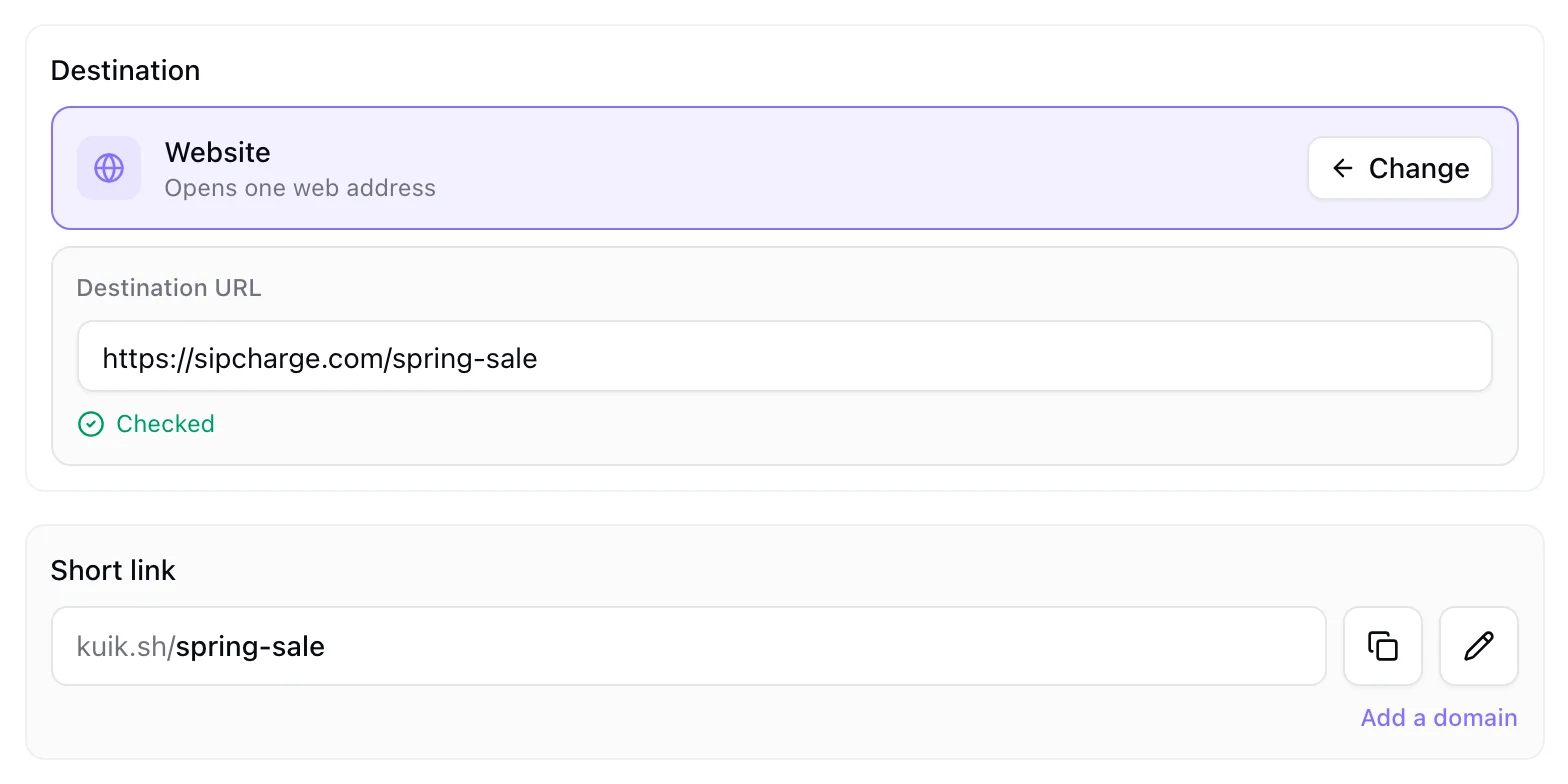
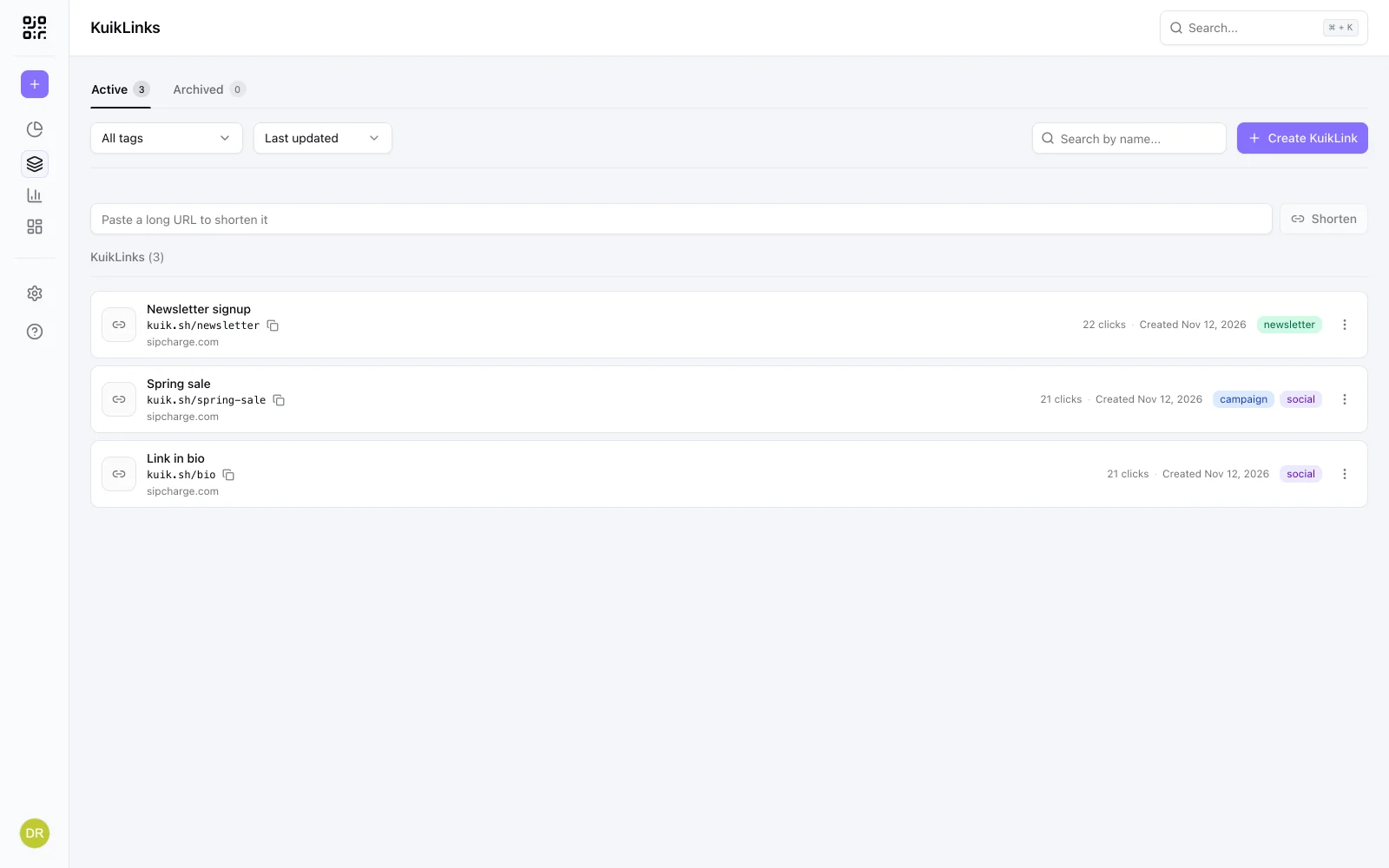
Paste any long web address and KuikCode gives you a kuik.sh link you can share at once. Give it a readable ending, put it in a folder, tag it, and add a note only your team sees. The destination can be changed any time without changing the link.
- Readable endings like kuik.sh/spring-sale from Core
- Your own domain or branded address from PRO
- Tags with colors, folders and search
The same tools your QR codes have
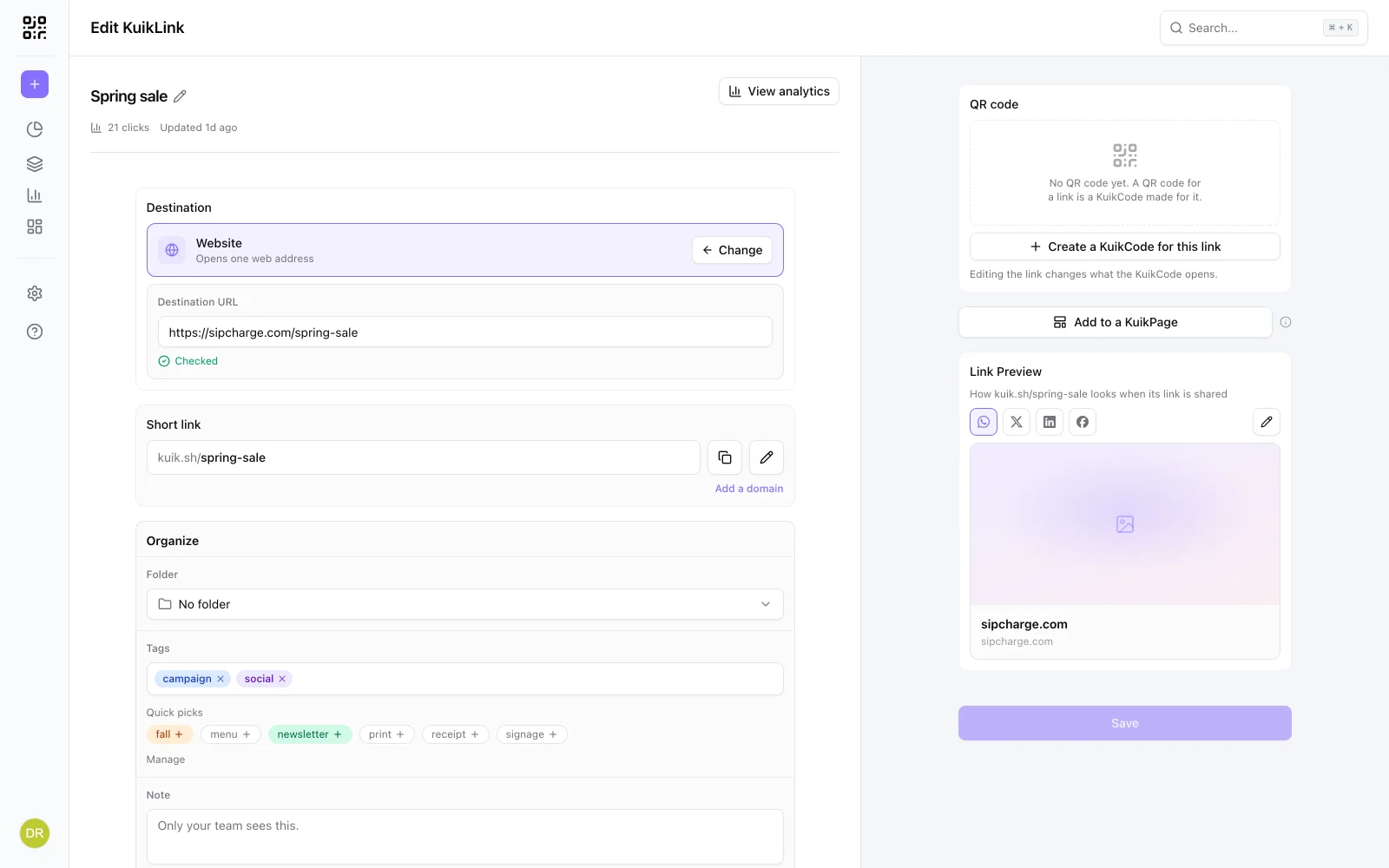
A link takes the options a KuikCode takes. Add UTM tags from a saved template, send people to different pages with Smart Rules, protect it with a password, set an end date, and choose how it looks when it is shared in a chat or a post.
- UTM builder and UTM templates from Core
- Smart Rules, password, expiration and custom link previews on PRO
- A QR code for the link is a KuikCode you can design
Campaign tags without retyping them
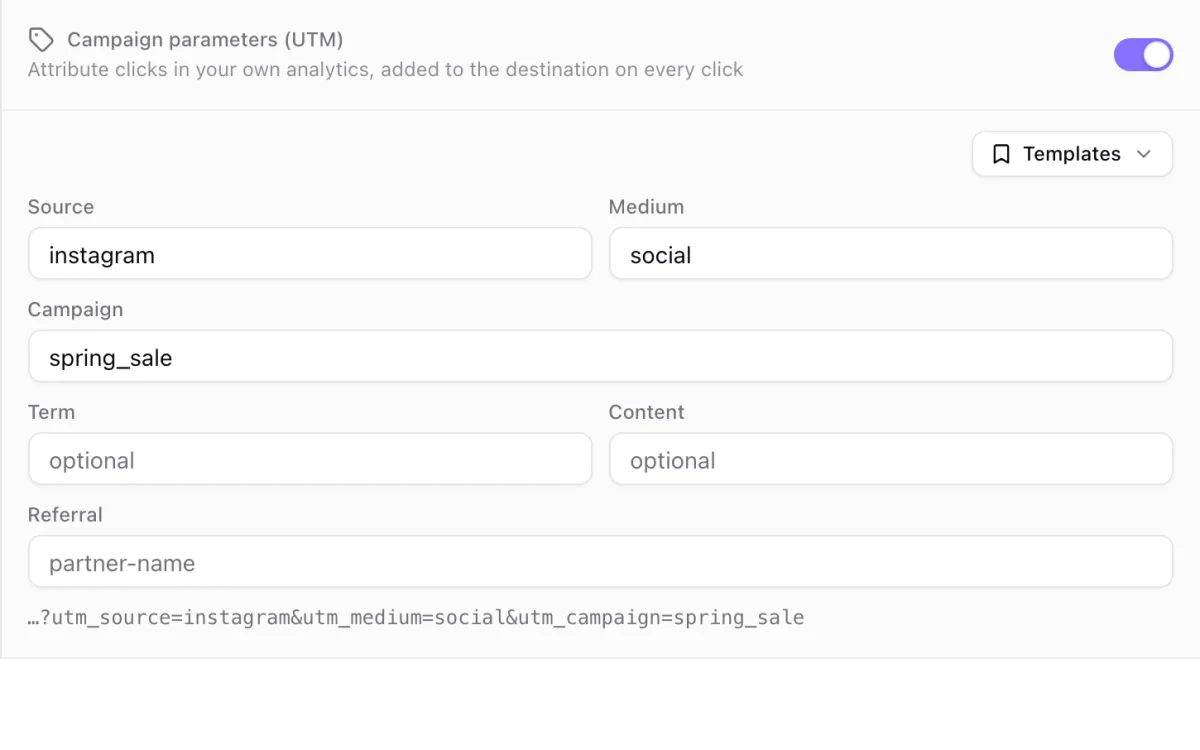
Save the UTM values you reuse as a template, like your newsletter's, and apply them to a link in one click. The tags are added to the destination on every click, so your own analytics can tell the channels apart.
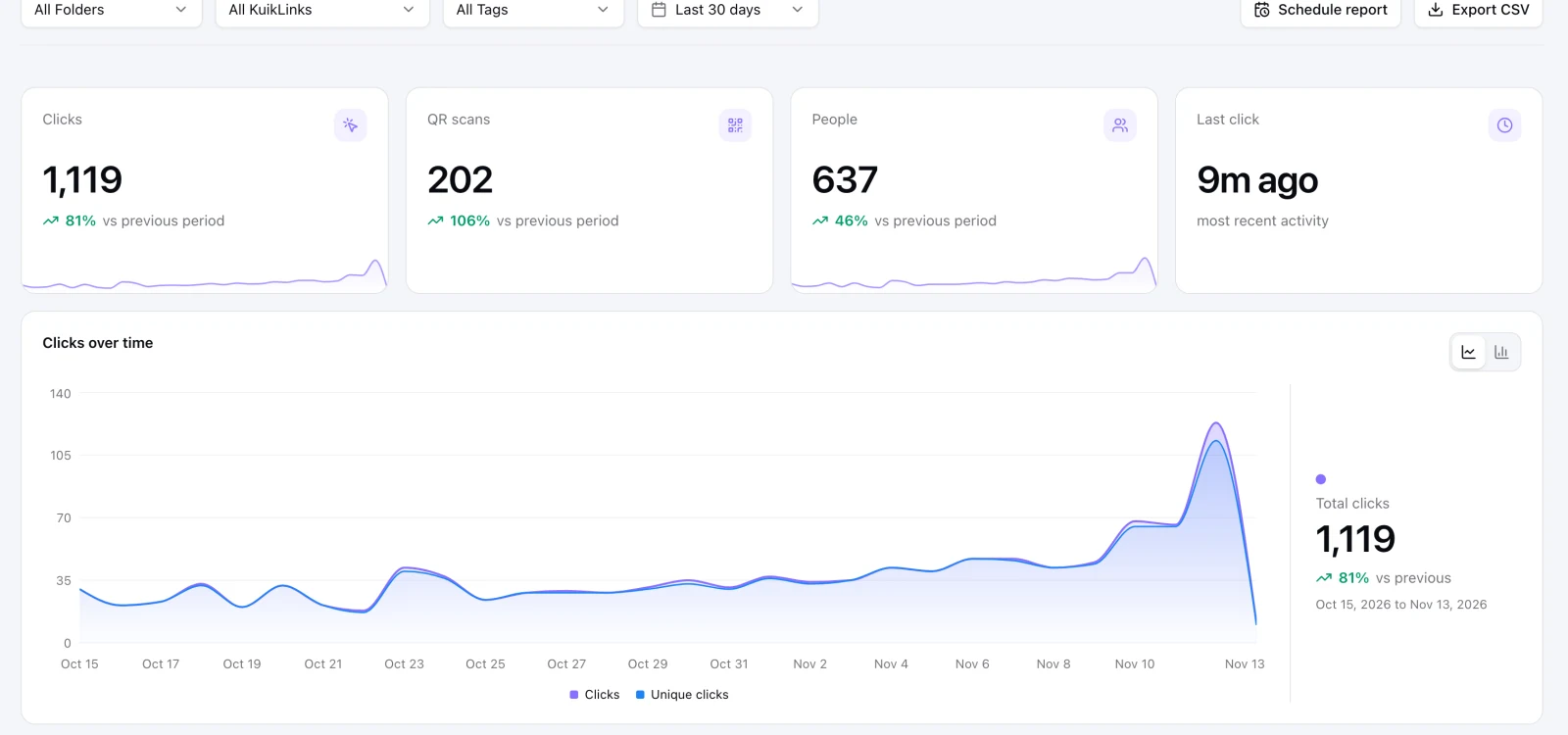
Clicks and scans in one place
Each link shows its clicks over time, the people behind them, where they came from, the device and the place. A scan of the link's QR code is counted apart from a click, so you know which one worked. Clicks are unlimited on every plan.
- Where clicks come from, by site
- Top UTM campaigns, sources and mediums
- Scheduled email reports on Business
Every link is checked
A short link hides where it goes, so we check for you. Every destination is compared with lists of unsafe sites when the link is saved and again every day. Anyone can add a plus sign to the end of a kuik.sh link to see where it leads before opening it, and report a link that looks wrong.
Learn more
How to shorten a link (and see who clicks it)
Shorten any link in one step, give it a readable ending, and count every click. How short links work, when to use one, and how to keep them tidy across channels.
November 13, 2026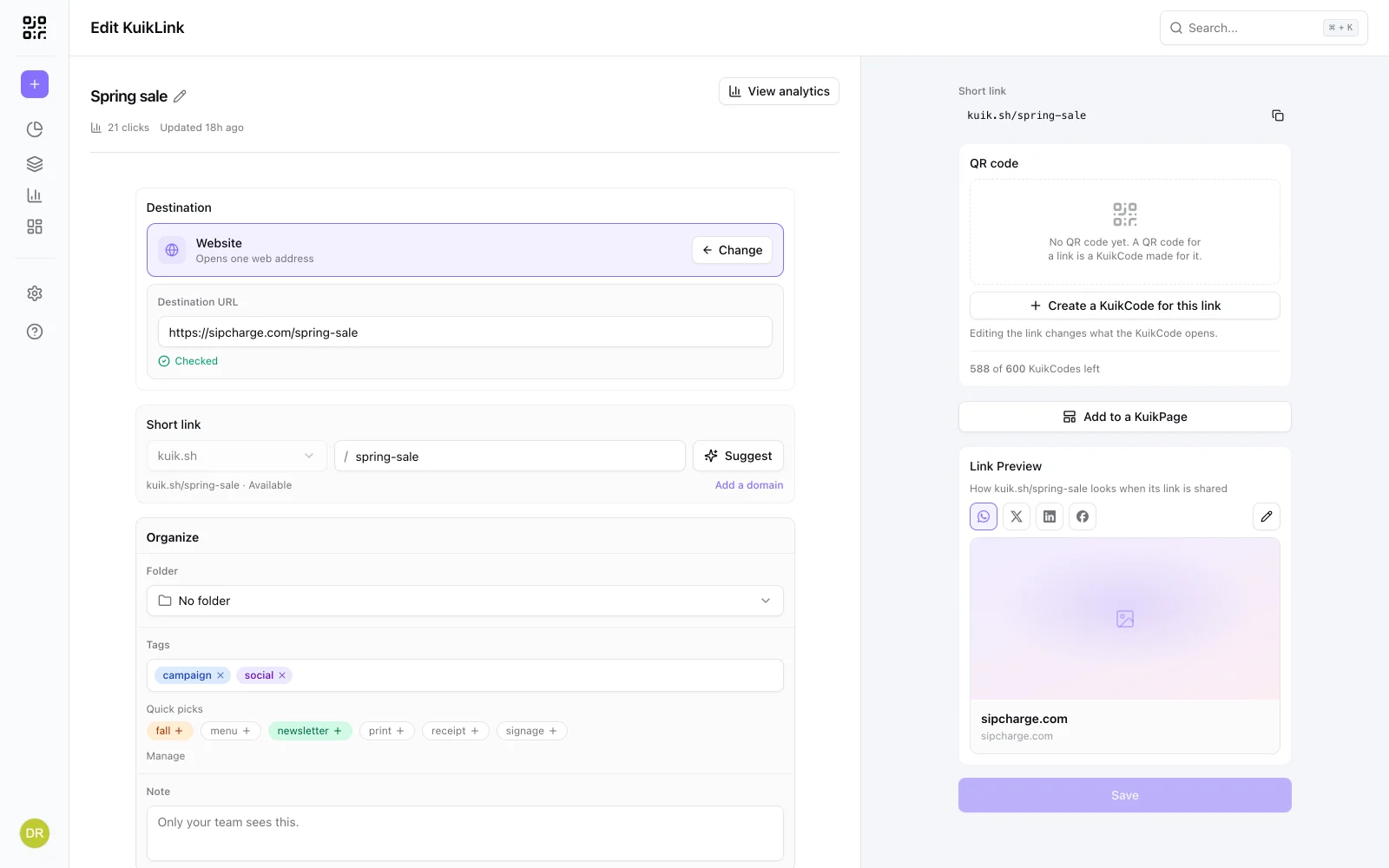
Is this short link safe? How to see where a link goes before you click
A short link hides where it goes. How to check the real destination before you open it, the warning signs of a bad link, and what to do if you already clicked.
November 13, 2026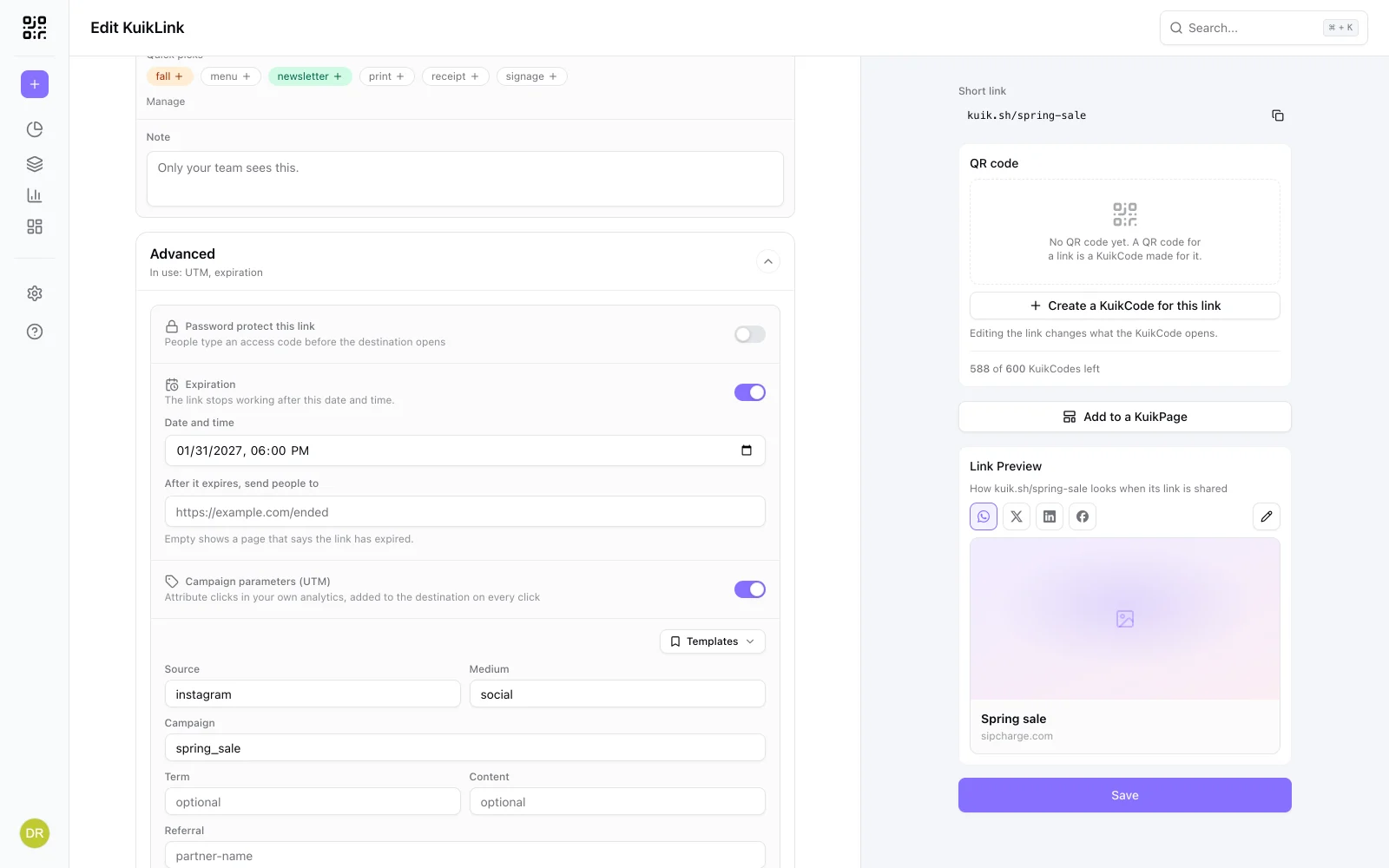
Do short links expire? How long a short link lasts
A short link works as long as the service behind it keeps it running. What can stop one, what happened to Google's shortener, and how to set an end date on purpose.
November 13, 2026Frequently asked questions
01What is a KuikLink?+
A KuikLink is a short link made with KuikCode, such as kuik.sh/spring-sale. It forwards people to the web address you choose, counts the clicks, and lets you change the destination later without changing the link.
02Can a short link and a QR code share analytics?+
Yes. Make a KuikCode for a KuikLink and both open the same destination. Clicks on the link and scans of the code are counted apart in the same view, so you can compare them.
03How do I know a short link is safe?+
Add a plus sign to the end of any kuik.sh link, for example kuik.sh/spring-sale+, and a page shows where it goes without opening it. KuikCode also checks every destination against lists of unsafe sites when a link is saved and every day after.
04How do I shorten a link?+
Paste the long address into the box at the top of your KuikLinks list and press Shorten. You get a kuik.sh link at once. Open it to give it a readable ending, tags, UTM or any other option.
05Is there a free plan?+
No. Every workspace starts with a 14-day trial with no credit card, which includes 10 new links. After that, Basic includes 10 new links a month and Core 100. Clicks are unlimited on every plan, and a link keeps working as long as your plan is active.
06How many KuikLinks can I create?+
New links per month: 10 on Basic, 100 on Core, 1,000 on PRO and 10,000 on Business. The 14-day trial includes 10. Clicks are unlimited on every plan.
07Can I use my own domain for short links?+
Yes. PRO includes a branded address and one custom domain, and Business includes three custom domains. Links on your own domain can have any readable ending you like.
08Can I change where a link goes after I share it?+
Yes. Edit the destination any time and the same short link opens the new page within a minute.
Your next printed code, ready in minutes.
Design it, point it anywhere, change it after printing and watch the scans come in. Try every feature free for 14 days, no credit card.
Start your 14-day free trial
Every feature, no credit card. Plans from $5 a month after.