A link in bio page is the one link you're allowed to put on Instagram, TikTok or X, and it's often the first page a new follower sees. Most tools make a page that works. The differences are in what's free, what it costs to look like your own brand, and what happens when you want to sell.
We compared seven tools on those points. We make KuikCode, so it's listed first. Every other tool's facts come from its own pricing and feature pages, checked November 2026, in US dollars.
The link in bio tools at a glance
| Tool | Free plan | Paid plans start at | Known for |
|---|---|---|---|
| KuikCode | No, a 14-day free trial | $5 a month, billed yearly | Link in bio pages with designed QR codes and a Social feed |
| Linktree | Yes | $7 a month billed yearly, or $9 monthly | The best known link in bio page |
| Beacons | Yes, with a 9% seller fee | $30 a month (Creator Plus) | A store, media kit and email for creators |
| Stan | No, a 14-day free trial | $29 a month, or $300 a year | Selling courses, digital products and bookings |
| Later | Yes, a free link in bio | $18.75 a month billed yearly, with scheduling | A link in bio built from your posts, inside a scheduler |
| Carrd | Yes, with Carrd branding | $9 a year | Simple one page websites |
| Lnk.Bio | Yes | $0.99 a month | A low cost page with many options |
What to look for in a link in bio tool
- Branding. Free plans usually show the tool's name or logo on your page. Check which plan removes it.
- Your own domain. A link like
yourname.cominstead of the tool's address looks more like your brand, and it stays yours if you ever switch tools. - Selling fees. If you sell, a percentage per sale can cost more than a monthly plan.
- Your posts on the page. Some tools can show your latest Instagram or TikTok posts, so the page never looks stale.
- The QR code. If the page goes on a flyer, a business card, packaging or merch, you'll want a code that looks like your brand and that you can point somewhere else later.
1. KuikCode
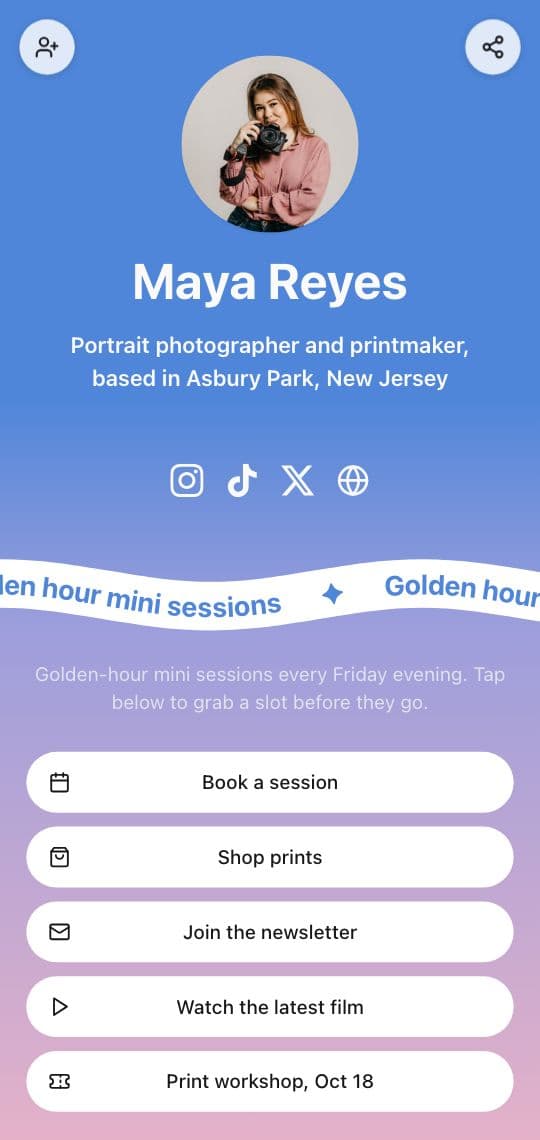
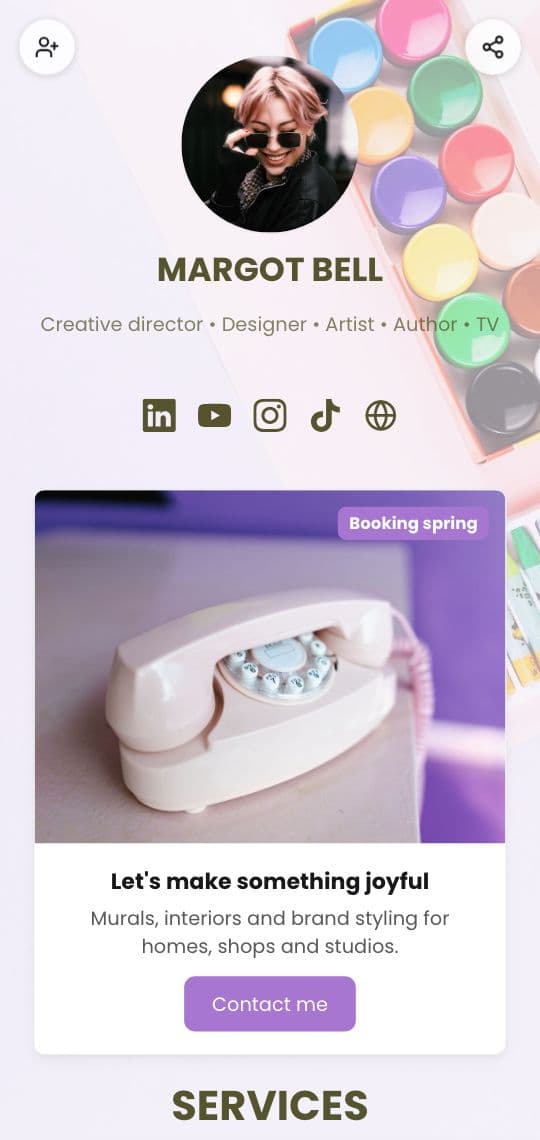
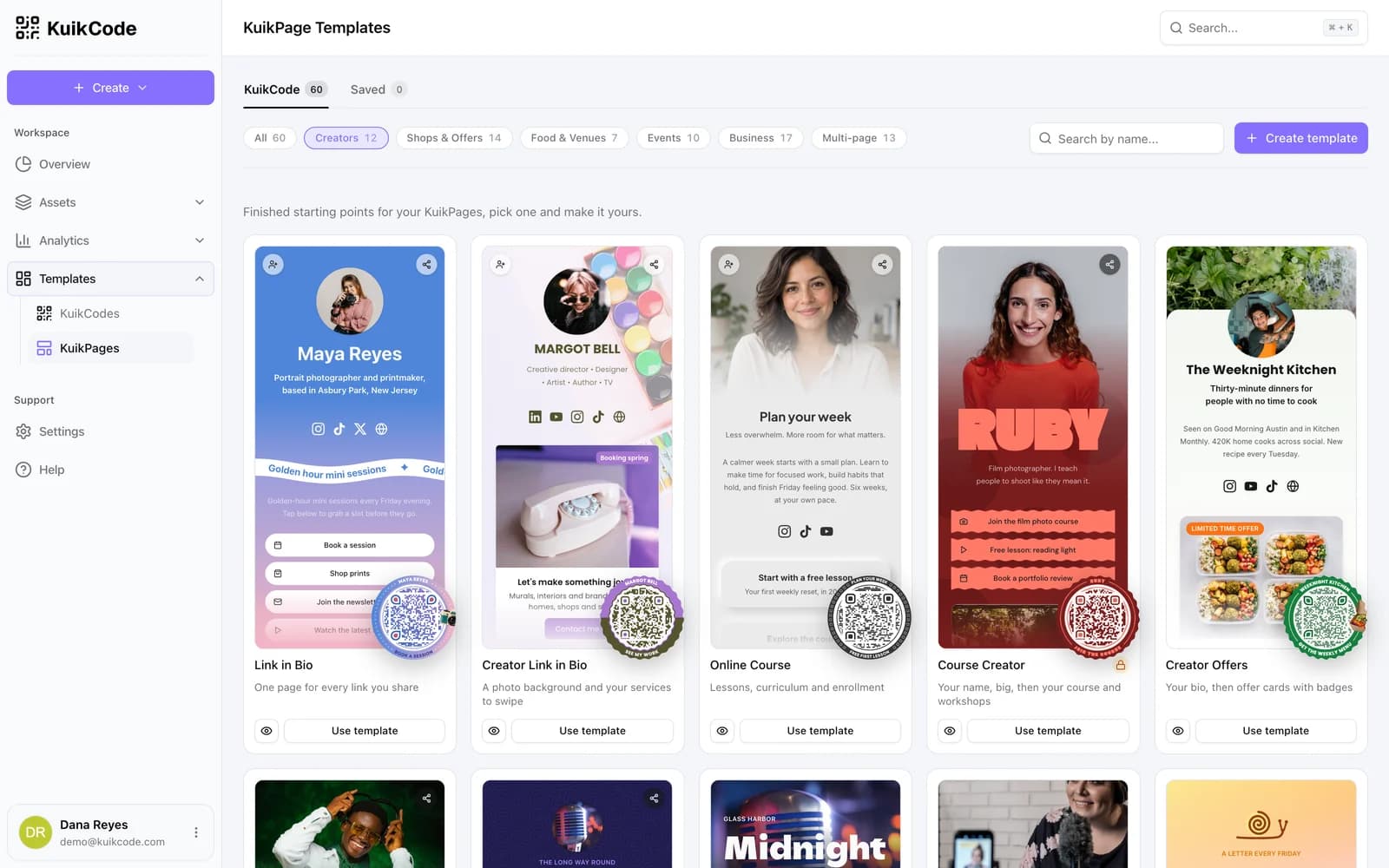
KuikCode makes KuikPages, mobile pages built from templates, and designed QR codes that you can point at a page or anywhere else. A link in bio is one of the KuikPage templates.
- Link in bio templates. Link in Bio and Creator Link in Bio to start from, with a Socials block for Instagram, TikTok, X, YouTube, Facebook, LinkedIn and WhatsApp.
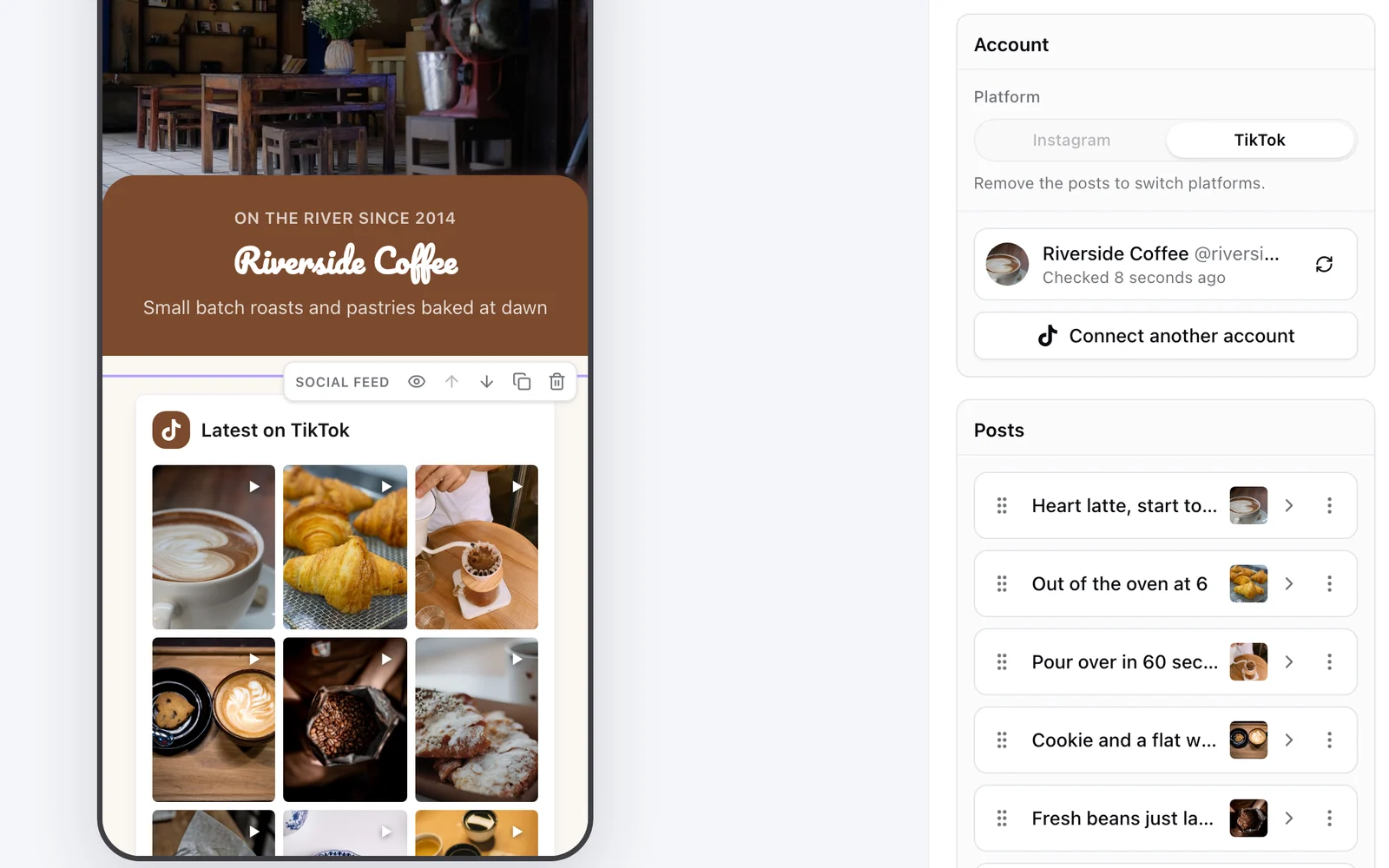
- A Social feed. Show your latest Instagram or TikTok posts on the page, with new ones added on their own, from Core.
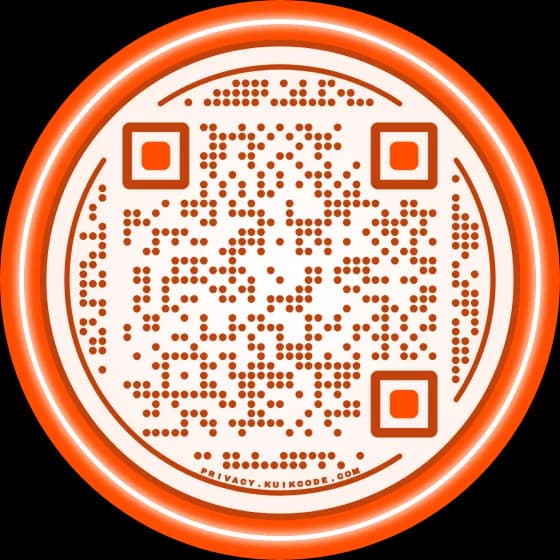
- A designed QR code for print. Dots, eyes, frames with words, stickers and your logo, checked so it scans, and dynamic, so you can change where it opens after printing.
- Every scan counted with the time, city, device and language.
- Your own domain from PRO, where the KuikCode badge also comes off the page.
KuikCode has no free plan; every workspace starts with a 14-day trial with no card. Basic is $5 a month billed yearly. Core is $12 a month, or $9 billed yearly, and adds the Social feed. PRO is $39 a month, or $29 billed yearly, and adds your own domain and removes the badge.
2. Linktree
Linktree is the best known link in bio page. Its pricing page lists four plans:
- Free, with unlimited basic links and email and phone sign-ups.
- Starter, $7 a month billed yearly or $9 monthly, with a personalized page and basic analytics.
- Pro, $14 a month billed yearly or $17 monthly, which removes the Linktree branding and lets you sell with 0% Linktree fees. Linktree notes that transaction and processing fees may apply.
- Premium, $30 a month billed yearly or $35 monthly, with link rules, all time analytics and data export.
Linktree says its prices vary by region and are shown in local currency.
3. Beacons
Beacons is a set of creator business tools around a link in bio page: a store, auto updating media kits, courses and email.
- Free forever, with a customizable link in bio and selling at a 9% seller fee.
- Creator Plus, $30 a month, with 0% seller fees, unlimited email sends and a free custom domain.
4. Stan
Stan is a store that lives in your link in bio, for courses, digital products and bookings. It has no free plan and starts with a 14-day free trial.
- Creator, $29 a month or $300 a year.
- Creator Pro, $99 a month or $948 a year.
Stan charges 0% transaction fees on both plans.
5. Later
Later is a social media scheduler with a link in bio built from your posts: each Instagram, TikTok or Snap post on the page can link to up to five places.
- A free link in bio is offered on its own.
- Paid plans start with Starter at $18.75 a month billed yearly, which adds scheduling, with a 14-day free trial.
6. Carrd
Carrd builds simple one page websites, and many people use one as a link in bio.
- Free, with "Made with Carrd" branding.
- Pro Lite, $9 a year, removes the branding.
- Pro Standard, $19 a year, adds custom domains, forms and embeds.
- Pro Plus, $49 a year, for more sites.
7. Lnk.Bio
Lnk.Bio has a free plan and several low cost upgrades:
- Free, with unlimited links, embeds and a QR code.
- Mini, $0.99 a month, adds Instagram and TikTok sync and advanced analytics.
- Unique, $24.99 one time, removes the Lnk.Bio logo and adds a shop.
- Ultra, $89.99 a year, connects your own domain.
How to choose
Start from where the page will be seen. If it only lives in your profile, the free plans above all make a working page, and the question is how much branding you'll accept. If you sell, compare the fee per sale with the monthly price. And if the page also goes on print, choose the tool that makes the code as well as the page, so the flyer, the card and the profile all lead to one place you can keep changing.
All trademarks belong to their owners. Plans change often, so check each vendor's own pricing page before you buy.
Frequently asked questions
01What is the best link in bio tool?+
It depends on what the page has to do. Some tools are built around selling, some around a scheduler, some around a simple free page. KuikCode is built for pages that also live in print: a designed link in bio page, a Social feed with your latest posts, and a designed QR code you can point anywhere.
02Is there a free link in bio tool?+
Yes. In November 2026, Linktree, Beacons, Carrd, Lnk.Bio and Later all offered a free link in bio. Free plans usually show the tool's branding on the page. KuikCode has no free plan; every workspace starts with a 14-day trial.
03Can I use my own domain for my link in bio?+
On most tools, on a paid plan. Carrd connects a custom domain from its $19 a year plan, Lnk.Bio on its $89.99 a year plan, Beacons on Creator Plus, and KuikCode from PRO.
04Do link in bio tools take a cut of sales?+
Some do. Beacons listed a 9% seller fee on its free plan and 0% on Creator Plus. Stan and Linktree Pro advertised 0% platform fees, and payment processing fees still apply.
05Can a link in bio page show my Instagram or TikTok posts?+
On some tools. A KuikPage shows your latest Instagram or TikTok posts with the Social feed block, from Core. Lnk.Bio syncs Instagram and TikTok from its Mini plan, and Later builds its link in bio from your posts.
06How did you compare these tools?+
We read each company's own pricing and feature pages in November 2026 and noted prices in US dollars, free plans, branding, custom domains, selling fees and social feeds. Prices change and some vary by region, so check each vendor's page before you buy.