A table tent, a window sticker, a code on the receipt: one printed QR code can open the breakfast menu in the morning, lunch at noon and dinner at night. Nobody swaps the print and nobody remembers to update a link at 11 AM. The code checks the time at every scan and opens the menu that fits.
What you need
- A dynamic QR code with time rules. In KuikCode that is the Smart Rules destination. A static code cannot do this, because its link is baked into the pattern.
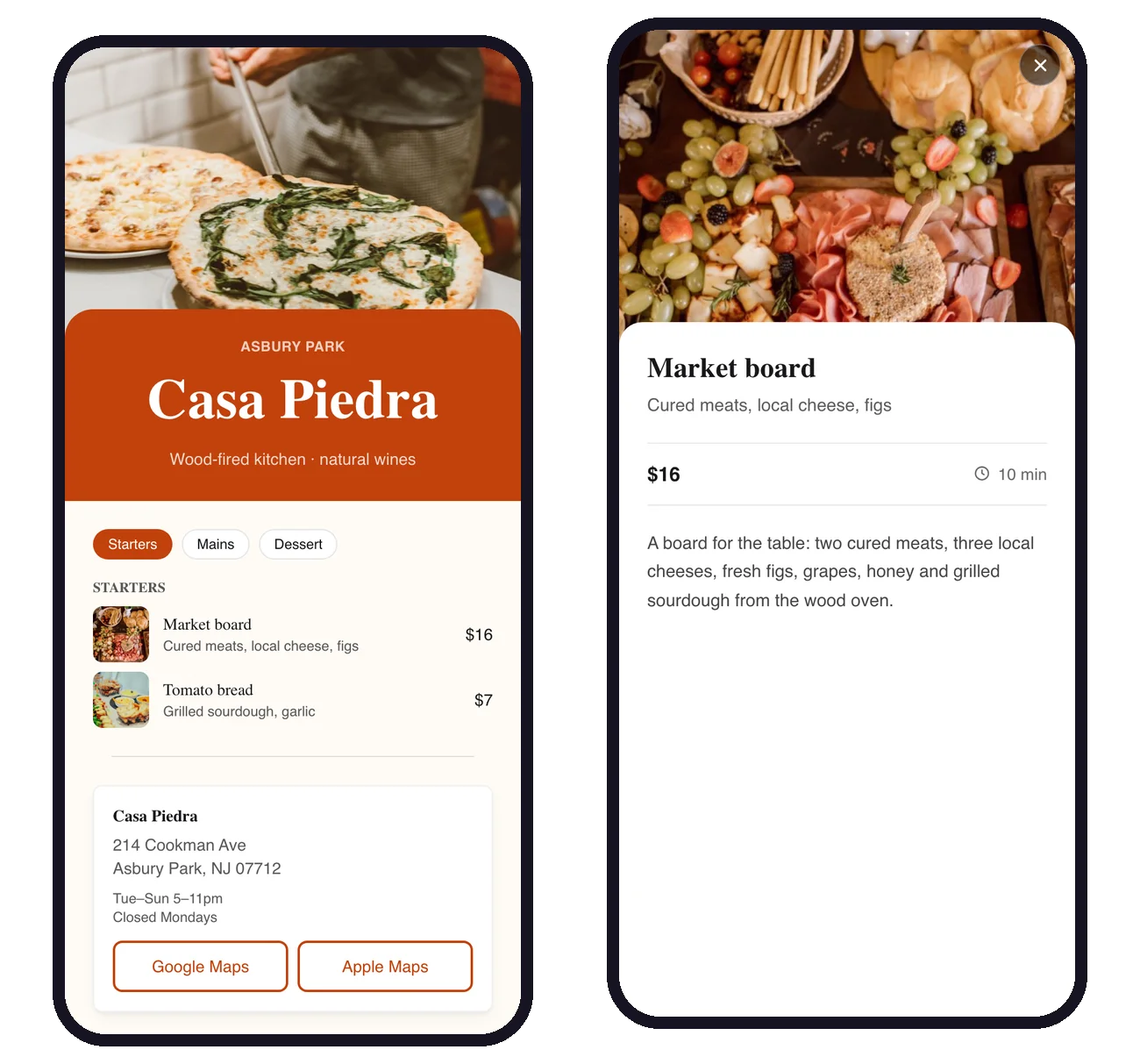
- One link per menu. Each menu needs its own address: a menu page you build with KuikPages, a PDF, or a page on your website. If you are starting from scratch, how to make a digital restaurant menu with a QR code walks through the menu itself.
Set it up step by step
- Make each menu first. Breakfast, lunch and dinner, each at its own link.
- Create a KuikCode and choose Smart Rules as the destination.
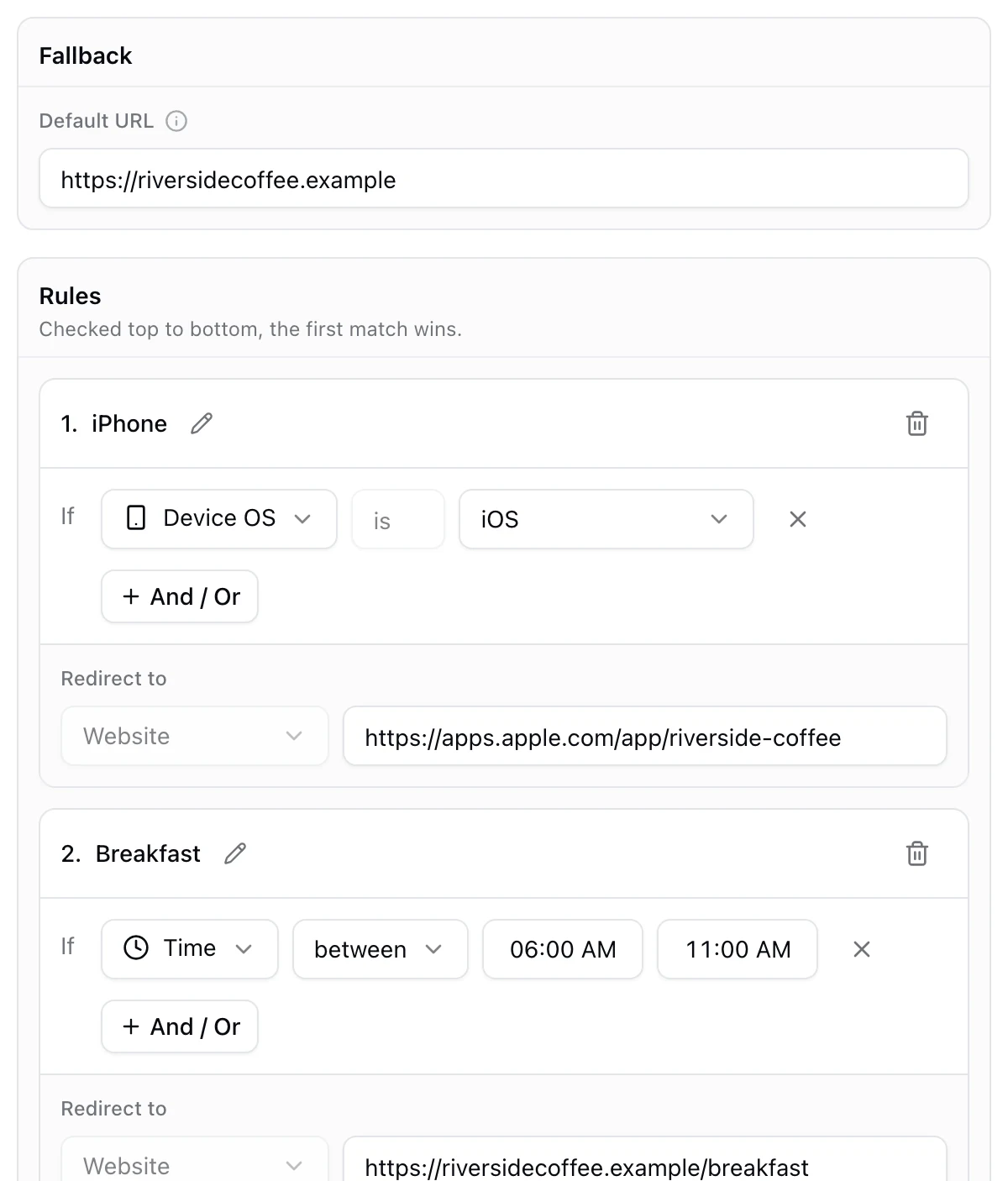
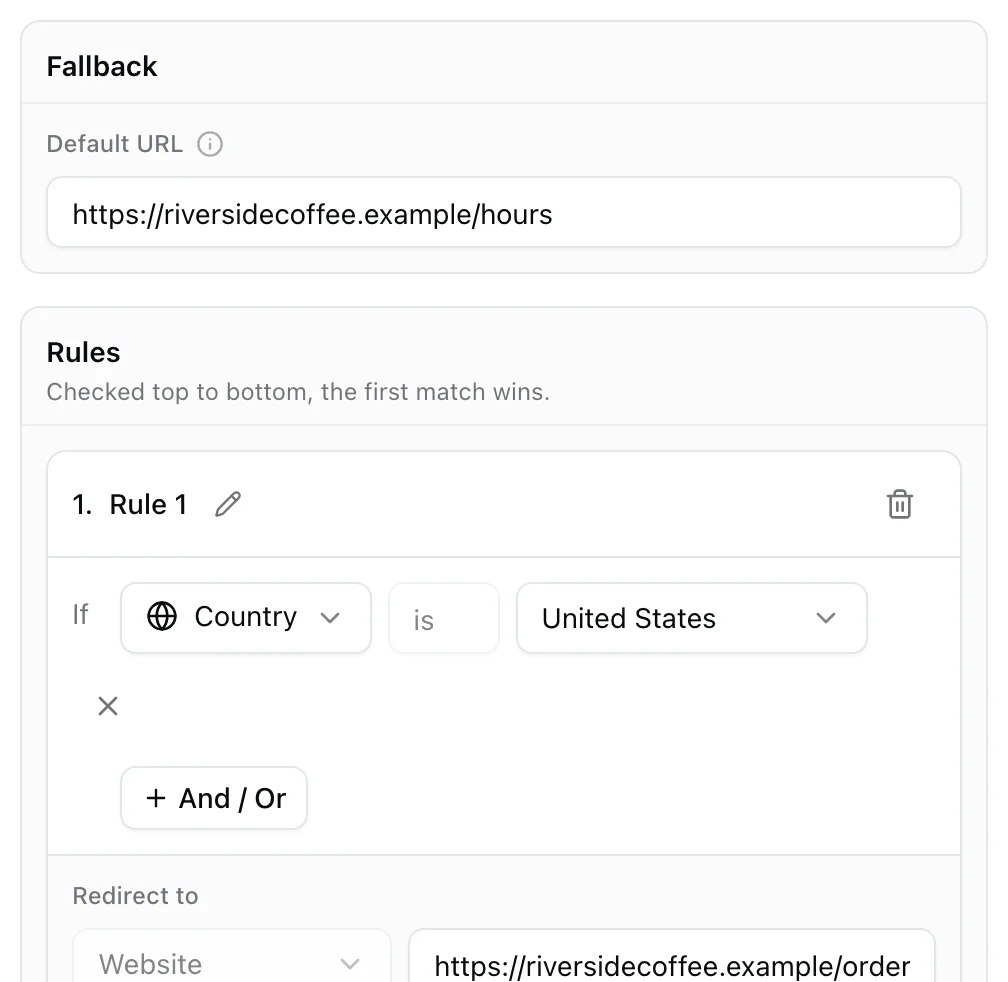
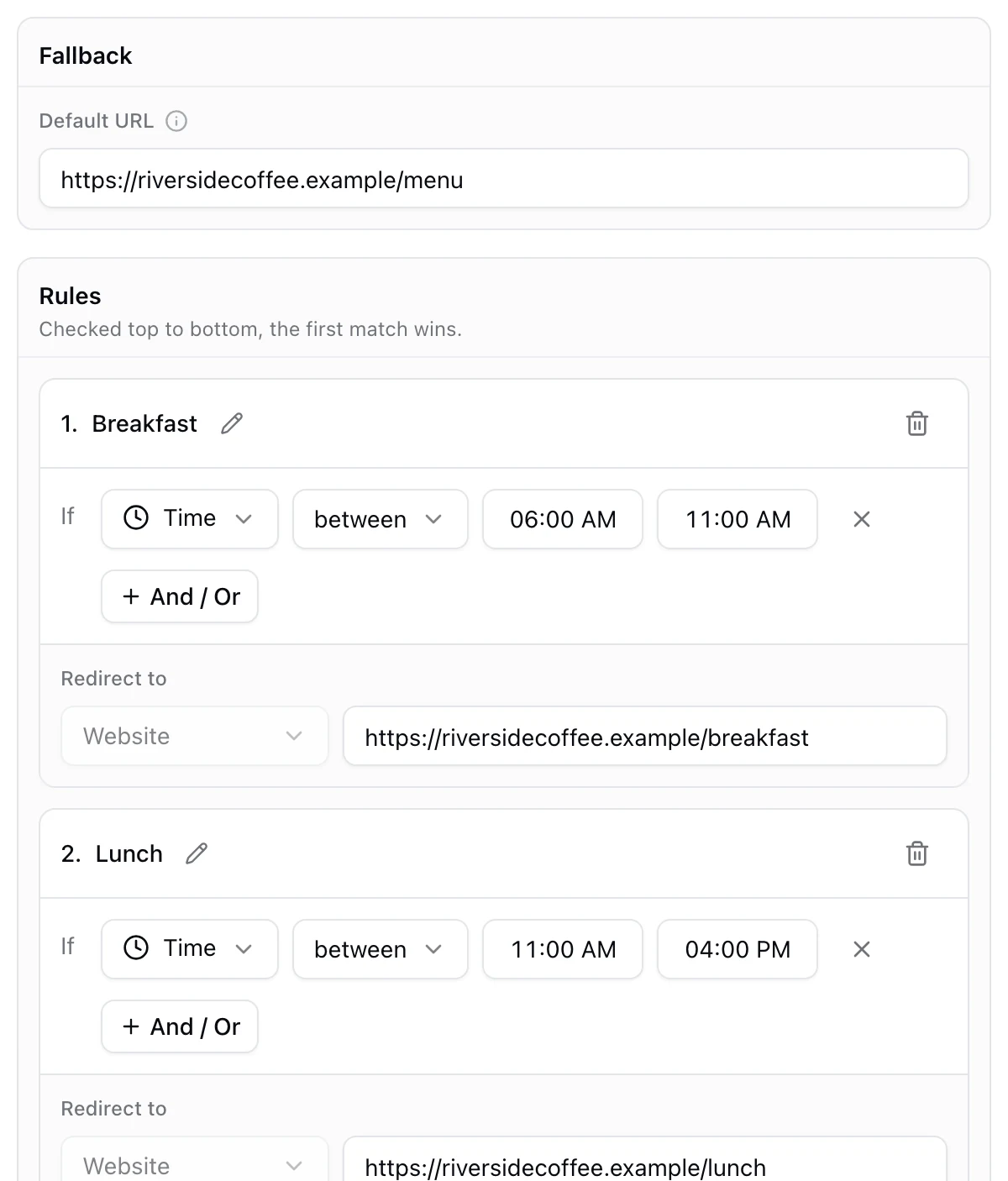
- Set the fallback. This is what people see outside your rules, so point it at an all day menu or at your opening hours.
- Add a rule called Breakfast. Choose the Time condition, set it to between 6:00 AM and 11:00 AM, and paste the breakfast menu link.
- Add Lunch and Dinner the same way, for example 11:00 AM to 4:00 PM and 4:00 PM to 10:00 PM, each with its menu link.
- Check the order, then design the code, save it and print.
Whose time is it?
Time rules use the local time where the scan happens, worked out from the scanner's connection. For a restaurant this is exactly what you want: the guest is sitting in your dining room, so "after 4:00 PM" means 4:00 PM at your place. A traveler scanning a photo of your code from another country would see the menu for their own time of day, which rarely matters for a menu.
Boundaries, gaps and late nights
- Shared boundaries. A range includes both of its ends, so at exactly 11:00 AM both Breakfast and Lunch match. Rules are checked from the top and the first match wins, so the one higher in the list decides.
- Gaps go to the fallback. If dinner ends at 10:00 PM and nothing covers the night, late scans open the fallback. That is a good place for your hours and a reservations link.
- Ranges past midnight work. A late menu set to between 10:00 PM and 2:00 AM wraps around midnight on its own.
Weekend brunch and other twists
- Brunch on weekends. Add a rule with Day is Saturday and Sunday joined with And to Time between 9:00 AM and 2:00 PM, and drag it above Breakfast so it wins on weekends.
- Happy hour. A rule for 4:00 PM to 6:00 PM that opens the drinks page, placed above Dinner.
- Seasonal menus. A Date condition turns the summer menu on and off on the dates you choose.
See which menu people open
Every scan records the rule that sent it, so your analytics show how many guests opened breakfast, lunch or dinner, and at what hours. That is a simple way to see when your tables are busiest. Our menu QR code and QR codes for restaurants pages show the rest of what a restaurant code can do, and what a smart QR code is covers every other kind of rule.
Frequently asked questions
01Can one QR code show different menus at different times?+
Yes, if it is a dynamic code with time rules. Each scan checks the local time and opens the menu for that part of the day, such as breakfast until 11 AM and lunch after, without changing the printed code.
02Does the time rule use my time zone or the guest's?+
The time where the scan happens, worked out from the guest's connection. Guests at your tables are in your time zone, so the switch happens at your local hours.
03What happens outside the hours I set?+
The scan goes to the fallback link. Use it for an all day menu, or for a page with your opening hours when the kitchen is closed.
04Can I show a brunch menu only on weekends?+
Yes. Add a rule with Day is Saturday and Sunday, joined with And to a time range, and place it above your breakfast rule so it wins on weekends.
05Do I need to reprint the QR code when the menu changes?+
No. Update the menu page itself, or change the link in the rule. The printed code stays the same.
06Which KuikCode plan do I need?+
Smart Rules are included from the PRO plan. Menu pages built as KuikPages are available from Core.