A printed QR code does one thing: it opens a link. But the link can be smart. With a dynamic code, the decision about where to send someone happens at the moment they scan, which means one code can send different people to different places.
What you can route by
Rules look at the scan and pick a link. The most useful ones:
| Rule | Example |
|---|---|
| Phone type | iPhone to the App Store, Android to Google Play |
| Country | Visitors in Mexico to the Spanish page, Canada to the Canadian store |
| Language | Phones set to French get the French menu |
| Time of day | Breakfast menu until 11, lunch after |
| Day of the week | Weekend brunch page on Saturdays and Sundays |
| Date | A holiday promotion that turns on and off by itself |
| Number of scans | The first 100 scanners get the giveaway page |
| Location | Scans within a set distance of a city get the local offer |
How the rules are checked
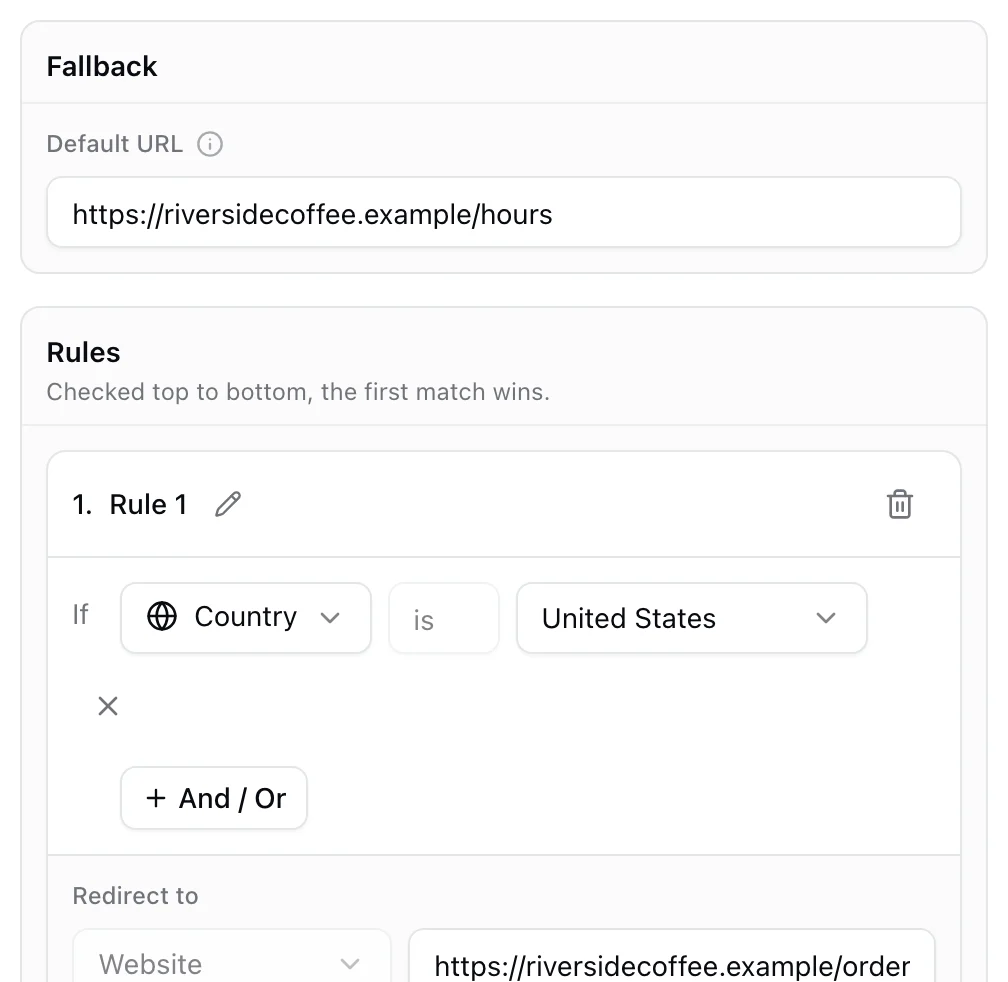
Rules run in order, and the first one that matches wins. Everything that matches no rule goes to a fallback link, so no scan ever lands nowhere.
That order matters. If you have a rule for iPhones and a rule for the United States, an iPhone in the United States gets whichever rule sits higher. Put your most specific rules first.
Four setups that work well
One code for your app. Send iPhones to the App Store and Android phones to Google Play. Desktop scanners, and anyone else, get your website. One code on the box, the ad and the poster.
One code for every market. Packaging that ships to several countries gets one code with a link per country, each pointing at the local site in the local language, and a global page as the fallback.
A menu that follows the clock. A table tent that opens breakfast in the morning, lunch at noon and dinner at night, without anyone swapping the print.
A campaign with an end date. A promotion page that runs until the date you set, then falls back to your regular page. No dead link on the poster after the offer ends.
Things to keep in mind
- Location comes from the network, which is accurate to the country and usually the city. It is plenty for country rules, and for distance rules pick a radius of a few kilometers, not a single street.
- Keep a good fallback. Most people see it, so make it a page that works for everyone.
- Test each branch. Scan with an iPhone and an Android phone, and check your analytics to see which rule each scan matched.
Setting it up in KuikCode
In the editor, choose Smart rules as the destination, add a rule for each case, such as device is iPhone, put them in order and set the fallback. For a simple list of links per country, choose Geolocation. You can change the rules any time after printing, and every scan shows which rule sent it where. Smart rules and Geolocation are included from the PRO plan.
Our app store QR code page shows the most common setup in detail.
Frequently asked questions
01Can one QR code go to different websites?+
Yes, if it is a dynamic code with rules. Each scan is checked against your rules, such as the phone type or country, and sent to the matching link. A static code always opens the same thing.
02How do I make a QR code that opens the App Store or Google Play?+
Add a rule that sends iPhones to your App Store link and Android phones to your Google Play link, with your website as the fallback for everyone else, such as desktop scanners.
03Can a QR code show different content by country?+
Yes. A country rule, or a list of links per country, sends each scan to a local page based on where the phone is. Scans from any other country go to the fallback link.
04Can a QR code change by time of day?+
Yes. Time, day and date rules let a code open a breakfast menu in the morning and dinner at night, or switch a promotion on and off on the dates you choose.
05What plan do I need for smart rules in KuikCode?+
Smart rules and per country links are included from the PRO plan.