

PDF QR code: share any document with one scan
Put a menu, brochure or manual behind a QR code that opens a branded page with a preview and a download link. Swap the file without reprinting.
Where people use it
Menus and price lists
The current menu on every table, updated in seconds.
Brochures and catalogs
A catalog behind a poster, flyer or trade show booth.
Manuals and instructions
Instructions behind the code on the box, always the latest version.
Programs and schedules
Event programs that change without new prints.
A proper page before the file
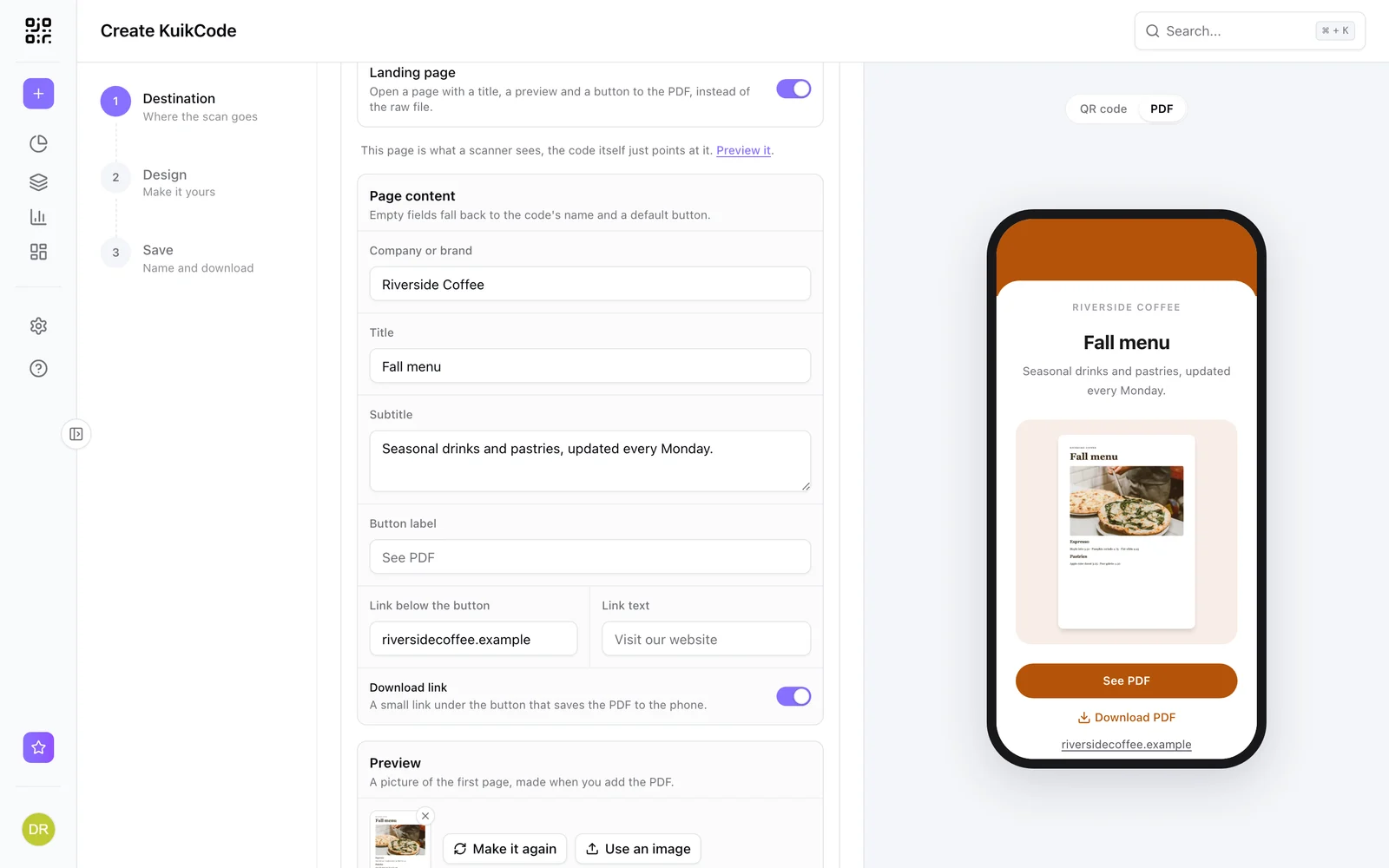
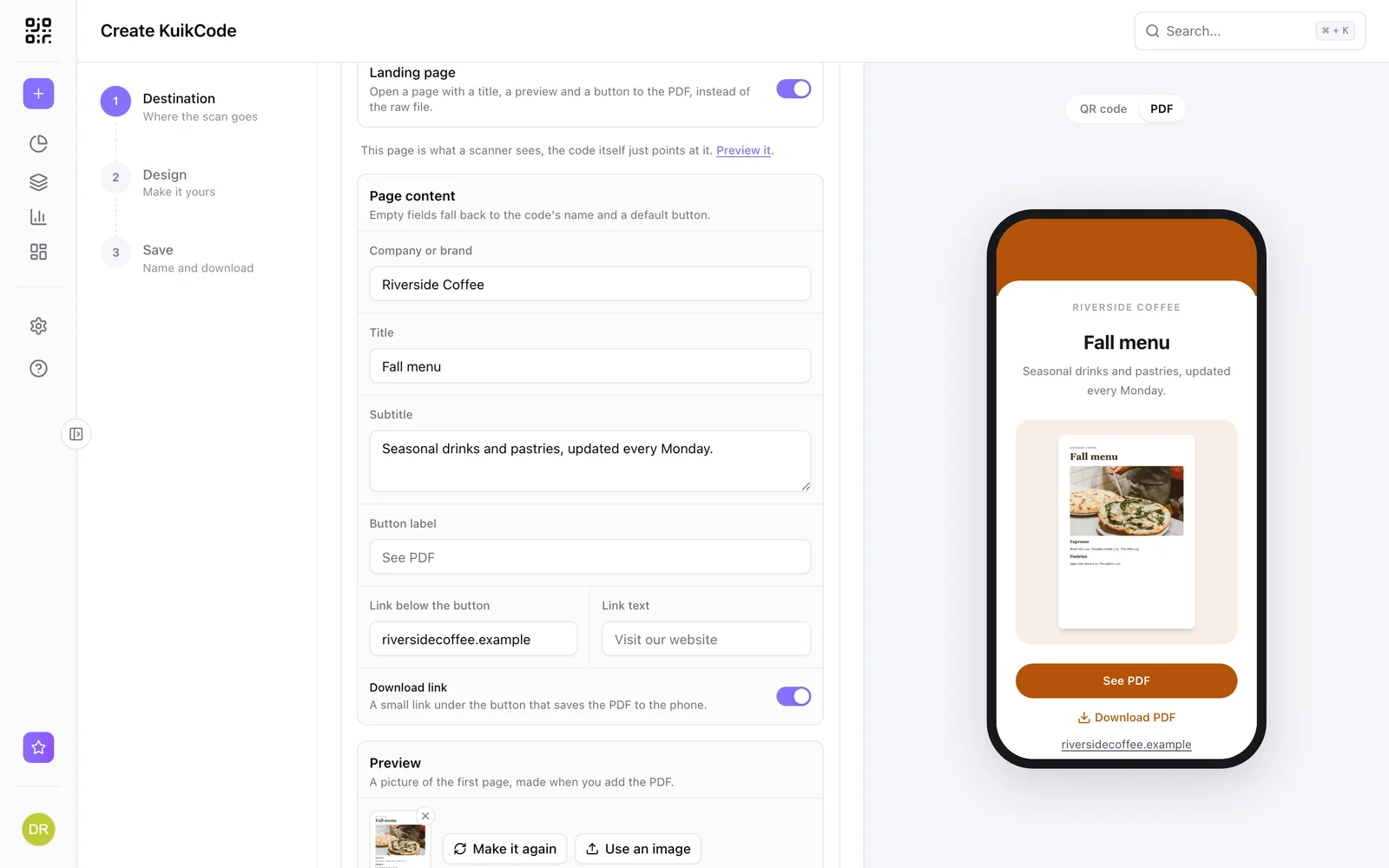
PDF codes open a short page with your company name, a title, a preview of the first page, a See PDF button and a download link, in your colors.
- Preview made from your PDF automatically
- Header color or photo, and your logo
- Switch it off to open the file directly
Swap the file, keep the print
Upload a new PDF behind the same code and every printed copy opens it. On PRO, serve a different PDF by phone language.
Learn more
How to make a QR code for a PDF menu or brochure
Put your menu, brochure or catalog behind a QR code that opens a clean mobile page, and swap the PDF anytime without reprinting.
September 23, 2026
How to change where a QR code goes after it is printed
If your code is dynamic, you can send it to a new page, file or menu without reprinting. Here is how it works and what to do if your code is static.
September 23, 2026
Static vs dynamic QR codes: which one should you print?
Static codes store their content forever, dynamic codes store a link you can change. Here is how to choose for menus, packaging, cards and events.
September 23, 2026Frequently asked questions
01How do I make a QR code for a PDF?+
Create a KuikCode, choose PDF, upload the file or pick it from your Library, and download the code. The PDF opens on a branded landing page.
02Can I replace the PDF after printing?+
Yes. Upload a new file to the same code and every printed copy opens the new version.
03How big can the PDF be?+
From 2 MB on the free plan up to 20 MB on Business, per file.

Start with the QR codes you will never need to reprint.
Join the beta for branded design, editable destinations, hosted sites, bulk CSV creation, and live scan analytics.
Request beta access
One email when your workspace is ready. No spam.