Your Instagram is often the most up to date thing about your business: today's specials, the new collection, last weekend's event. Putting that feed on your website keeps the site fresh without editing it every week. There are three ways to do it, and the right one depends on the website you have.
| Instagram embed code | Feed plugin or app | KuikPage with a Social feed | |
|---|---|---|---|
| What it shows | One post per embed | A grid of your latest posts | The posts you pick, in six layouts |
| New posts | Added by hand | Added on their own | Added on their own within the hour |
| Works with | Any site that takes HTML | The site builder it's made for | Your KuikPage, on your own domain if you like |
| Account needed | Public account | Business or Creator | Business or Creator |
Option 1: Instagram's own embed code
Instagram lets you embed any public post on another website:
- Open the post on instagram.com from a computer.
- Click the ... menu and choose Embed.
- Leave Include caption checked or uncheck it, then Copy embed code.
- Paste the code into an HTML or embed block on your page.
It's free and works on almost any site, but it shows one post per embed and never adds new ones, so it suits a post you want to feature, not a live feed. Instagram's help center also describes an embed for your profile. Embeds only work while your account is public and its embed setting is on.
Option 2: a feed plugin or app for your site builder
To show a grid that updates on its own, most websites use a feed plugin or app from their site builder's marketplace: WordPress plugins, Shopify apps, and the app markets of Wix and Squarespace all have them. Before you pick one, check:
- The account it needs. Meta closed the Instagram Basic Display API on December 4, 2024, so feeds now connect through the API for professional accounts. Switch your Instagram to a Business or Creator account first; it's free in the app.
- How it updates. Look for automatic updates, and how often they run.
- Speed. A heavy feed can slow your page down on phones, where most visitors arrive.
- Price. Many have a free tier with a logo and charge for layouts or more than one feed.
Option 3: a KuikPage with a Social feed
If you don't have a website yet, or your site is really one page with your links, menu and contact details, a KuikPage can be the website itself, with your feed built in:
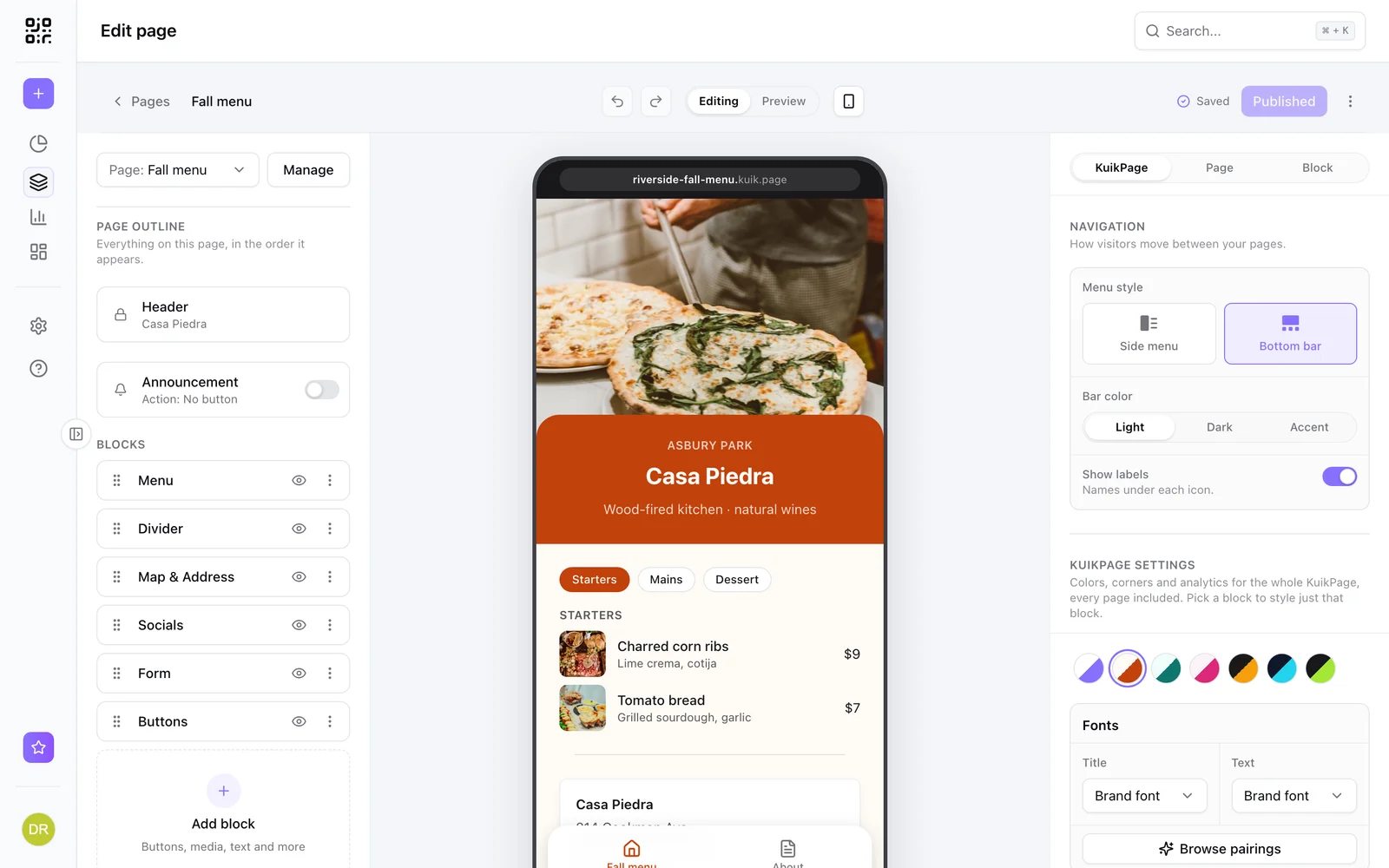
- In KuikCode, open KuikPages and pick a template, or start from blank.
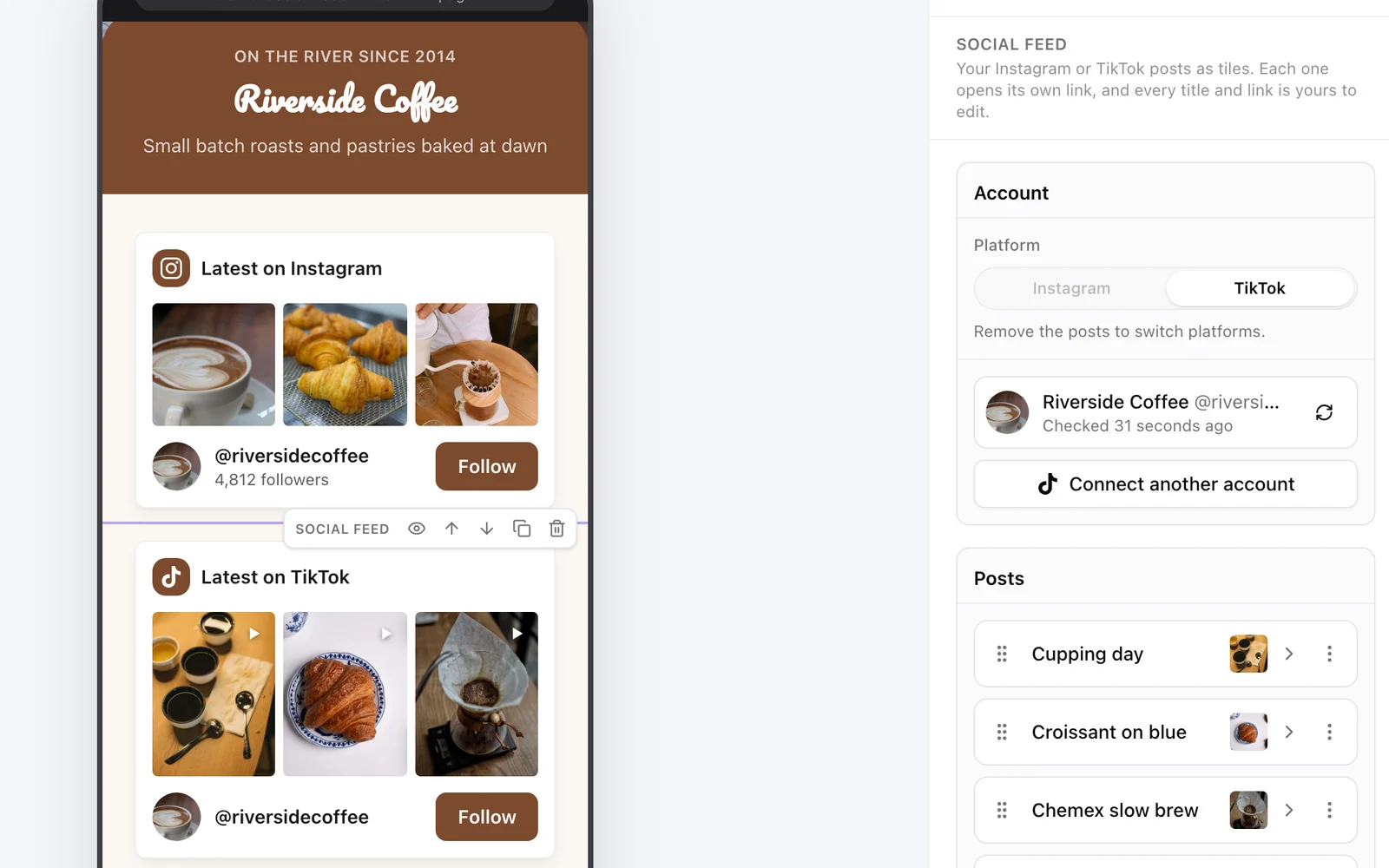
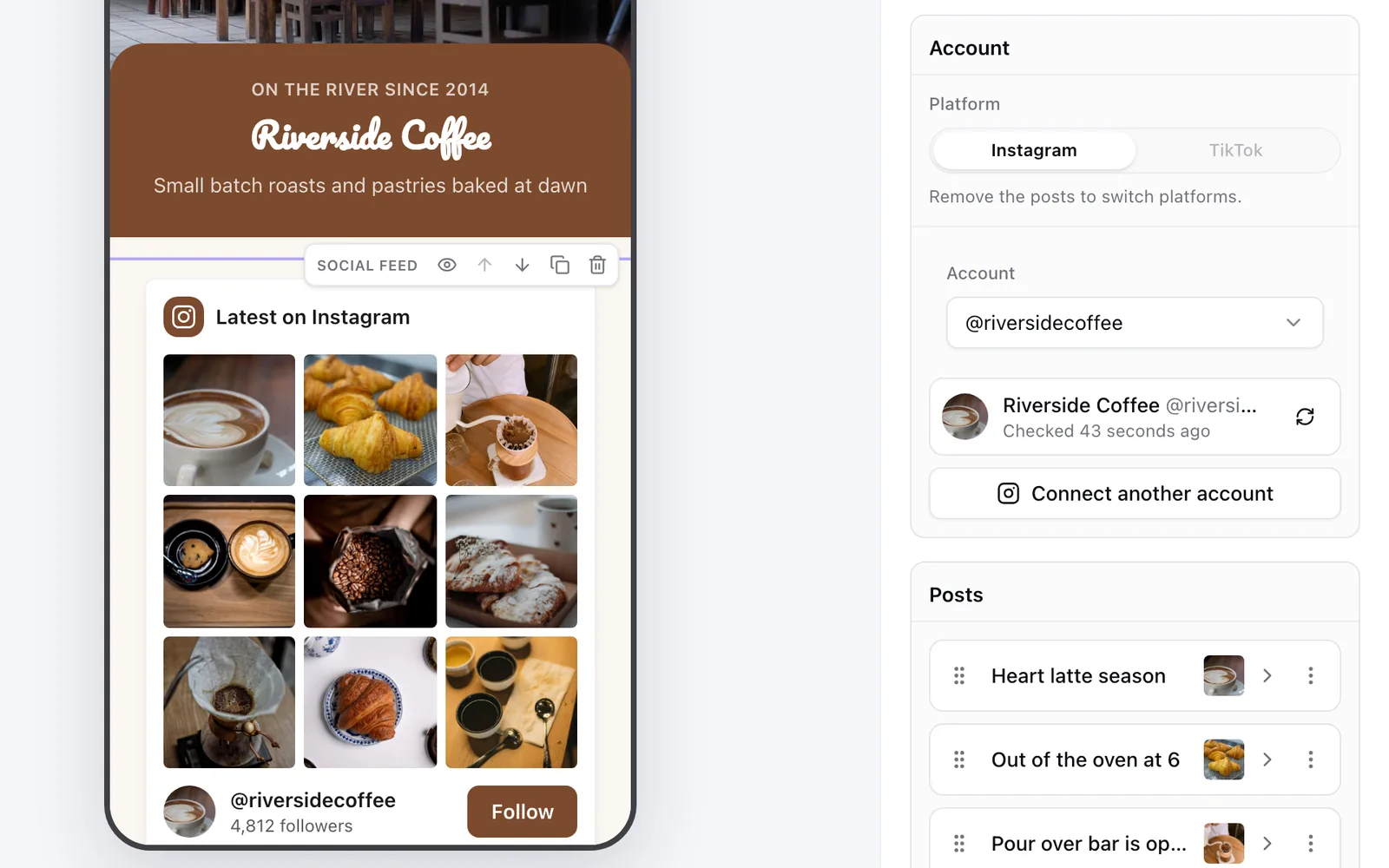
- Add a Social feed block and connect your Instagram.
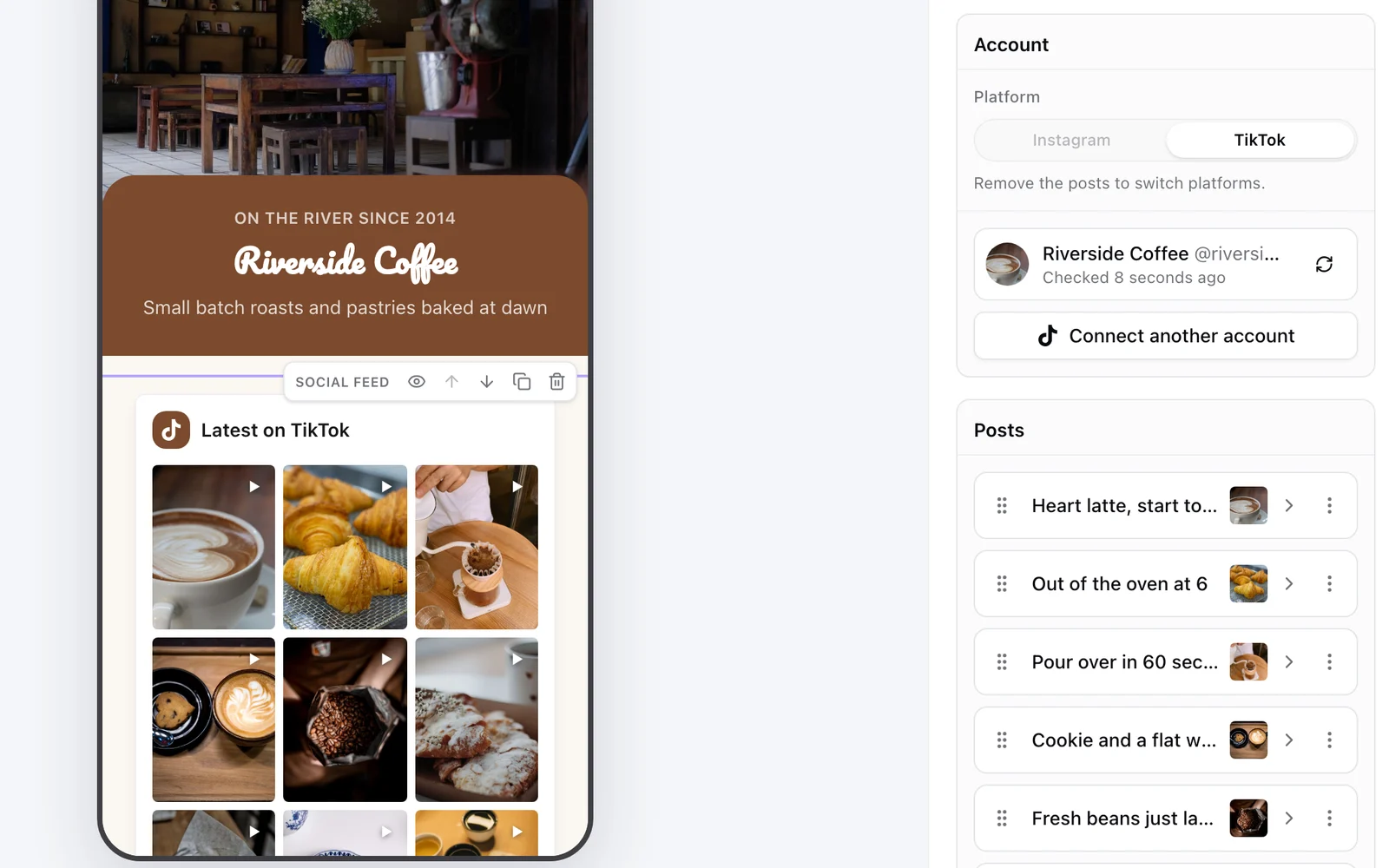
- Tap Add posts and pick the posts to show. Each one becomes a tile with its own title and link, so a photo of a dish can open your menu and a product shot can open your shop.
- Turn on Add new posts automatically. Every new post shows up within the hour, with nothing to publish.
- Pick a layout: two or three column grid, list, mosaic, carousel or your newest post large.
- Publish at your
yourname.kuik.pageaddress, or on your own domain (one on PRO, three on Business).
Reels play right on the page, and the feed sits in your page's look: its colors, corners and fonts. A KuikPage can have several pages, forms, booking links and a designed QR code for everything you print. The Social feed starts on Core.
Add your TikTok videos too
TikTok works the same three ways:
- TikTok embed code. On tiktok.com from a computer, open a video, click Share, then Embed, and paste the code into your page. From your profile, the same Share menu gives you a profile card with up to ten recent videos. Both work for public accounts.
- A TikTok feed widget or plugin from your site builder's marketplace, if you want a grid that updates itself.
- A KuikPage. The same Social feed block connects TikTok and lists your public videos, which play on the page. A second block can show your Instagram right under it.
Add an Instagram follow button to your website
A feed shows your posts; a follow button turns a visitor into a follower. The simplest one is a button that links to instagram.com/yourname. Many feed plugins add one under the grid, and a KuikPage's Social feed shows your picture, your @username and a Follow button under the posts. For a row of icons for all your profiles, add the Socials block.
Which one fits
- One great post on an existing site: Instagram's embed code.
- A live grid on WordPress, Shopify, Wix or Squarespace: a feed plugin or app.
- No website, or a one page site for your business: a KuikPage with a Social feed, and the same page behind your link in bio and your printed QR codes.
Instagram and TikTok are trademarks of their owners. We checked Instagram's, Meta's and TikTok's documentation in November 2026; platforms change often, so confirm the current steps in each.
Frequently asked questions
01How do I embed my Instagram feed on my website?+
Use a feed plugin or app for your site builder, connect your Instagram professional account and place the feed block on a page. For a single post, Instagram's own embed code is enough. Or build your site as a KuikPage and add a Social feed block.
02Is there a free way to show Instagram posts on my website?+
Yes. On instagram.com, open a post, use the ... menu and choose Embed to copy its code. It's free, but it shows one post per embed and doesn't add new posts by itself.
03Why does my Instagram feed plugin need a business account?+
Meta closed the Instagram Basic Display API on December 4, 2024. The API that replaced it works with professional accounts, Business or Creator, which are free to switch to in the Instagram app.
04Does an Instagram feed on my website update automatically?+
A feed plugin or app usually does. A single post embed doesn't. A KuikPage's Social feed adds new posts within the hour when Add new posts automatically is on.
05How do I embed a TikTok feed on my website?+
On tiktok.com, open your profile, tap the share icon and choose Embed to copy a profile card with up to ten recent videos. It works for public accounts. A KuikPage's Social feed can also show the TikTok videos you pick.
06How do I add an Instagram follow button to my website?+
Add a button that links to instagram.com/yourname, or use a feed that includes one. A KuikPage's Social feed shows your picture and a Follow button under the posts.
07Can I show my Instagram feed without a website?+
Yes. A KuikPage is a mobile website you build in KuikCode, with your own kuik.page address or your own domain on PRO and Business, and a Social feed block for your posts.