

QR code event check-in, from any phone at the door
Every guest gets their own QR ticket. Your door team scans them from any phone, even offline, and sees who's in, who's late and who's already used theirs.
Where people use it
Galas and fundraisers
Guests register on the event page, get a ticket by email and walk in with one scan.
Conferences and workshops
Tickets that work once a day across a multi-day event, with a door team on staff links.
School and community events
Open houses, graduations and family nights with free registration and a check-in list at the door.
Private parties
Add your guests from a list, keep it invite only, and nobody gets in on a forwarded screenshot.
Scan tickets with the phone in your pocket
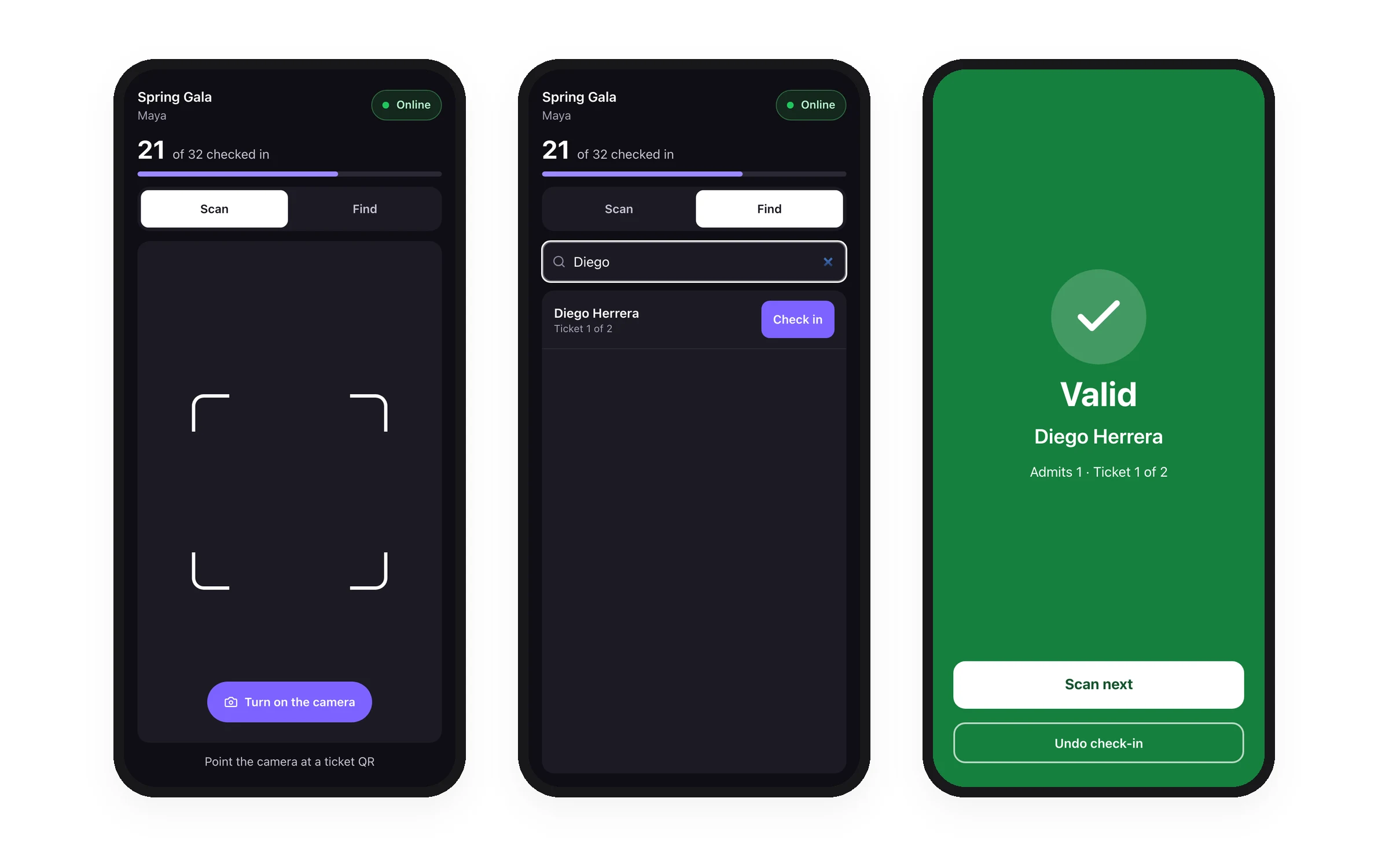
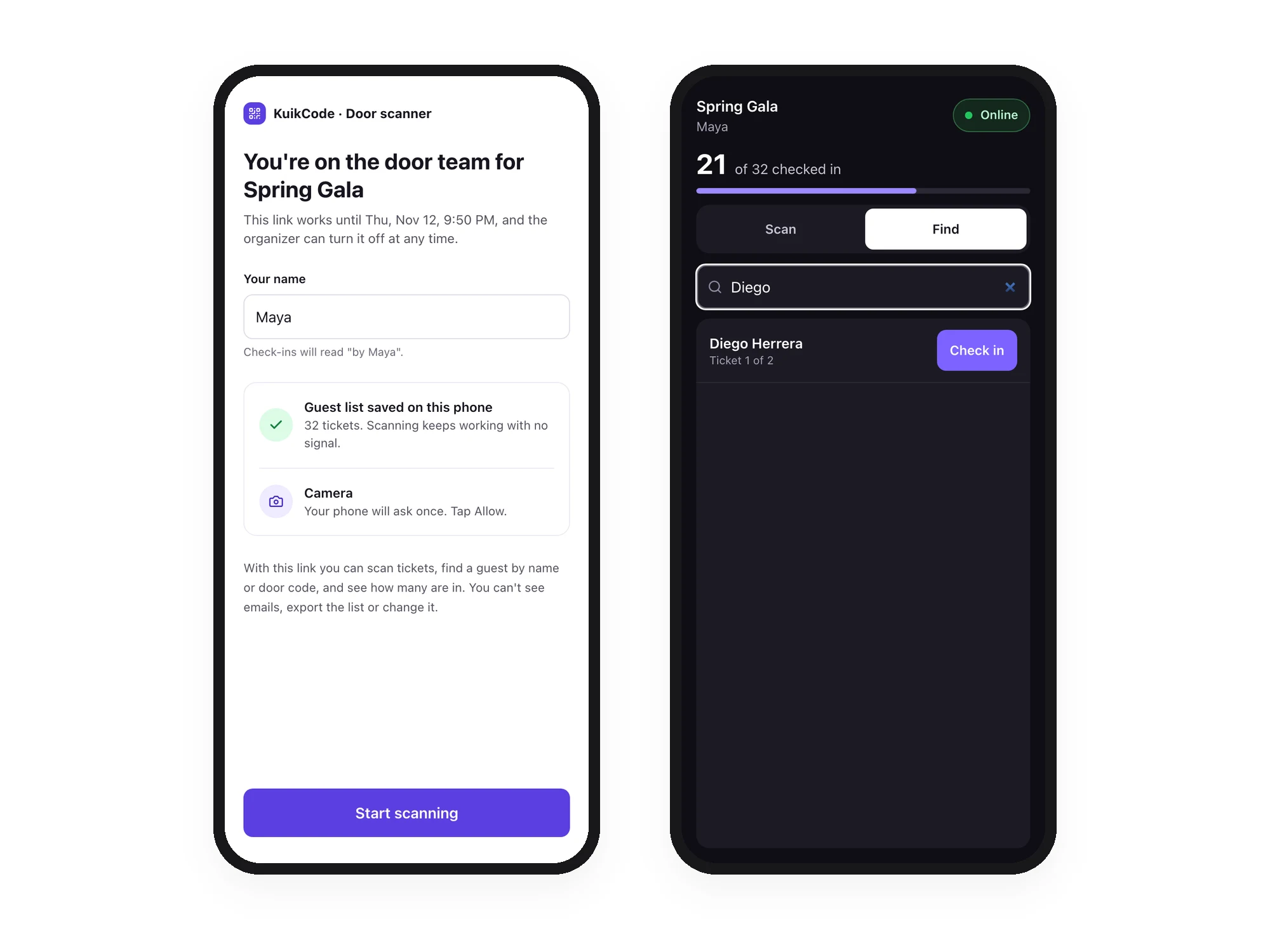
The door scanner runs in the phone's browser, nothing to install. A valid ticket turns the screen green and checks the guest in. Scan it again and it shows when it was used and by whom, so a ticket can't be shared.
- Valid, Already used and Not valid at a glance
- Find a guest by name or six-digit door code
- Works with no signal and syncs when it's back
- Undo a check-in made by mistake
See who's in, live
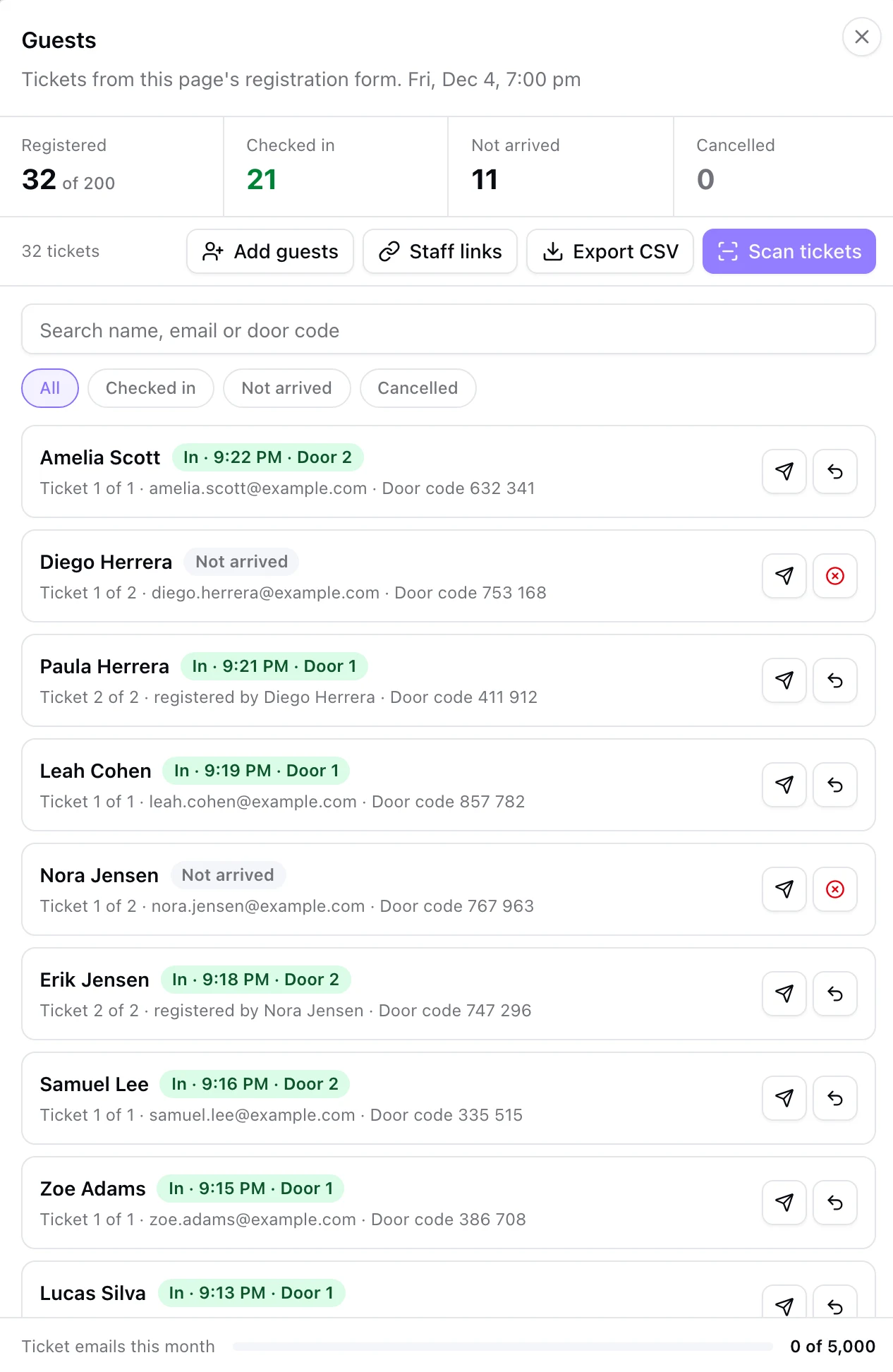
The Guests panel counts registered, checked in, not arrived and cancelled guests as the door works. Every row shows the time a guest got in and which door scanned them, with a search across names, emails and door codes.
- Add guests from a pasted list or a CSV
- Resend a ticket or cancel it
- Export CSV after the event
Staff links for the people at the door
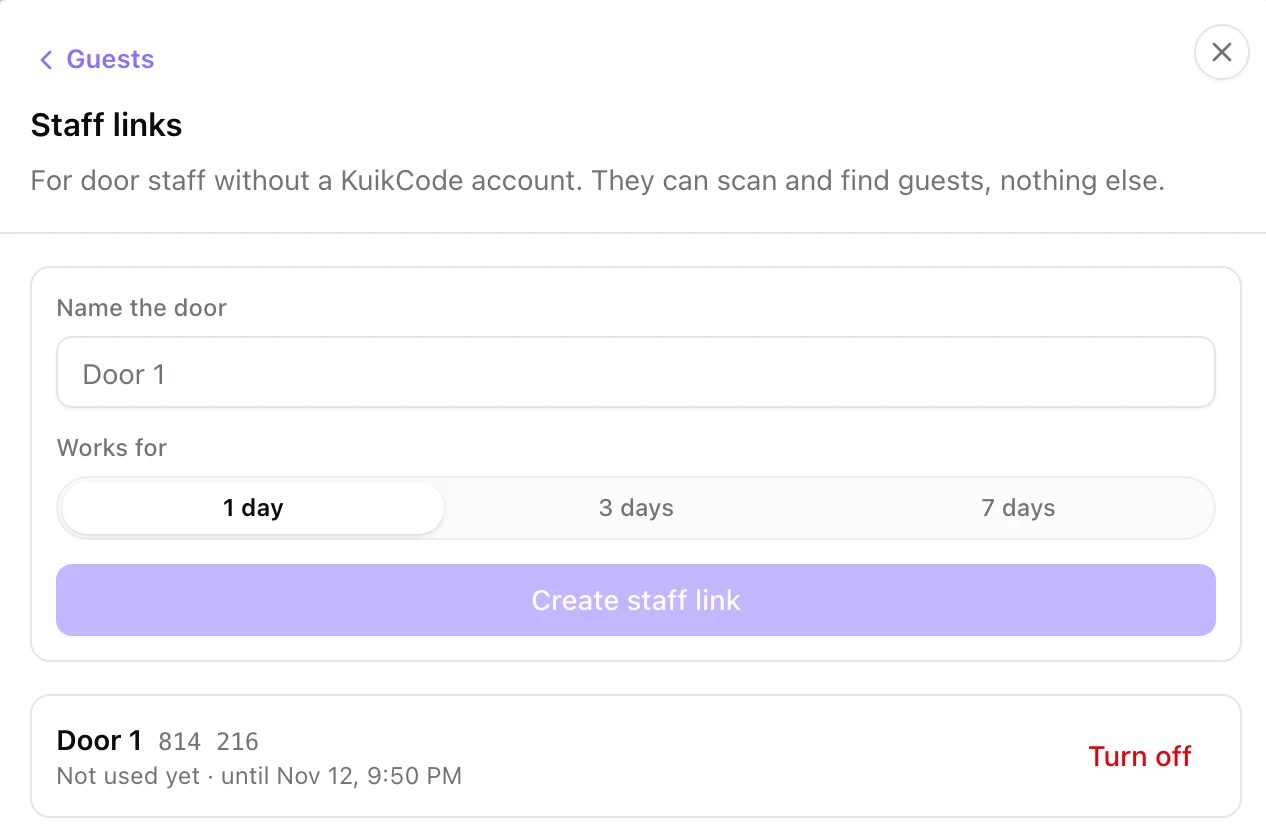
Create a staff link for 1, 3 or 7 days and share it with your team. They open it on their own phones and scan tickets without a KuikCode account. Each link has a name, so the guest list shows which door let each guest in.
- No account and no password for door staff
- Join from the link or a join code at app.kuikcode.com/door
- Staff can't see emails, export the list or change it
- Turn a link off any time
Registration and tickets in one step
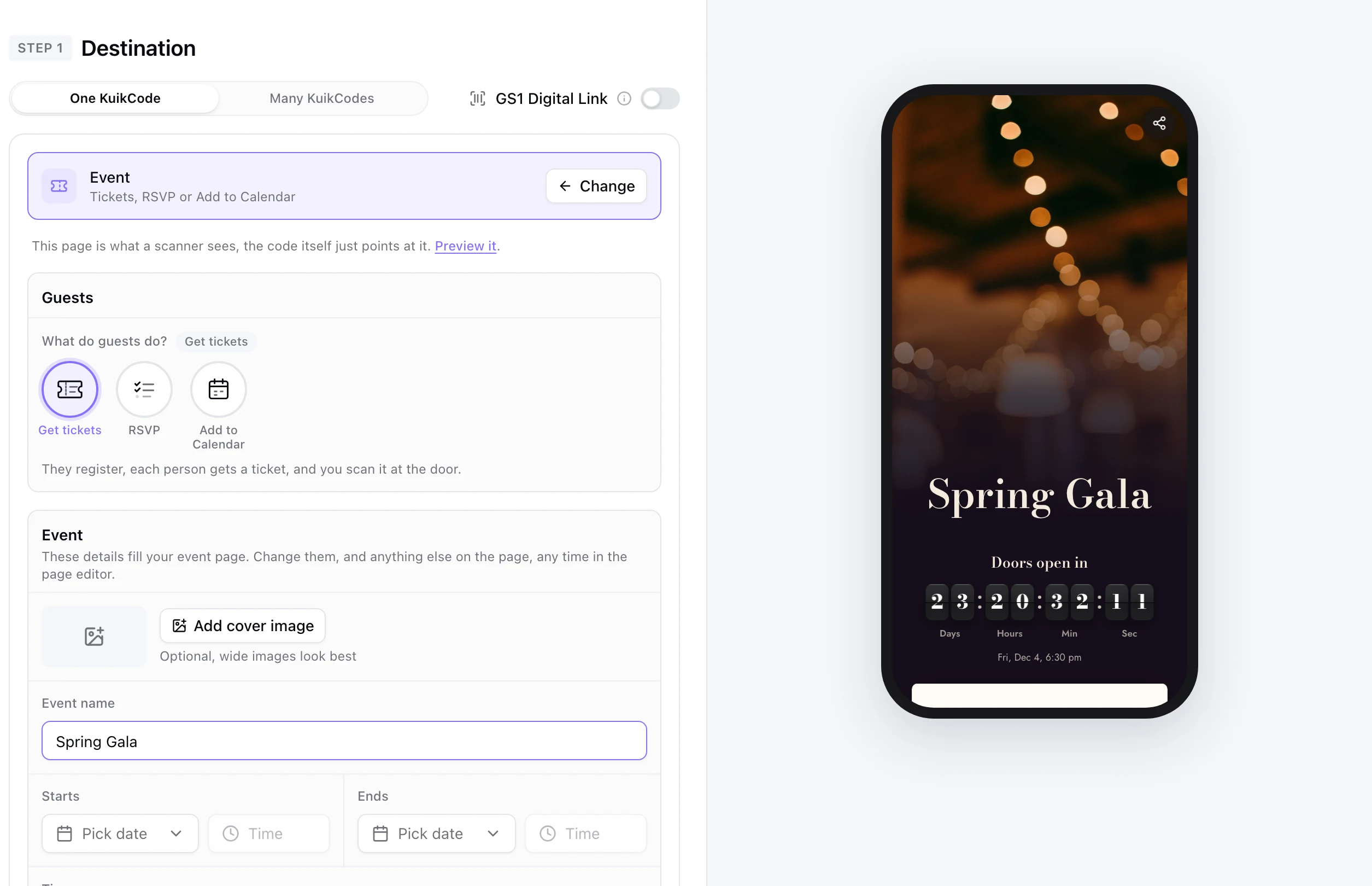
In the QR editor, pick Event, choose Get tickets and add the date and place. KuikCode builds the event page with a registration form, publishes it and points your code at it. Everyone who registers gets their own ticket on screen, by email and as a PDF.
- One ticket per person, even when one person registers a group
- Set the number of spots and close registration when it fills
- Multi-day events: each ticket works once a day
Already printing a code for the event? The QR codes for events page covers the rest of the day: the calendar invite, the photo drop and live scans. For a wedding with a guest list instead of tickets, see the wedding RSVP QR code guide.
Learn more
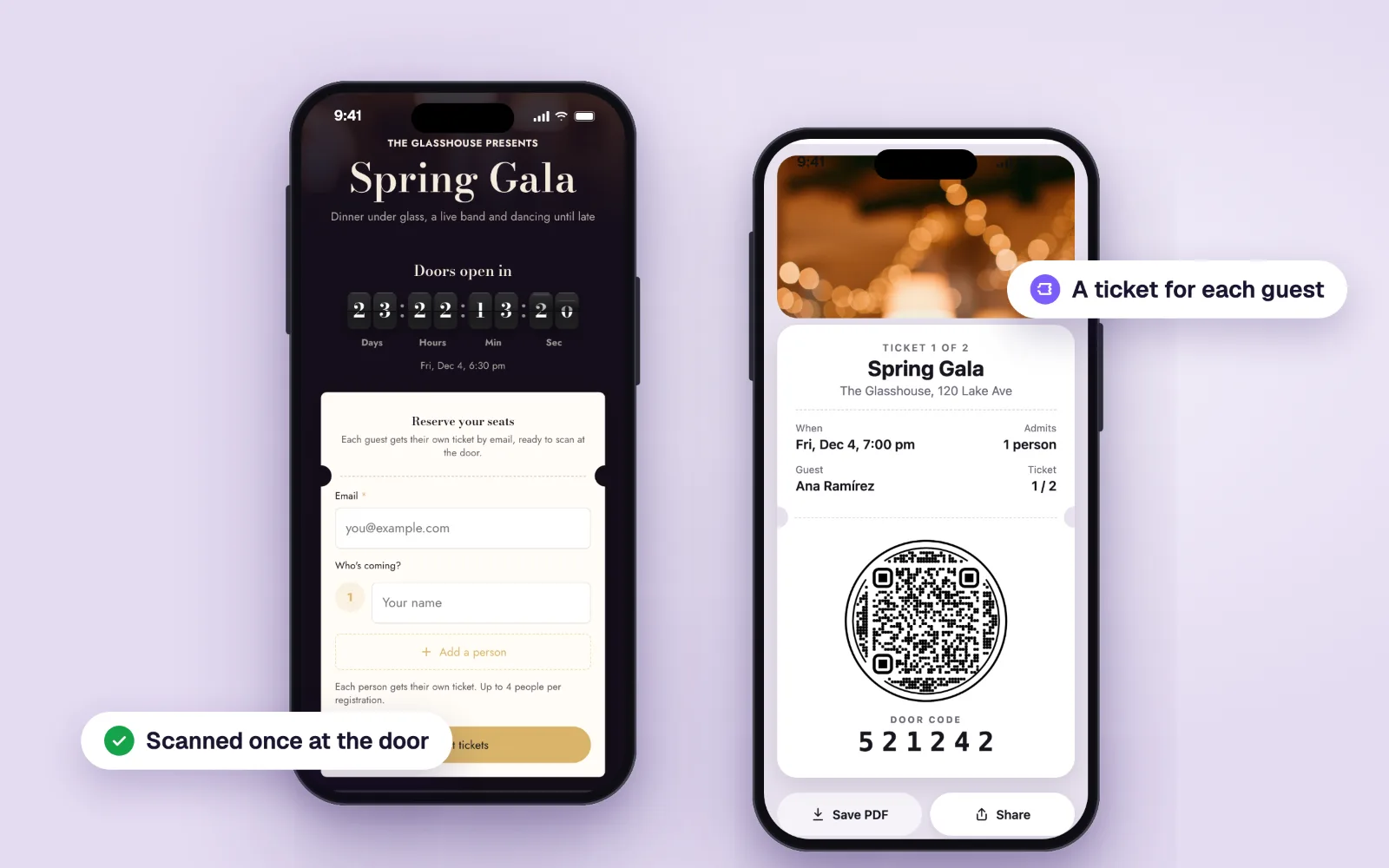
QR code tickets for events: register guests and check them in at the door
Give every guest their own QR code ticket by email, then scan them at the door from any phone, even offline. How QR tickets work and how to set them up.
November 11, 2026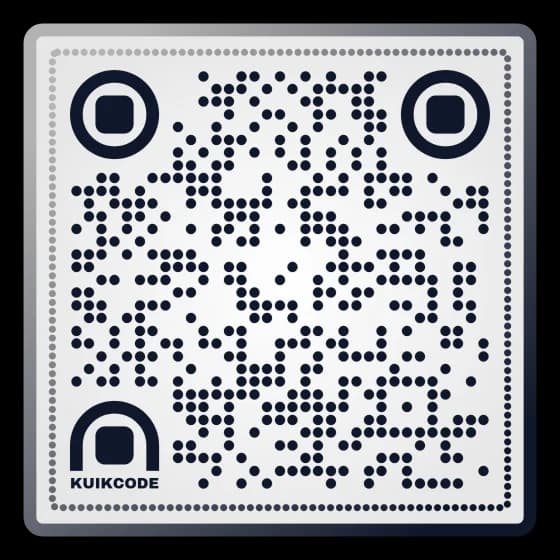
Do QR codes work without internet?
Your phone reads any QR code offline. What happens next depends on what's inside: WiFi, text, calls and texts work without data; links and dynamic codes don't.
October 29, 2026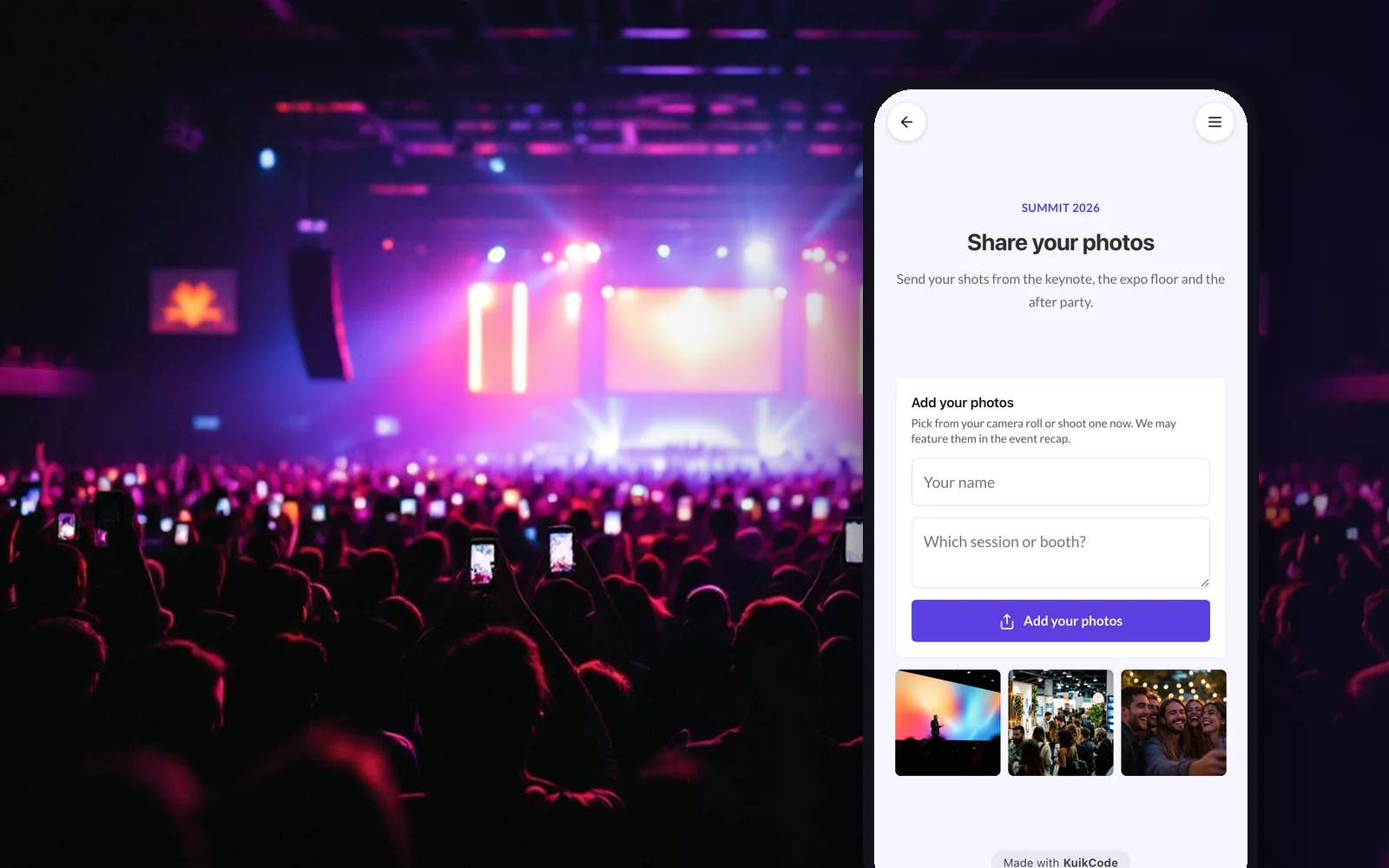
How to collect event photos from attendees with a QR code
Turn every attendee's phone into a camera for your conference, expo or company event. One QR code, photos reviewed before they show, all in one place.
September 25, 2026Frequently asked questions
01How does QR code check-in work at an event?+
Every guest gets a ticket with their own QR code when they register. At the door, staff scan it with a phone. A valid ticket checks the guest in, and the same ticket scanned again shows as already used, with the time it got in.
02Do door staff need an app or an account?+
No. The scanner runs in the phone's browser. Staff open a staff link you share, which lasts 1, 3 or 7 days, and scan without a KuikCode account.
03Does check-in work without internet?+
Yes. The scanner keeps the guest list on the phone, checks tickets in with no signal and syncs the check-ins when the connection is back.
04What if a guest's QR code won't scan?+
Use Find in the scanner: search the guest's name or type the six-digit door code printed on their ticket, and check them in the same way.
05Can several people check guests in at the same time?+
Yes. Each person at the door can use their own phone on the same event, and the Guests panel shows every check-in and which door made it.
06Which plan includes event check-in?+
Event tickets and the door scanner are on PRO, up to 300 tickets per event and 1,000 ticket emails a month, and on Business, unlimited tickets per event and 5,000 emails. Every workspace starts with a 14-day free trial.
Your next printed code, ready in minutes.
Design it, point it anywhere, change it after printing and watch the scans come in. Try every feature free for 14 days, no credit card.
Start your 14-day free trial
Every feature, no credit card. Plans from $5 a month after.