A QR code can only open one link. It stores a single piece of text, and the phone opens what it finds. What you can do is make that one link lead to many: point the code at a page of links, so the person scanning taps the one they want, or use a smart QR code whose rules pick a different link for each scan, by phone, language, time or place. Both need a dynamic code, so the links can change after you print.
Why a QR code can't hold two links
A QR code is text drawn as squares. When a phone reads it and finds a web address, it offers to open that address, and only one. If you type two links into a text QR code, most phones show the whole text on screen and leave the person to copy one, which almost nobody does.
So the question is never how to fit more links into the pattern. It's what the one link should open. There are two good answers.
Way 1: a page of links
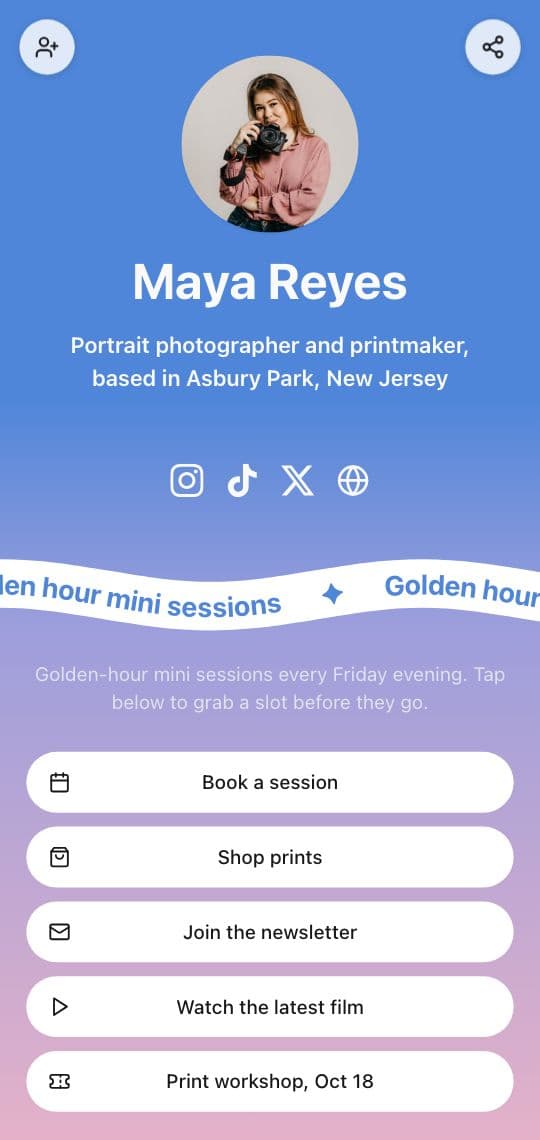
Point the code at a page made for phones with a button for every link: your website, your shop, your Instagram and TikTok, the booking page, the menu, this week's offer. It's the same idea as a link in bio, but you print it. The person scanning sees everything at once and taps the one they came for.
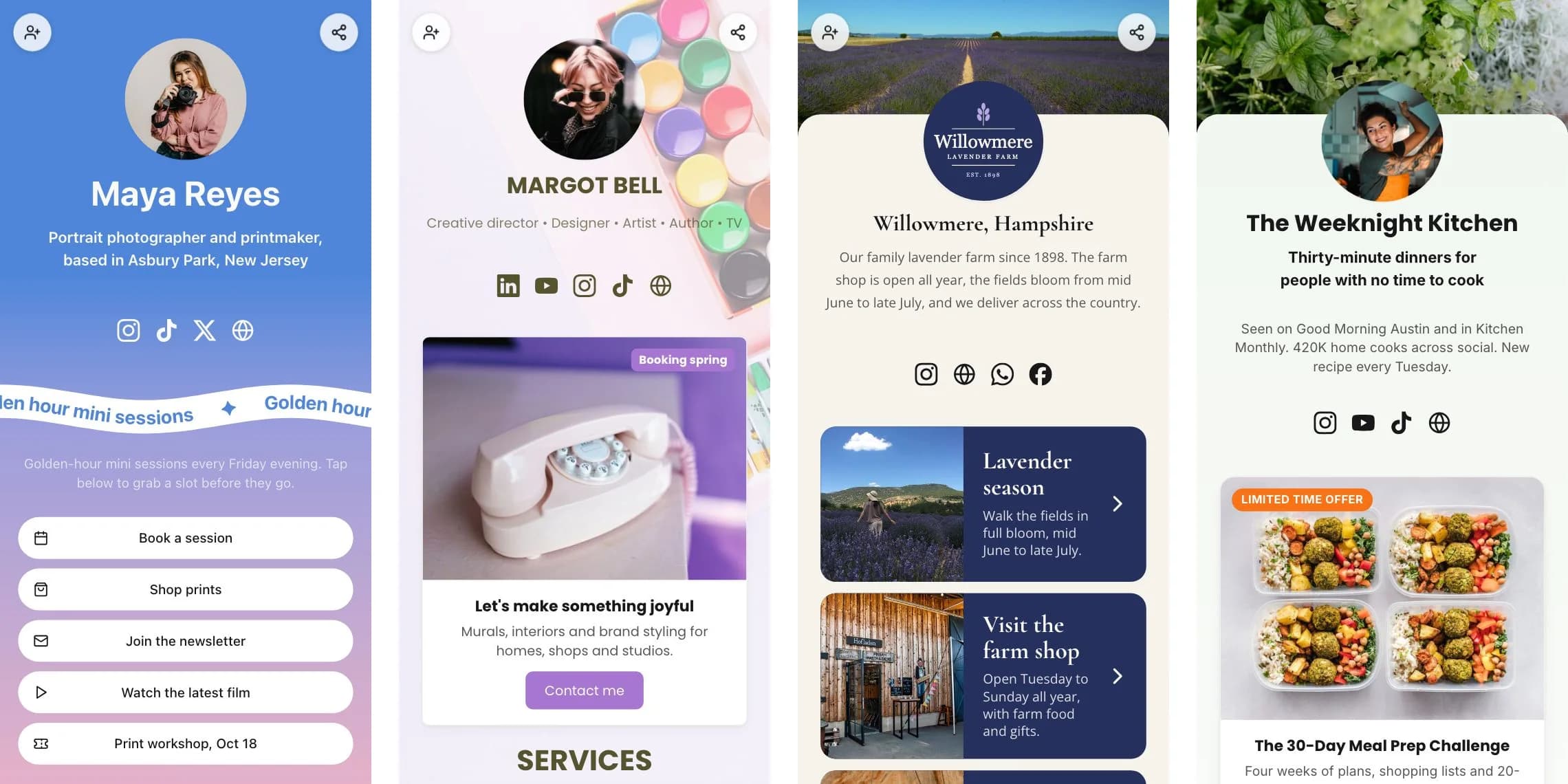
In KuikCode that page is a KuikPage. Here's how to build one:
- Go to Assets, KuikPages and click Create KuikPage, then pick the Link in Bio template (or Creator Link in Bio, or Farm Shop Links).
- Change the photo, name and line under it, and add a button for each link. Social icons for Instagram, TikTok, X, YouTube, Facebook, LinkedIn and WhatsApp sit in their own row.
- Publish it. It goes live on your own address at yourname.kuik.page.
- Create a KuikCode, pick KuikPage as the destination and choose your page. Design the code and download it.
Because the code opens the page, you change the buttons whenever you want, and the code on your flyers, cards and packaging keeps working. Put the link people want most at the top, and keep the page short: five or six buttons get tapped, twenty get skimmed.
Basic includes a link in bio KuikPage. Core opens every block (galleries, video, forms, coupons, menus, maps), and PRO adds pages behind a menu when one page isn't enough. Link in bio shows the whole page builder.
Way 2: a smart code that picks the link
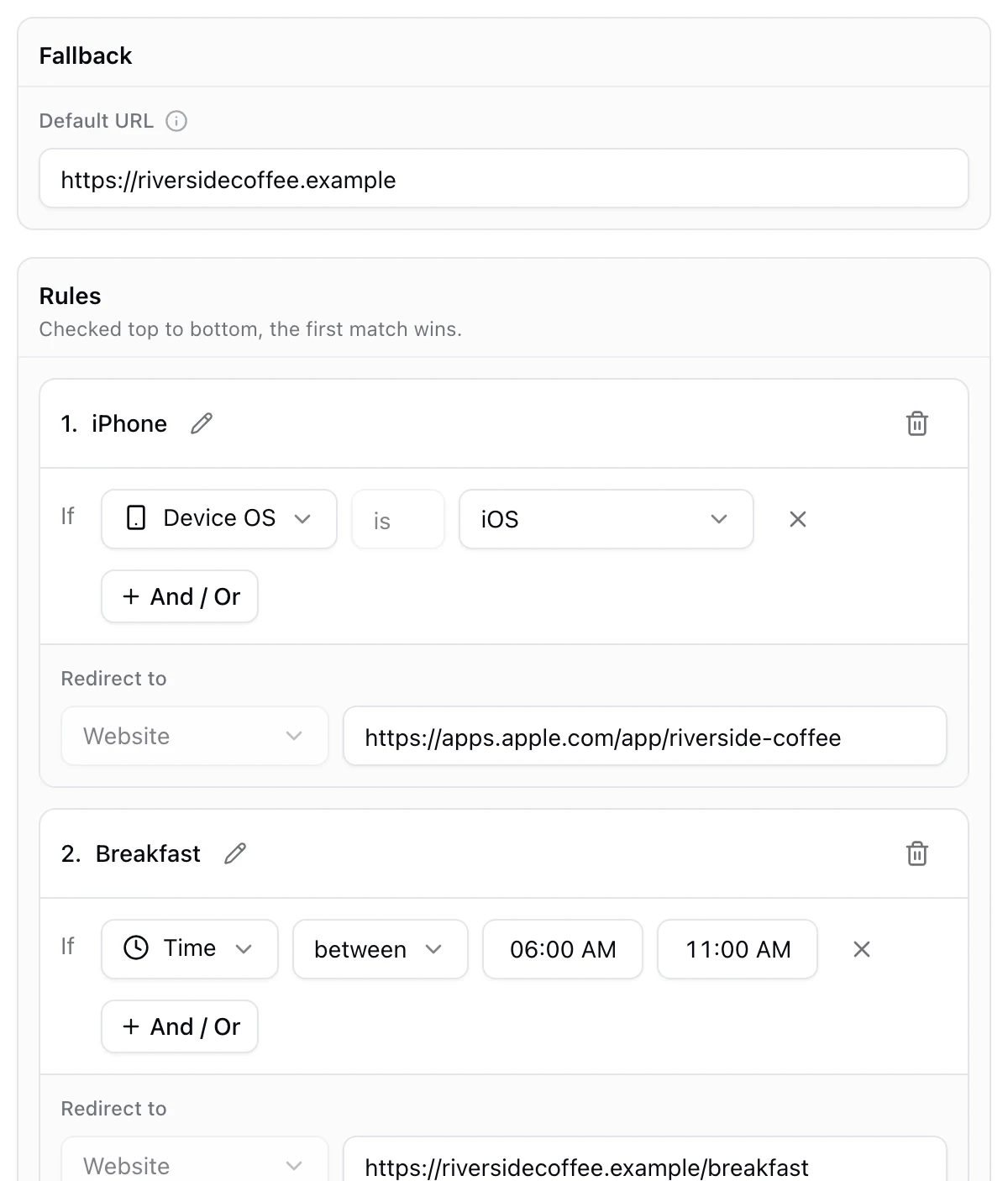
Sometimes you don't want people to choose, because you already know which link fits them. A smart QR code checks each scan and opens one link from a list, based on rules. Everyone who matches no rule goes to a fallback link.
| If you want | Rule | Example |
|---|---|---|
| The right app store | Device OS | iPhones to the App Store, Android to Google Play |
| The right language | Device language | Phones in Spanish open the Spanish menu |
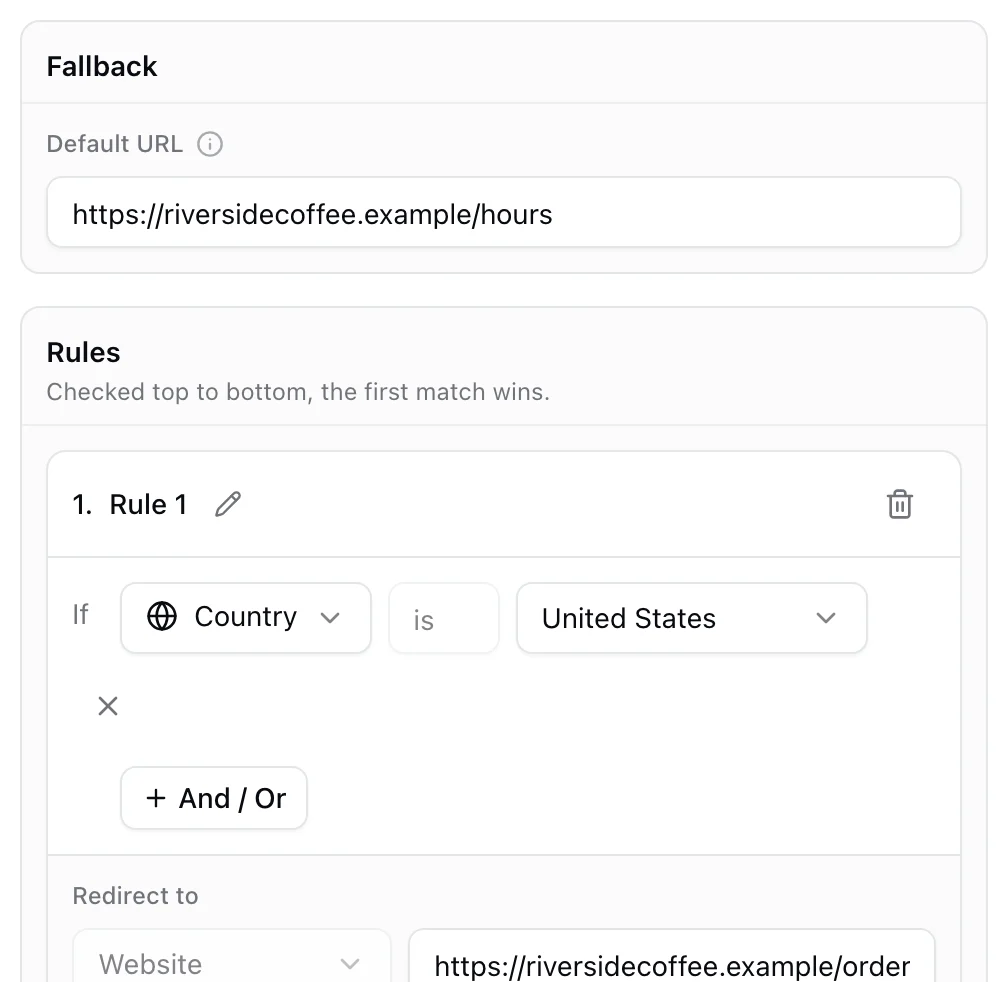
| The right country | Country | Scans in Canada open the Canadian store |
| The right time | Time and Day | Breakfast menu until 11 AM, the lunch menu after |
| Something just for the first scans | Total user scans | A prize page for the first 100 scans |
| The nearest store | Location | Scans within 5 km of a store open its page |
In KuikCode, pick Smart Rules as the destination, set the fallback link, then add a rule for each case. Rules are checked from the top and the first match wins, and you can add, reorder or remove rules after printing. If all you need is a different link per country, the Geolocation destination does that on its own. Both are included from PRO, and you can build and test them on any plan before saving. What is a smart QR code explains every rule, and redirect by country or device walks through the two most common setups.
Which one should you use?
| Page of links | Smart rules | |
|---|---|---|
| Who picks the link | The person scanning | The rules, at the moment of the scan |
| How many links | As many buttons as you like | One per rule, plus a fallback |
| Best for | Creators, small businesses, events, business cards | App downloads, languages, countries, menus by time |
| Plan on KuikCode | Basic and up | PRO and up |
You can also combine them. A smart code can send Spanish phones to your Spanish KuikPage and everyone else to the English one, and each page still holds all your links. Our multilingual QR code guide shows that setup.
Mistakes to avoid
- A static code to links that will change. A static code can never be pointed somewhere else. When your shop link or booking tool changes, every printed code breaks.
- Too many buttons. Put the two or three links people want most on top. A long list hides the one they scanned for.
- No reason to scan. Say what's behind the code: "All our links", "Shop, book and follow us", "Get the app".
- Rules with no fallback. Every smart code needs a link for the scans no rule catches. KuikCode always asks for one.
- Never testing. Scan the code with an iPhone and an Android, and if you use rules, test each one, for example by switching the phone's language.
What it costs
A static QR code is free, but it can't change and doesn't count scans. On KuikCode, Basic is $5 a month billed yearly for 3 codes and a link in bio KuikPage, Core is $9 a month yearly or $12 monthly for 20 codes and a full KuikPage, and PRO is $29 a month yearly or $39 monthly for 150 codes, five KuikPages and Smart Rules. Scans are unlimited on every plan, and every workspace starts with a 14-day free trial with no card. See pricing.
Frequently asked questions
01Can a QR code have multiple links?+
Not directly. A QR code stores one piece of text, and a phone opens one link from it. To offer several links, point the code at a page that lists them, or use a smart QR code whose rules open a different link for each scan.
02Can I put two links in one QR code?+
You can type two links into a text QR code, but the phone shows them as plain text instead of opening them, and most people stop there. A page of links behind one code works much better: each link is a big button the person can tap.
03How do I make a QR code for multiple links?+
Build a page with a button for each link, such as a link in bio page, then create a dynamic QR code that opens that page. On KuikCode you create a KuikPage from the Link in Bio template, add your buttons and social icons, publish it and point a KuikCode at it.
04Can one QR code open different links for iPhone and Android?+
Yes, with a smart QR code. Add a rule that sends iPhones to the App Store and another that sends Android phones to Google Play, and set a fallback link for everyone else. On KuikCode this is Smart Rules, included from PRO.
05Is there a free QR code for multiple links?+
A static QR code is free, so you could point a free static code at a free link page. The catch is that a static code can never change and doesn't count scans. KuikCode has no free plan, but every workspace starts with a 14-day free trial, and plans start at $5 a month billed yearly.
06Can I change the links after printing the QR code?+
Yes, as long as the code is dynamic. The code opens your page or your rules, so you edit the page's buttons or the rules and every printed code shows the change on the next scan.