Guests ask the same questions in every hotel, rental and tour. What's the WiFi? What time is checkout? How do I get there? What's worth doing nearby? Where do I leave a review? A QR code works best right where the question comes up: on the nightstand, by the door, at the start of the trail. One scan and the answer is on their phone, in their language, and still right after you change it.
Below: where codes earn their place in hotels, rentals, tours and museums, and how to set each one up.
The WiFi, before anything else
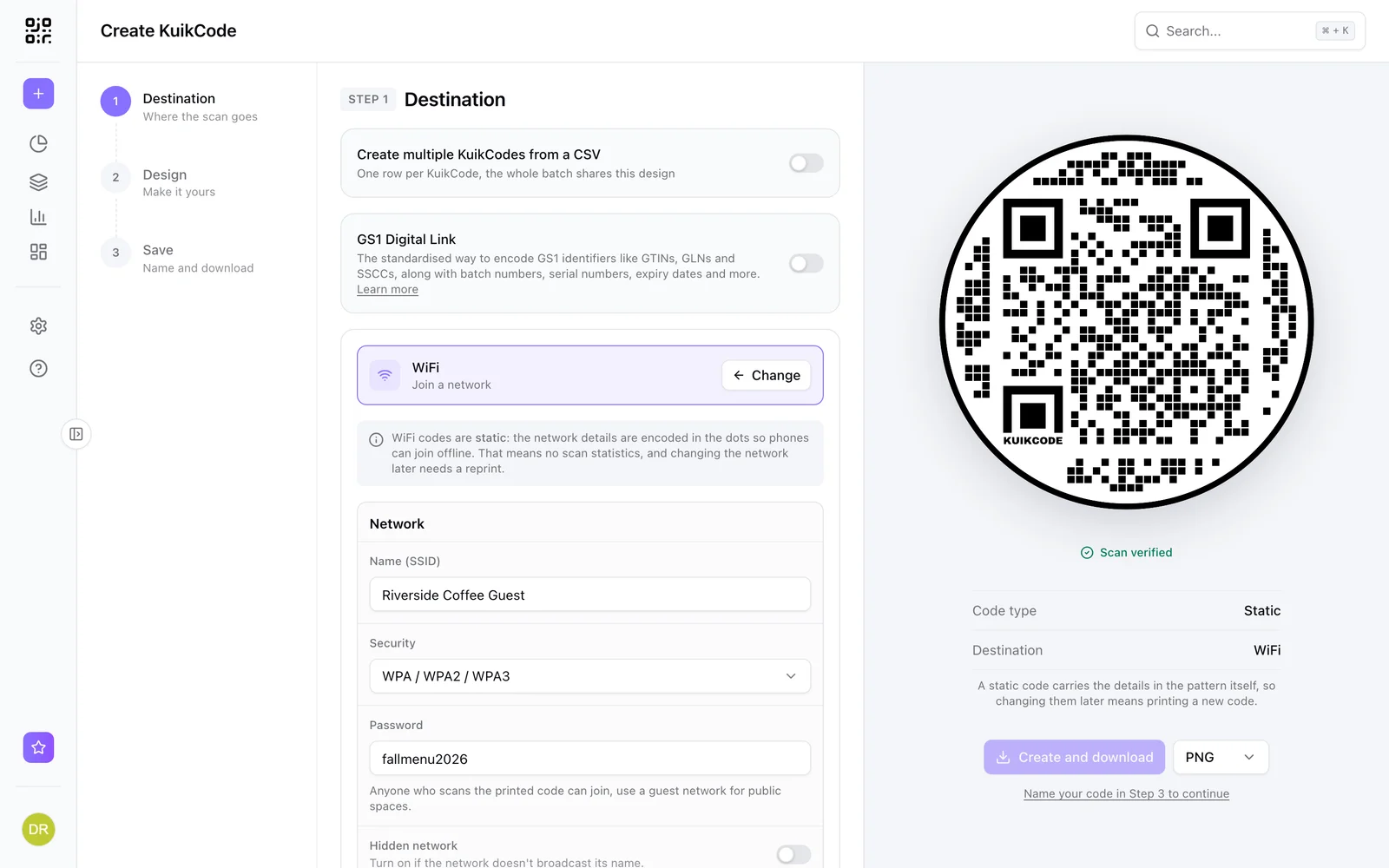
The first thing every guest wants is the network. A WiFi QR code holds the network name, password and security type, so guests point the camera at it and tap to join. No spelling out a 14 character password at the front desk.
- Put it on the room card, the welcome sign and the lobby table.
- It works without internet, because the details are inside the pattern. That makes it the one code to put first.
- It's static: if you change the password, you print a new code. Hotels that rotate passwords often can put the password on the guest guide page instead, behind a dynamic code.
More in how to make a WiFi QR code guests can scan, or make one on the WiFi QR code page.
A guest guide behind one code
Everything you'd put in a binder fits on one mobile page: check in and check out, house rules, the WiFi, parking, breakfast hours, the restaurant menu, a map, and the phone number for the front desk. Point a code at it and put that code by the door and on the key card.
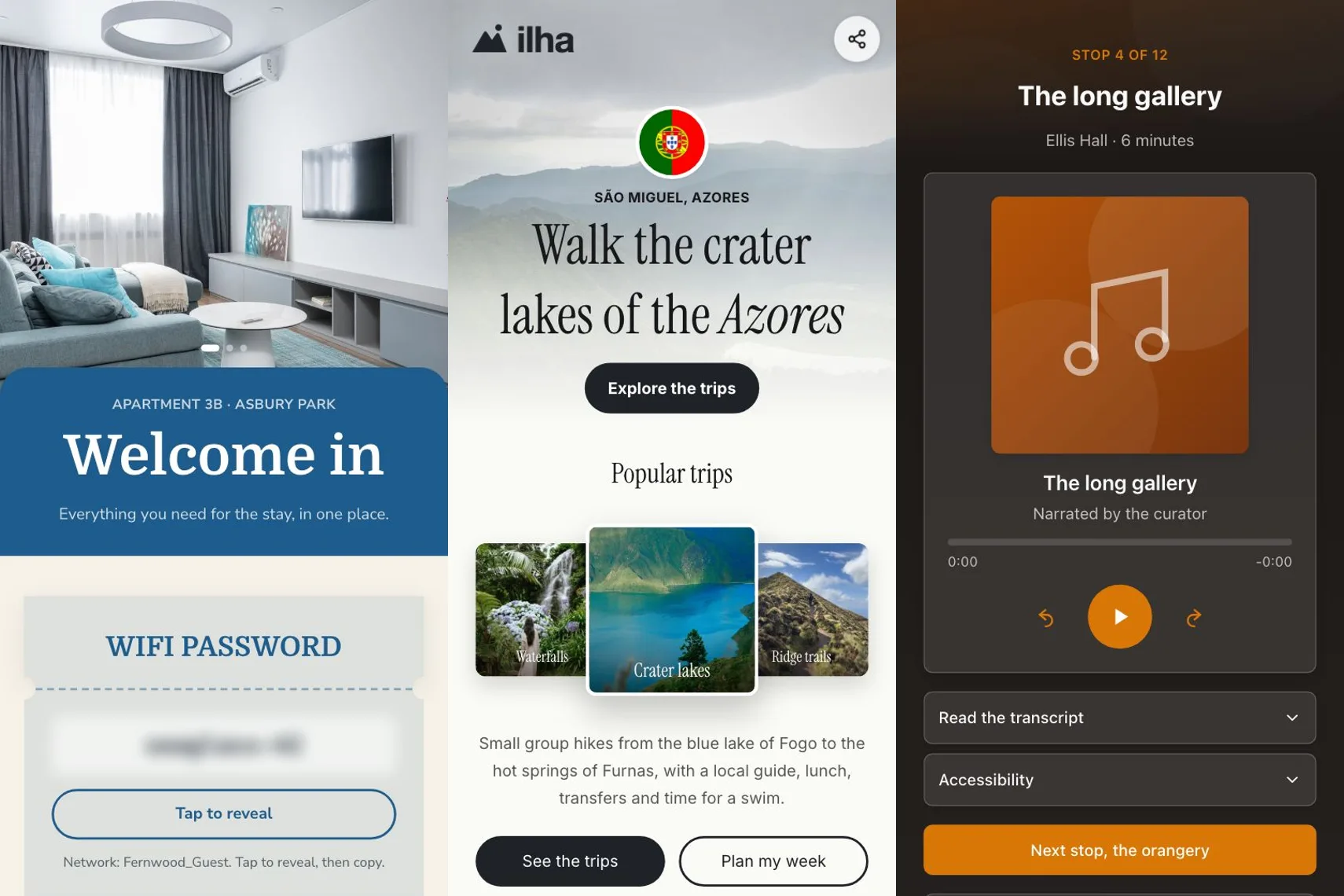
On KuikCode, the Rental Welcome template starts with the WiFi password behind a tap to reveal button, the house manual and check out steps. A bigger hotel can split the guide into pages (rooms, dining, spa, the area) with a menu at the top: multi page KuikPages come with PRO. When breakfast moves to 7:30, you edit the page and every card in every room shows it from the next scan.
Tours in the visitor's language
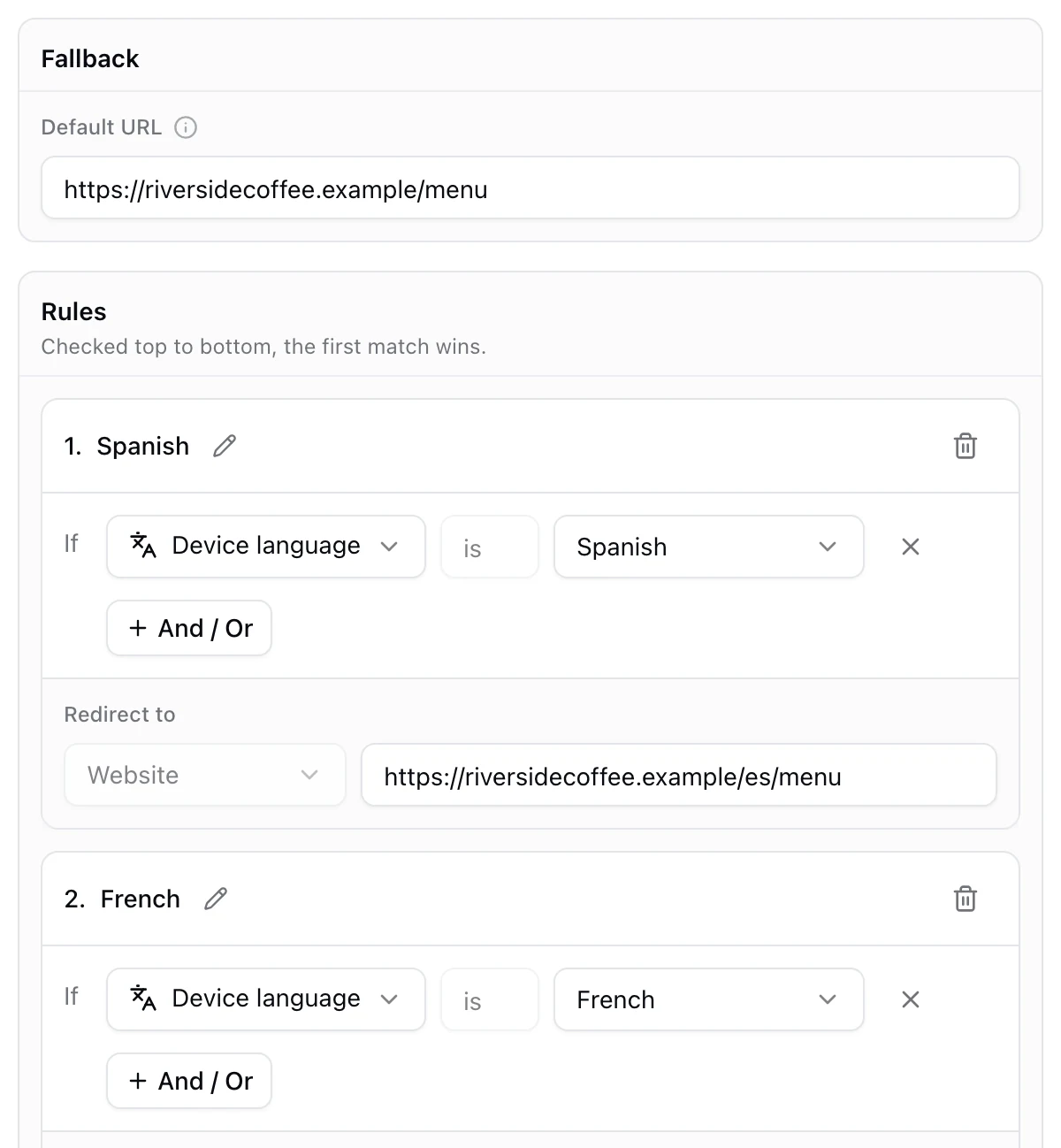
Tourists read faster and book more in their own language. You don't need a code per language. A dynamic code can read the language the phone is set to and open the matching page: Device language is Spanish opens the Spanish page, French the French one, and everyone else lands on your main language.
- Build one page per language. A KuikPage's Page language also switches the words the page adds on its own, like the menu and form messages, between English and Spanish.
- Create a dynamic code with a rule for each language, plus a fallback.
- Print one code on the brochure, the bus and the meeting point sign.
Language rules are part of Smart Rules, on PRO and Business. A PDF or image code can also hold one file per language, so a printed brochure opens in the reader's language. See how to make a QR code that opens in the scanner's language.
Audio stops for museums and trails
Museums, wineries, walking tours and parks can put one code at each stop. The scan opens a short audio track with the transcript underneath, so visitors listen on their own phones and nobody waits for a device at the desk. The Audio Guide template has the stop number, the player, the transcript, an accessibility section and a button to the next stop.
Count each stop's scans to see where people stop and where they turn back: every scan shows its time, city and device. You see scans, not who scanned.
Directions, bookings and things to do
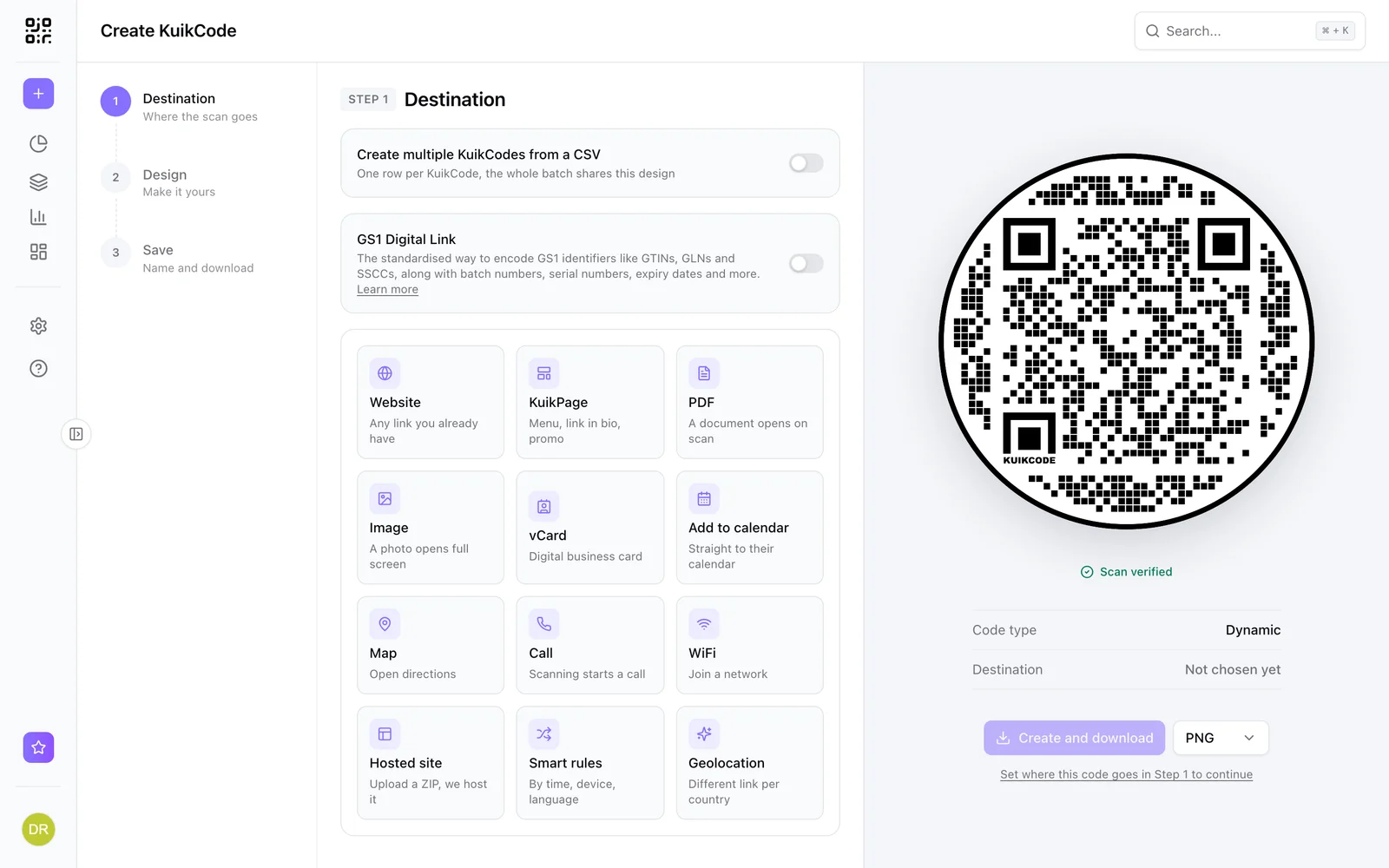
- Directions. A code with the Map destination opens directions in Google Maps to the address or pin you choose. Put it on the booking confirmation, the rental's front door sign and the tour's meeting point flyer.
- Bookings. Put the spa, the restaurant or tomorrow's tour behind a code in the room, with times right on the page.
- Things to do. A page of local tips, partner restaurants and tours, which you can update every season without reprinting.
- The schedule. An Add to Calendar code puts the tour or the dinner straight into the guest's calendar, with the time and place.
Reviews, at the right moment
The best time to ask for a review is the end of a good stay or a good tour. A code on the checkout card, the bill folder or the bus can open your Google review form straight away. See how to make a QR code for Google reviews, or start from the Google review QR code page.
For feedback you want to read before the public does, point the code at a short survey page first: a star rating and two questions.
Printing codes that last a season
Hotel signs, room cards and brochures stay up for months. A few rules:
- Use dynamic codes for anything that can change. Tour times, prices, menus and checkout hours change. A dynamic code keeps the printed card and changes what it opens.
- Put WiFi first. Guests without roaming data can't open a web page until they're on your network.
- Add a few words under the code, like Scan for WiFi or Scan for the trail guide, in the languages your guests speak.
- Size it for the distance. About 2 cm (0.8 in) is the minimum for a card in someone's hand; a sign across the lobby needs much more. See QR code size for print.
- Test it with two phones, from where guests will stand, before you print a full run.
Your codes can look like your brand, with your colors, logo and a frame that says what they do. A designed code gets scanned more than a plain black square on a nice hotel wall.
Frequently asked questions
01What can a hotel use QR codes for?+
The WiFi in the room, a guest guide with check in and check out, the restaurant menu, spa and activity bookings, directions, local tips and a review request at checkout. Each code goes where guests ask that question.
02How do I make a WiFi QR code for guests?+
Create a WiFi code with the network name, password and security type. Guests point the camera at it and tap to join. The details live in the pattern itself, so if you change the password you print a new code.
03Can a QR code open in the tourist's language?+
Yes. A dynamic code can route by the language the phone is set to: Device language is Spanish opens the Spanish page, French opens the French one and everyone else gets your main language. On KuikCode, language rules are part of Smart Rules, on PRO and Business.
04How do museums use QR codes?+
One code per stop on the route, each opening an audio track with the transcript, so visitors listen on their own phones. Add an accessibility note and a link to the next stop.
05Do tourists need internet to scan a QR code?+
Reading the code happens on the phone. A WiFi code then works without data. A code that opens a web page needs a connection, so put the guest WiFi code first, where people arrive.
06Can I change a hotel QR code after printing it?+
Only if it's dynamic. A dynamic code holds a short link you control, so you can change the page it opens, or the page itself, and every printed card follows. A static code can't change.