Yes. A QR code doesn't have to open a website: it can hold the message itself. Scan it and the words appear on the screen. It's a small surprise that works on a birthday card, a gift tag, a lunchbox or the last clue of a treasure hunt.
If the message should arrive in someone's inbox, use a QR code that opens an email or a text.
There are two ways to do it. You can put the text inside the code, or you can link the code to a page with your message, a photo and even a video. Here's how each works and when to pick it.
Option 1: put the message inside the code
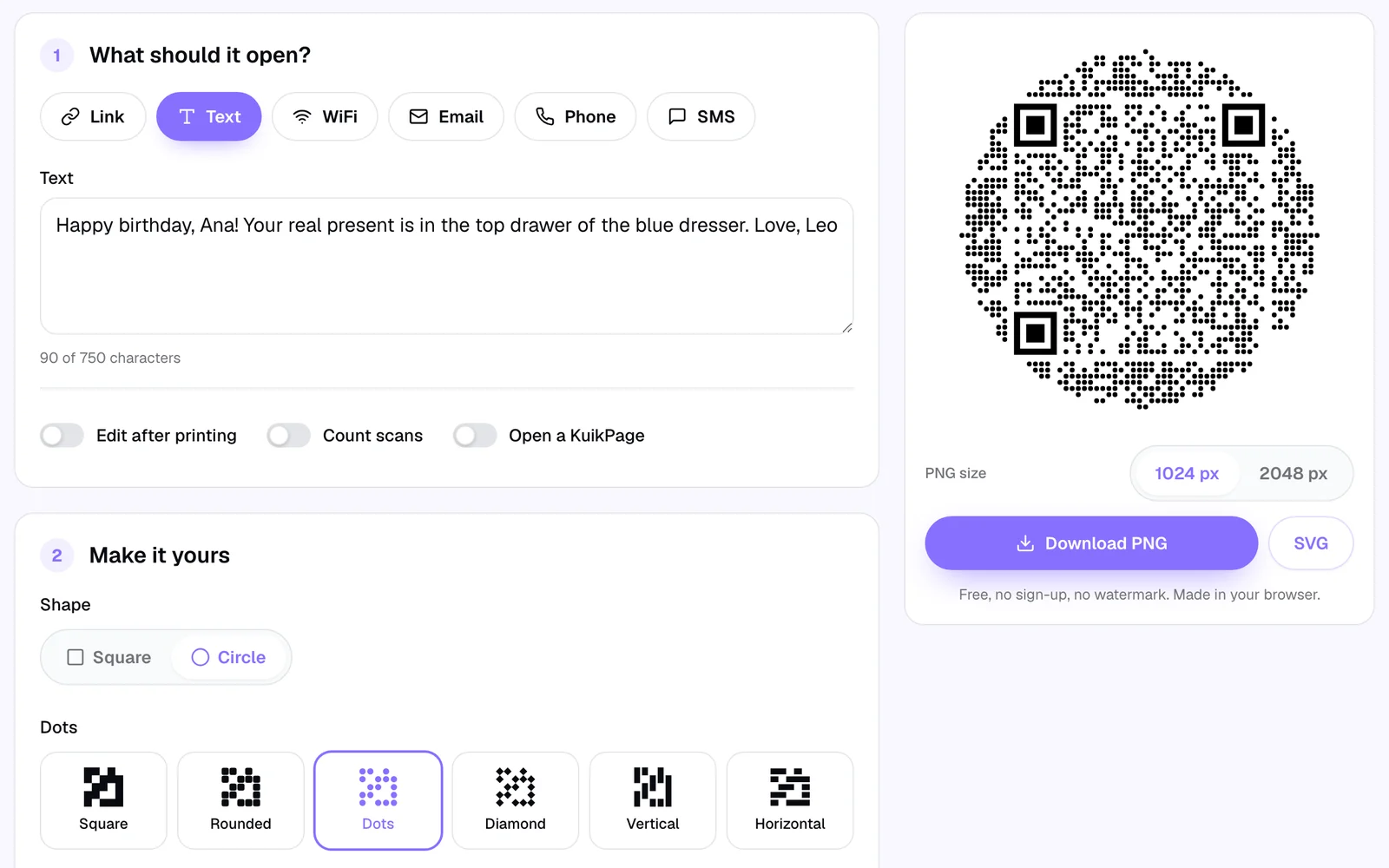
A text QR code stores your words directly, with no link and no website behind them. To make one:
- Open the free QR code generator and choose Text.
- Type your message, up to 750 characters.
- Pick a shape, dots and colors. Keep the dots clearly darker than the background.
- Download the PNG to print at home, or the SVG for a print shop.
When someone scans it, most phones show the words right on the screen, sometimes after a tap on the preview. Because the message lives inside the code, it works with no internet, no app and no account, on a plane, in a basement or years from now.
Two things to know before you print:
- Anyone who scans it can read it. A text code isn't secret, just hidden from the naked eye.
- The words can never change. A typo stays forever, so read the message twice.
Short messages make better codes
Every character adds to the pattern. Here are the same birthday note at three lengths, made with the free generator:
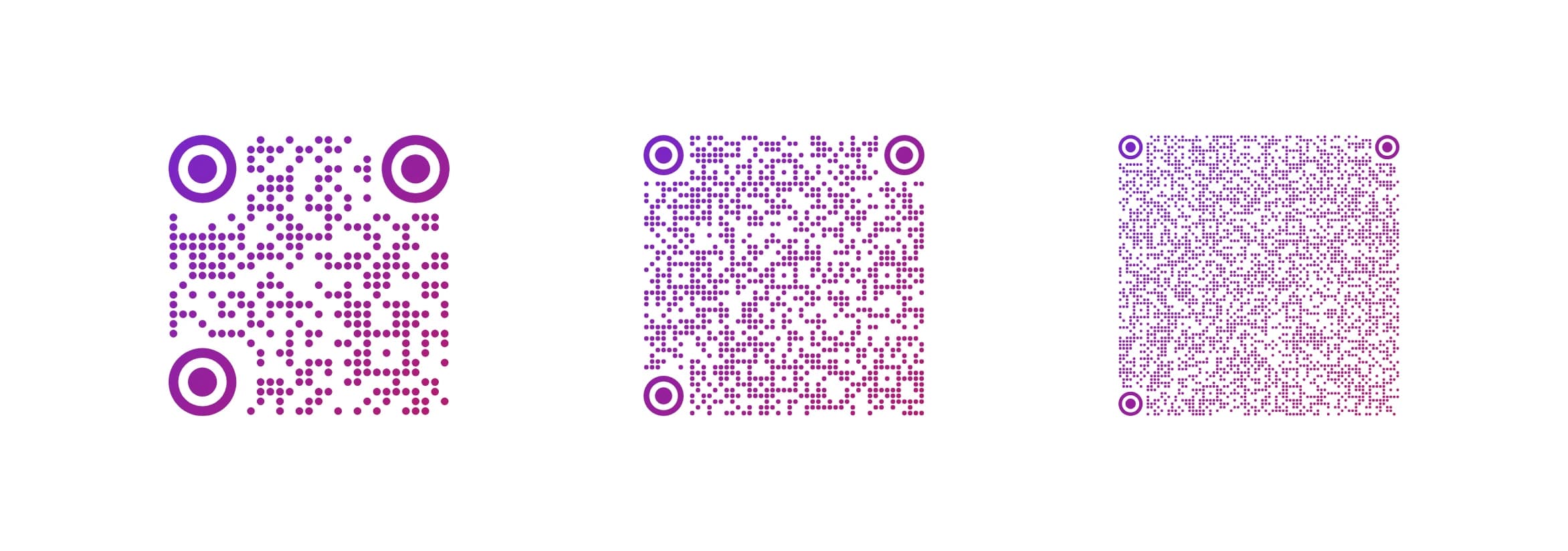
All three scan, but the third needs to be printed much larger to read easily, especially by an older phone. A good rule: keep a text code under 150 characters, or print it bigger. A one line message on a gift tag can be tiny; a letter on a card should fill most of the card's back. For sizes in centimeters and inches, see what size a QR code should be, and for the hard limits of the standard, how much data a QR code can hold.
Option 2: link the code to a page with your message
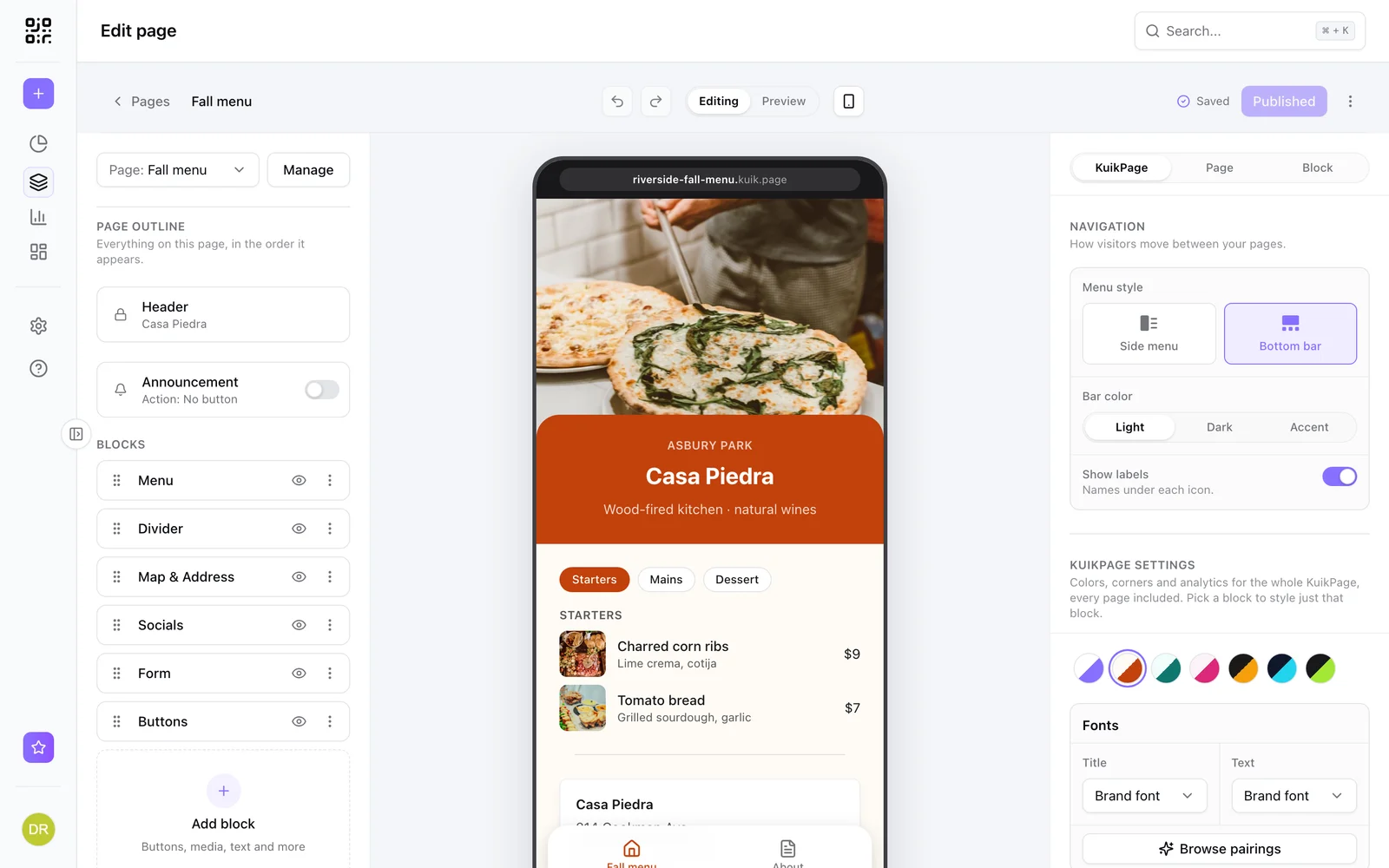
When the message is longer, private or more than words, put it on a page and make the code open that page. A KuikPage works well for this: a phone page you design yourself, with blocks you stack in any order.
- Your note in a Rich text block, as long as you like.
- A photo of the two of you, the trip or the thing you're giving.
- A video or voice message, recorded on your phone, in a Video or Audio block (from the Core plan).
- A countdown to the trip, the concert or the day you'll finally meet.
A page also fixes the two limits of a text code. You can edit it after the gift is wrapped: fix a typo, add the photo from the party, leave a reply. And you can keep it private: a KuikCode can ask for an access code before the page opens (on PRO), so only the person you gave it to can read it.
Because a KuikCode counts its scans, you'll also see when it was opened, which is half the fun when you can't be there in person.
Which one should you use?
| Text inside the code | A page with your message | |
|---|---|---|
| Needs internet | No | Yes |
| Length | Up to 750 characters in the free generator | As long as you like |
| Photos, video, voice | No | Yes |
| Change it later | Never | Any time |
| Private | No, anyone who scans can read it | With an access code |
| Cost | Free | Part of a KuikCode plan |
A short "I love you" on a lunchbox note or a treasure hunt clue is a perfect text code. A wedding thank you with photos, a birthday video from the whole family or an anniversary letter belongs on a page.
Ideas for a QR code message
- Birthday and holiday cards: a short wish inside the code, or a video from everyone who couldn't come.
- Gift tags: a clue to where the real present is hidden.
- Love notes: a message in a lunchbox, a book or a coat pocket.
- Treasure hunts: each code shows the next clue, no phone signal needed.
- Weddings and parties: a thank you page with the photos, linked from the place cards. Our guide to QR codes on party invitations covers the invitation side.
Whichever you choose, test it before you give it: scan the printed code with your own phone and one other, and check that the message reads the way you meant it.
Frequently asked questions
01Can a QR code show a message?+
Yes. A QR code can store plain text instead of a link. When someone scans it, the phone shows the words on screen. It works without internet, because the message is inside the code itself.
02How do I make a QR code with a message for free?+
Open the free KuikCode QR code generator, choose Text, type your message (up to 750 characters), pick colors and a shape, and download the PNG or SVG. No sign up and no watermark.
03How long can a QR code message be?+
The QR standard allows about 3,000 characters, and the free generator takes up to 750. Shorter is better: every extra word makes the grid denser, and a dense code has to be printed larger to scan.
04Can I change the message after printing the QR code?+
Not with a text code: the words are part of the pattern. If you want to edit the message later, link the code to a page, like a KuikPage, and change the page whenever you like.
05Is a QR code message private?+
No. Anyone who scans a text code can read it. For a private note, link the code to a page and turn on an access code, so only people who know the code can open it.
06Can a QR code play a video or voice message?+
Yes, through a link. Put the video or audio on a page, for example a KuikPage with a Video or Audio block, and point the code at that page. Scanning opens the page and the person taps play.