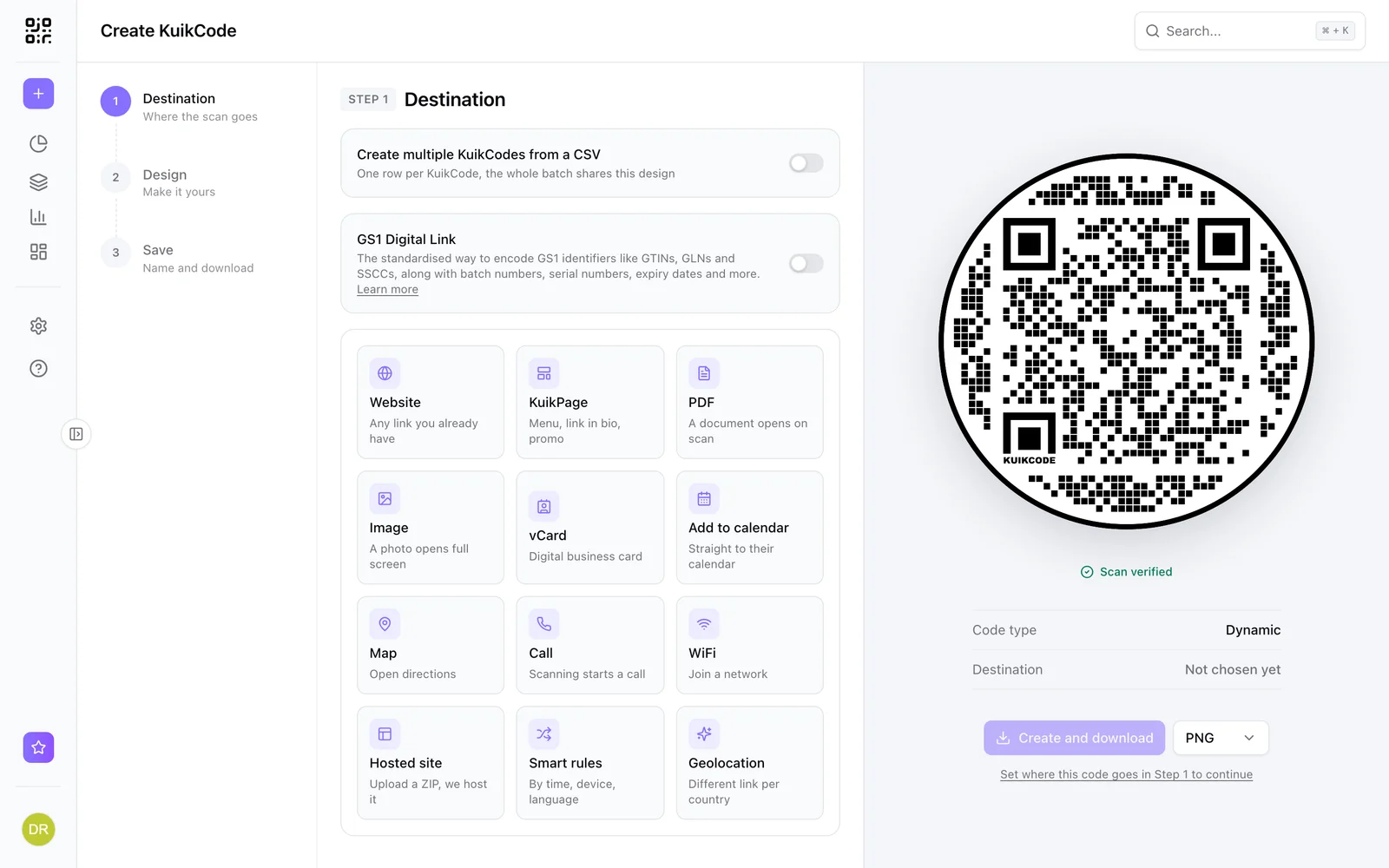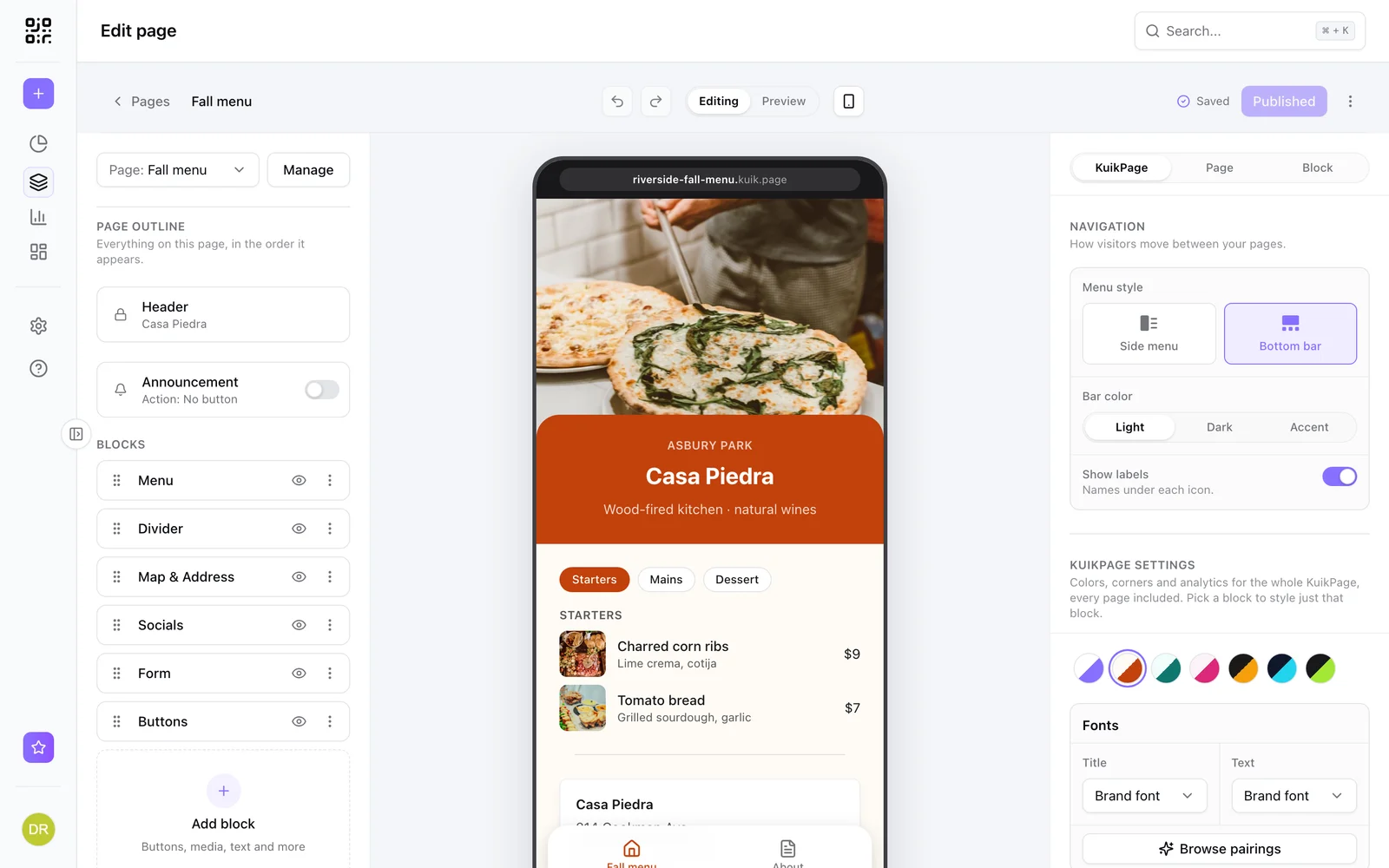
To create a QR code for your business, start with what it should open: one mobile page with the few things customers want from you, like call, directions, hours, booking or this week's offer. Then make a dynamic QR code for that page, add your logo and colors and a short call to action, and print it where people already wait or hold something: the door, the counter, the table, the receipt. Because the code is dynamic, you can change the page anytime and see how many people scan it.
How to create a QR code for your business
- Pick what it opens. One page that answers the questions you get every day beats a link to your full website. More on that below.
- Make the code dynamic. A dynamic code holds a short link you can repoint after printing, and it counts every scan. A static code is fixed forever, which hurts the day your menu, booking tool or offer changes. See static vs dynamic QR codes.
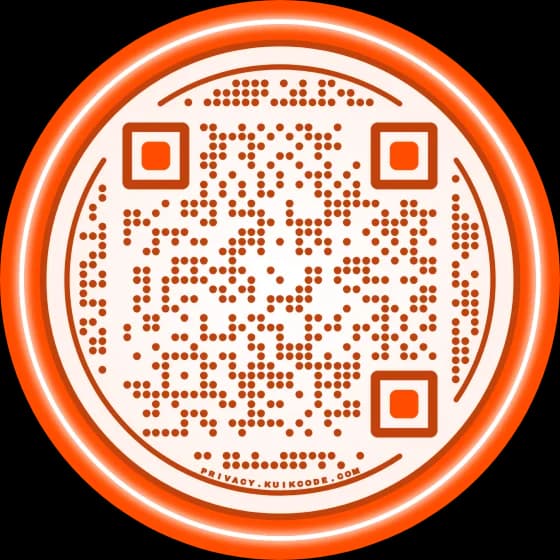
- Brand it. Your colors, your logo in the middle and a frame with words. KuikCode's Auto Design can also build options from your website's colors in one click.
- Tell people why to scan. "Scan for the menu", "Book your next cut", "Get 10% off today". A code with no reason next to it gets ignored. We collected QR code call to action examples that work.
- Test and print. Scan it with an iPhone and an Android from where a customer would stand, and print it at least 2 x 2 cm for anything held in the hand, bigger for doors and signs. See what size a QR code should be.
What your business QR code should open
Most small businesses don't need a website behind a code. They need one page made for phones with big buttons for the things people actually do:
- Call and Get directions, with your hours right there.
- Book or Order, straight to your booking or ordering tool.
- This week's offer or a coupon with a code to show at the register.
- Leave a review and Follow us.
In KuikCode, that page is a KuikPage. You start from a template with real example content, swap in your words and photos, and publish it on your own address at yourname.kuik.page. Four made for small businesses:
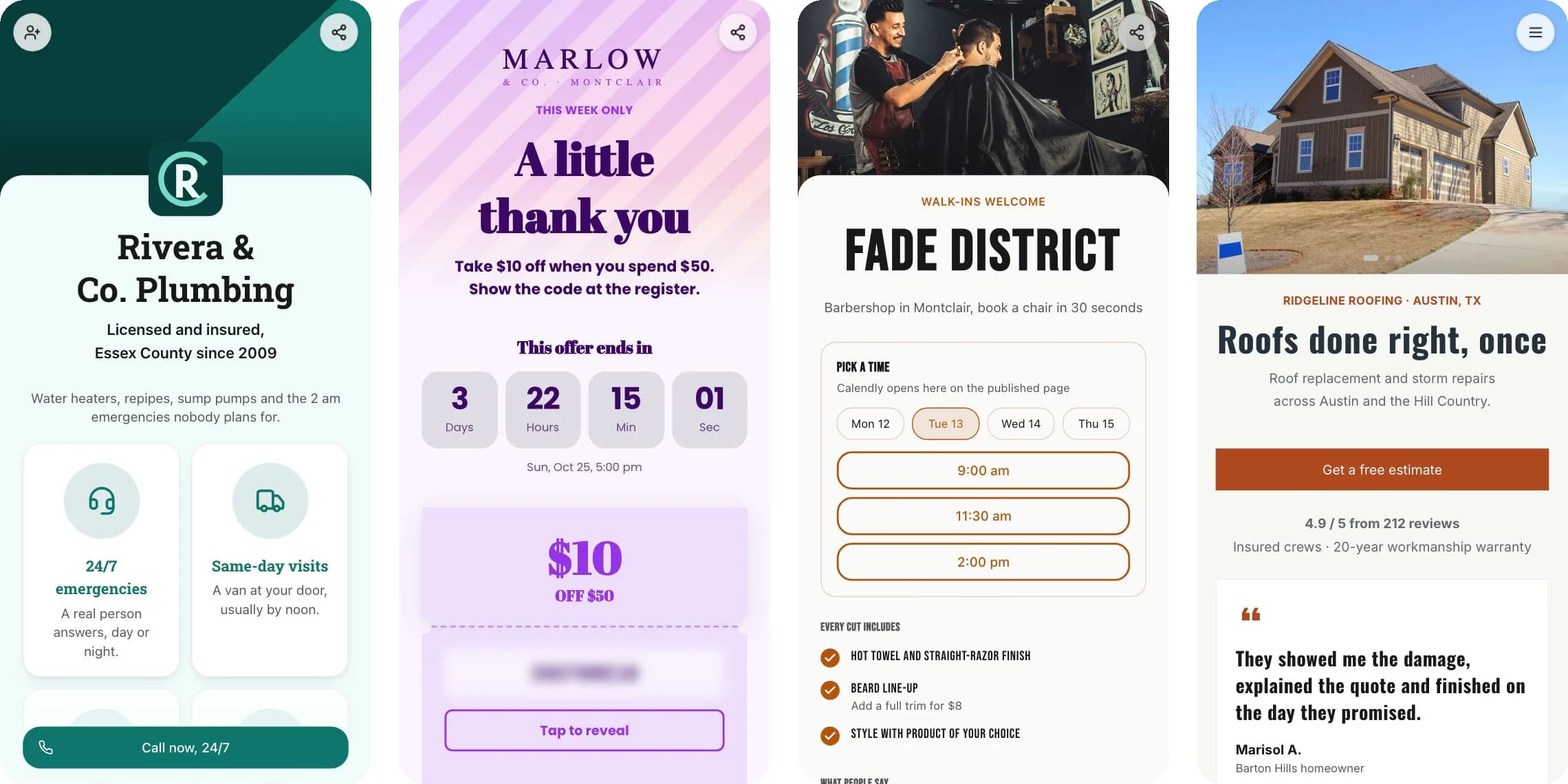
The page and the code live in the same workspace, so you edit the page and every printed code shows the new version on the next scan. Basic includes a link in bio KuikPage, and Core one full KuikPage with menus, hours, coupons, forms, galleries and maps. PRO gives you five KuikPages with up to five pages each behind a menu, like the roofer's Projects, Reviews and Estimate pages. KuikPages shows every block, and what is a mobile landing page covers what to put on one.
10 places a QR code pays off
1. The front door or window. People read your door when you're closed or busy. Link your hours, menu, booking page or a "back at 2" note you can change from your phone.
2. Next to the register. The best moment to ask for a Google review is right after a good visit. Point the code at your review link, or on PRO use a review funnel that sends happy customers to Google and the rest to you. Our Google review QR code guide shows where to find the link.
3. On tables. A menu QR code on every table lets you change dishes and prices without reprinting, and a café table card can put the menu, the WiFi and your rewards on one page.
4. Receipts and bags. They go home with the customer. Link a reorder page, your loyalty signup, a coupon for the next visit or a short feedback form.
5. Business cards. A code that opens a digital business card saves your number, email and address to their contacts in one tap, and you can update it after the cards are printed.
6. Flyers and posters. Give every flyer run its own code and point it at the offer it promotes. The scans show which street, store or event actually brought people in. See how to put a QR code on a flyer.
7. Vans, trucks and yard signs. For trades, the van is the billboard. A code that opens "Get a free estimate" with photos of recent jobs works while you're parked at the next job.
8. Packaging, tags and product inserts. Care instructions, a how-to video, the warranty form and a button to buy again. If you sell in stores too, our QR code vs barcode guide explains how the two live on one box.
9. Invoices and estimates. Link your payment page, your reviews or a page with your licenses and insurance. A customer comparing quotes trusts the one they can check.
10. Guest WiFi. A WiFi QR code joins the network without anyone spelling the password. WiFi codes are static, since the login lives in the code, so print them where only guests see them.
For shops with several promotions a year, QR codes for retail covers windows, shelves and receipts in more depth, and restaurants get their own page at QR codes for restaurants.
Know which spots are worth it
The mistake most businesses make is printing one code everywhere. Give each placement its own instead, all with the same design: one for the door, one for the counter, one per flyer run. Each code keeps its own scans by day, hour, city and device, so after a few weeks you know that the counter brings reviews and the window brings nothing, and you move the window code to the bags.
From Core you can add UTM tags, so code visits show up as their own campaign in your web analytics, and from PRO each new scan can land in a Google Sheet through Zapier. See how to track QR code scans.
What it costs
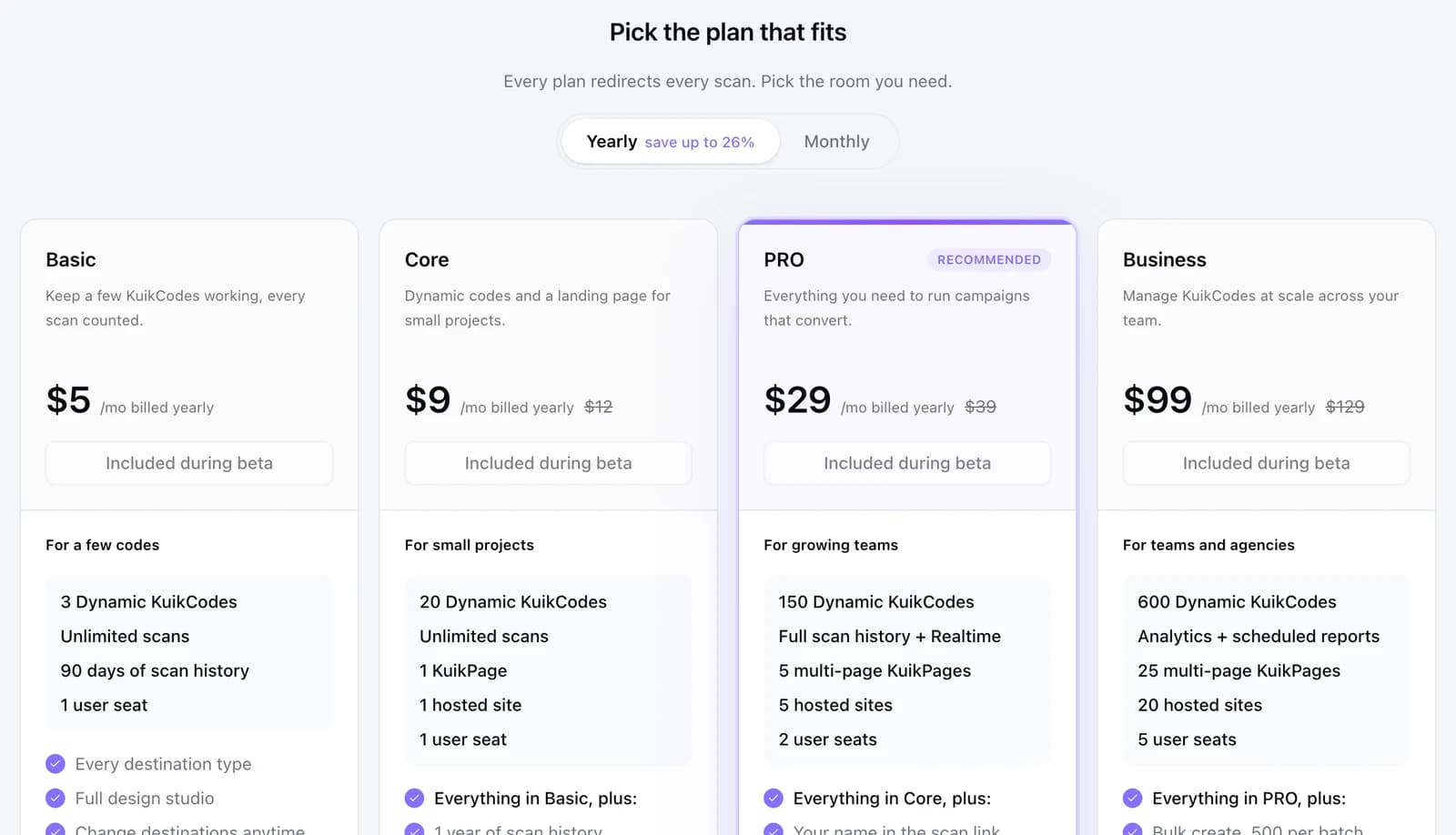
A static QR code is free, but it can't change and doesn't count anything. Dynamic codes are a subscription. On KuikCode, Basic is $5 a month billed yearly for 3 codes and a link in bio KuikPage, Core is $9 a month yearly or $12 monthly for 20 codes and a full KuikPage, and PRO is $29 a month yearly or $39 monthly for 150 codes and five multi page KuikPages. Scans are unlimited on every plan, and every workspace starts with a 14-day free trial with no card. Pricing has the full table, and how much does a QR code cost compares the market.
Five mistakes to avoid
- A static code to a link that will change. The day the link changes, every printed code breaks.
- A desktop homepage. If people have to pinch and zoom, they leave.
- A code with no words. Say what happens: menu, booking, 10% off.
- Too small or too low contrast. Dark code, light background, at least 2 cm. Our post on QR code colors shows which pairs fail.
- Never checking. Scan your own codes every few months, especially after you change the page or the tool behind it.
Frequently asked questions
01How do I create a QR code for my business?+
Decide what the code should open, ideally one mobile page for your business. Create a dynamic QR code in a generator, paste the page's link, add your logo, colors and a call to action like Book a table, then test it on two phones and download it for print. A dynamic code lets you change the page later without reprinting.
02Is a QR code for my business free?+
A static QR code is free, but it can never change and it doesn't count scans. A dynamic code, which you can edit and track, is a subscription. On KuikCode, plans start at $5 a month billed yearly, scans are unlimited on every plan, and every workspace starts with a 14-day free trial.
03Where should a small business put QR codes?+
Where customers already pause: the front door or window, next to the register, on tables, on receipts and bags, on business cards, flyers, vans and yard signs, on packaging and on invoices. Each one should open something useful right there, like a menu, a review form, a booking page or an offer.
04What should my business QR code link to?+
A page made for phones with the actions people want from you: call, directions, hours, book, order, leave a review. A link in bio style business page works well, because one code covers all of it. Avoid linking a desktop homepage that makes people pinch and zoom.
05Do I need a website to use QR codes for my business?+
No. A code can open a mobile page you build from a template, a Google review form, a PDF menu or a contact card. With KuikCode, a KuikPage gives you a page on your own kuik.page address without any website or hosting.
06How do I know if my QR codes are working?+
Use dynamic codes and give each placement its own. You'll see scans by day, hour, city and device for each one, so you can compare the window against the counter or one flyer against another and keep what works.